Answered
Dashed line cut off on first and last dashes
Hello!
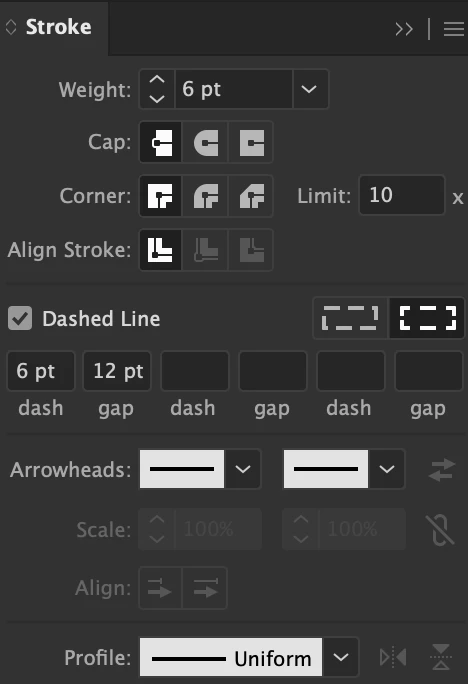
I'm creating a dashed line in lllustrator and the first and last dash of every line is shorter than the rest of the dashes. Images attached. Any thoughts appreciated!
thanks,
Megan

Hello!
I'm creating a dashed line in lllustrator and the first and last dash of every line is shorter than the rest of the dashes. Images attached. Any thoughts appreciated!
thanks,
Megan
Megan,
As I (mis)understand it, in the Dashed Line part click the leftmost Dashes pattern instead of the rightmost one. The latter gives you half a dash on either side of a corner as well as at start and end.
Already have an account? Login
Enter your E-mail address. We'll send you an e-mail with instructions to reset your password.
 AdChoices