Participant
March 26, 2021
Question

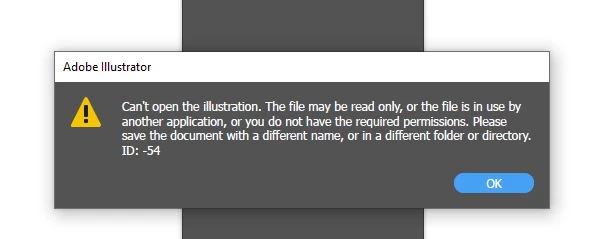
Data recovery file problem. When I try to open this file from data recovery folder this file doesn't

  • March 26, 2021
  • 3 replies
  • 1247 views

This topic has been closed for replies.

3 replies

Bever28242229vxmb
Participant
February 3, 2023

You're having trouble opening a file from your data recovery folder. That can be frustrating, especially if it's an important file you need to access.

Met1
Legend
February 3, 2023

[remarks removed by moderator - please abide by our Community Guidelines or your account will be banned]

Participant
January 31, 2023

I don't think you can recover the file and that's unfortunate!

Monika Gause
Community Expert
Community Expert
March 26, 2021

Which version, which system?

Exactly what has been happening to your file?

Where is the file stored?

Any AkterAuthor
Participant
March 26, 2021

Adobe illustrator 2021

I made a design in illustrator but i didn't save the file.  After restarting illustrator I search this file and I found this file in data recovery folder but this file doesn't open.

Monika Gause
Community Expert
Community Expert
March 27, 2021

Did Illustrator crash?

If it didn't crash there won't be a recovery file. The recovery works like so: When Illustrator crashed and created a recovery file, then on the following restart, it will ask you if you want to try a recovery. You have to click OK, otherwise the recovery file will be deleted.


Recovery ≠ autosave

If you don't save your file and you quit Illustrator, then Illustrator won't save your file yor you.


Even if the Recovery file has been created, there is no guarantee that it works. E.g. when the crash is due is a power outage, then saving might still fail.  The recovery function is meant for securing the last couple minutes or mabye half an hour that you didn't cover with your backups and regularly saving your file.