Participant
September 5, 2025
Answered

Deactivate question mark bar at the bottom

  • September 5, 2025
  • 2 replies
  • 172 views

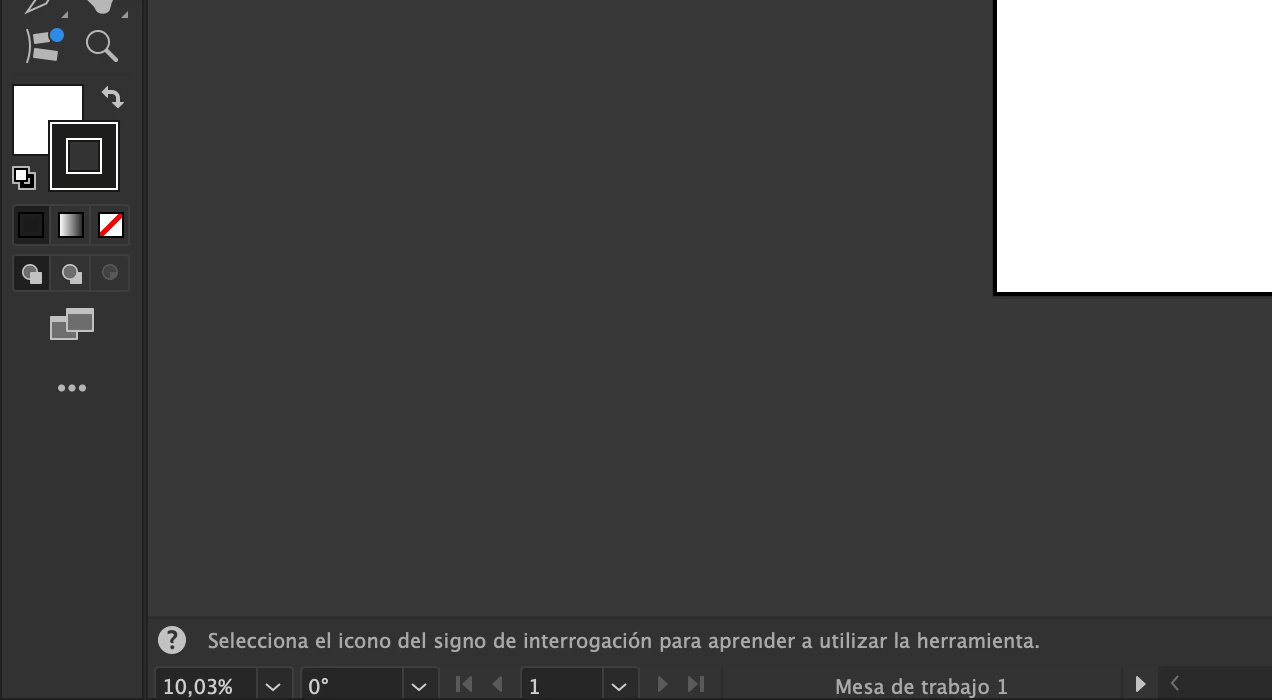
Please!! somebody tell me how to deactivate that bar with the question mark on the bottom of the frame. Thank you!



Correct answer CarlosCanto

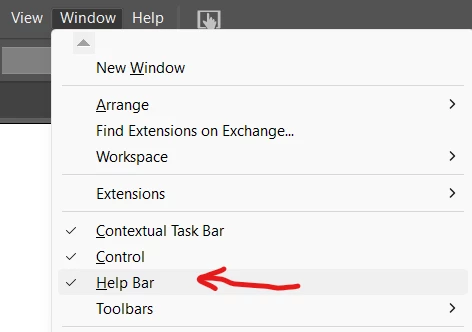
to turn it on/off, go to Window->Help Bar


2 replies

CarlosCanto
Community Expert
CarlosCantoCommunity ExpertCorrect answer
Community Expert
September 5, 2025

to turn it on/off, go to Window->Help Bar


creative explorer
Community Expert
Community Expert
September 5, 2025

@Falloapenascompre1988  That specific pop-up, ? Select the question mark icon to learn how to use the tool, is a type of in-app help or "rich tooltip" that Adobe has integrated into Illustrator to assist new users. It's often accompanied by a small animated video or a brief explanation of the tool's function. 


To deactivate this tool and prevent those messages from appearing, you'll need to adjust the program's preferences. Keyboard shortcuts, Command K (MAC) or Control K (PC). In the Preferences dialog box, look for the option that says "Show Rich Tooltips". Uncheck the box next to "Show Rich Tooltips." Click OK. This will turn off the pop-ups with videos and help prompts. You will still see the basic tooltips (just the tool's name and its keyboard shortcut) when you hover over an icon, but the more detailed, interactive ones will be gone. You may need to restart Illustrator for it to take into effect


m