Delete outlines within outlines
Hello,
I am stuck with, what seems like quite a straightforward task, but can't really figure out how to do it. I have tried to do this with pathfinder and shape builder tool, but never get the result I am looking for. So if anybody could point out if I am missing something or if there is another way to do it, I would really appreciate it.
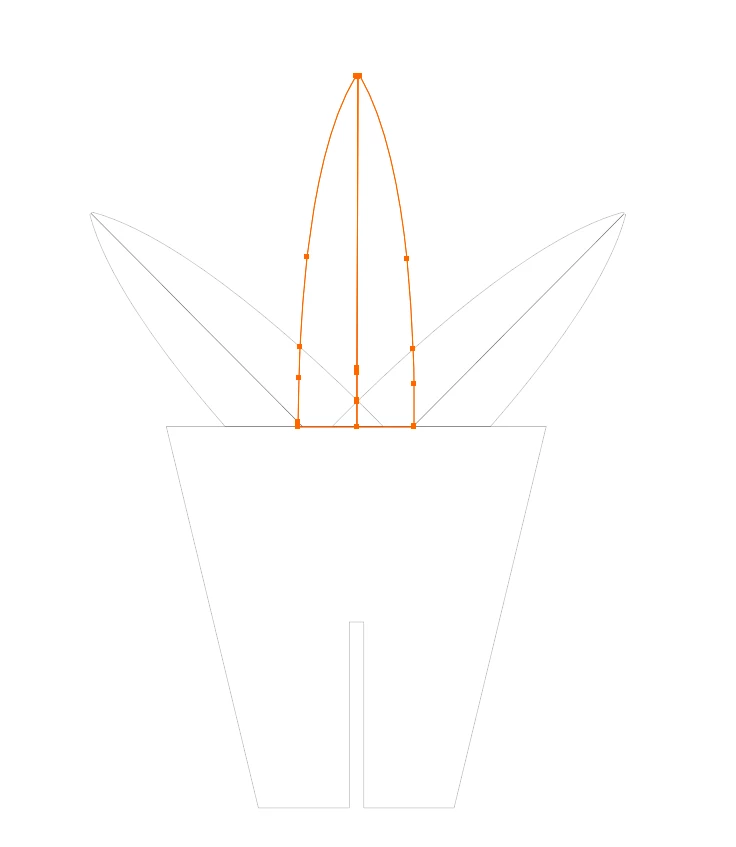
What I want to do is remove the parts of side leaves within the middle leave (highlighted in image attached). If there would be fill, the layers would just stay behind the middle one and that would be fine. But I need just outlines with transparent fill thus need to change the outlines somehow.
I work mostly with Photoshop and there the solution would be with simply some invert selection and masking. How could I achieve this in Illustrator?
 AdChoices