Inspiring
October 24, 2022
Answered

Delete the contents of a path

  • October 24, 2022
  • 1 reply
  • 303 views

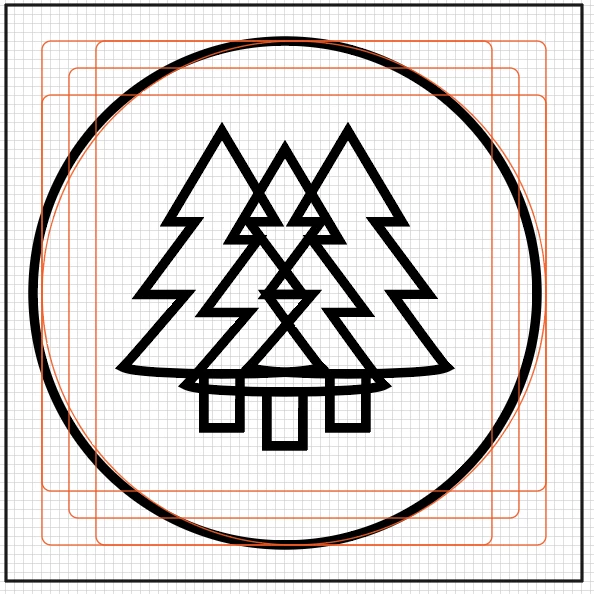
I know Pr, Ae, and Ps but am learning AI. I would like to delete only the contents of the middle tree to look like the second picture. 

Each tree was created with the pen tool with a black stroke and no fill. Any suggestions?

Thank you!


This topic has been closed for replies.
Correct answer Doug A Roberts

Select the shapes, and using the shape builder tool (shift + M), alt-drag over the lines you wish to remove. Or drag over to unite the central shape.

1 reply

Doug A Roberts
Community Expert
Doug A RobertsCommunity ExpertCorrect answer
Community Expert
October 24, 2022

Select the shapes, and using the shape builder tool (shift + M), alt-drag over the lines you wish to remove. Or drag over to unite the central shape.

Luke HydeAuthor
Inspiring
October 24, 2022

Thank you, seems like a cheat code how easy that was. But now there is a grey line in the stroke of my middle tree, any idea how to remove that?