pyerbass
Participant
June 10, 2020
Answered

designing knob writing for GUI

  • June 10, 2020
  • 2 replies
  • 892 views

Hello There, 

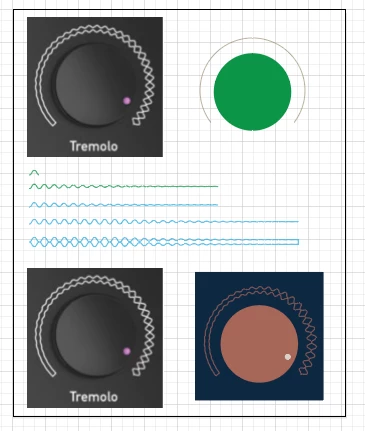
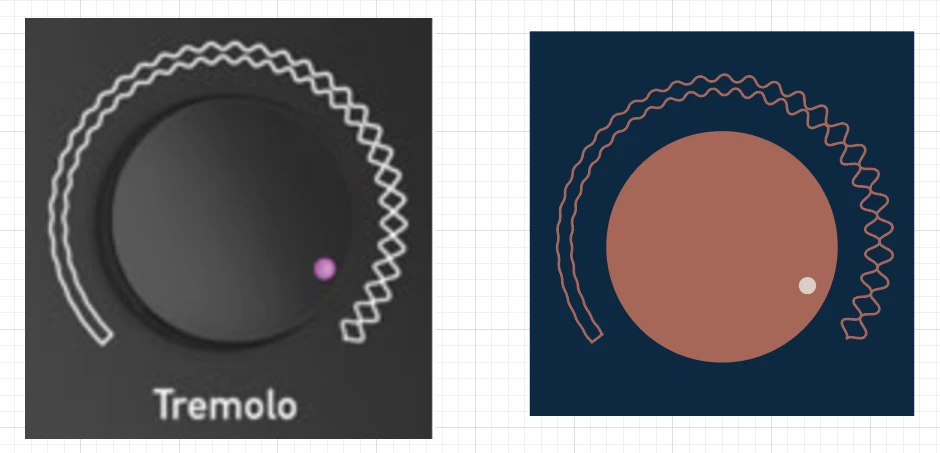
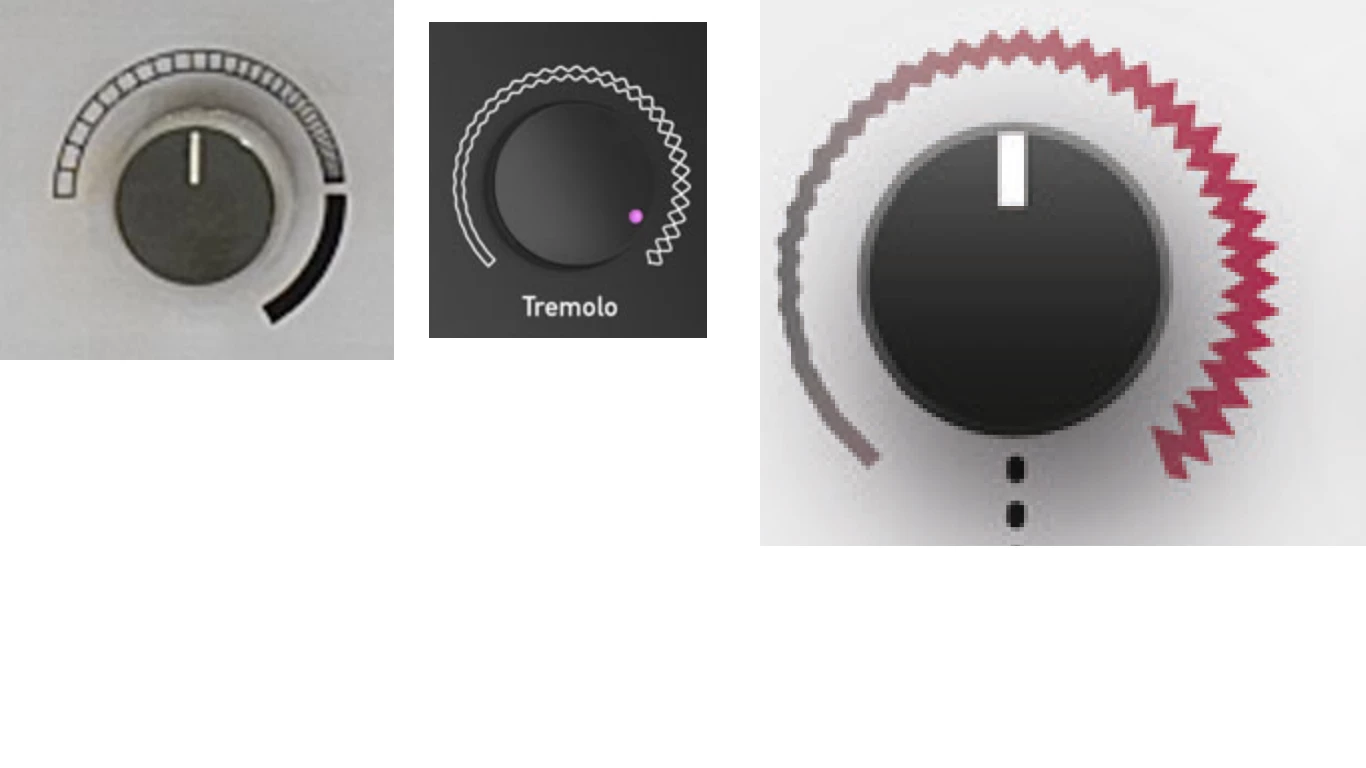
I work on GUI and I woud like to do this kind of effect: a continuous graphic evolving around a curved line. I just don't know what tool to use.... I tried the blend tool with path, which works well for regular lines around knobs, but this kind of effect is continuous... 


Any idea what tool to use?

thanks 🙂 
 

This topic has been closed for replies.
Correct answer kphotopage

Pyerbass,  Hi.

That was an interesting inspiration piece.

No, it’s not a one trick pony.

Not difficult but a process.


I’m briefly sharing my process. Of course, your settings may differ.

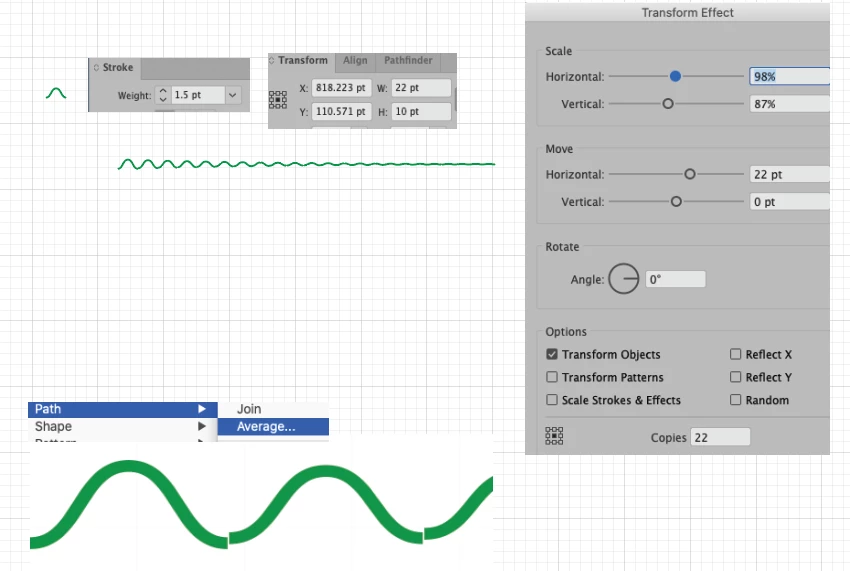
Basically  I'm working with Strokes, Effects>Transform, Align Panel, Expand Appearance, Object>Path>Average and then again, Join,

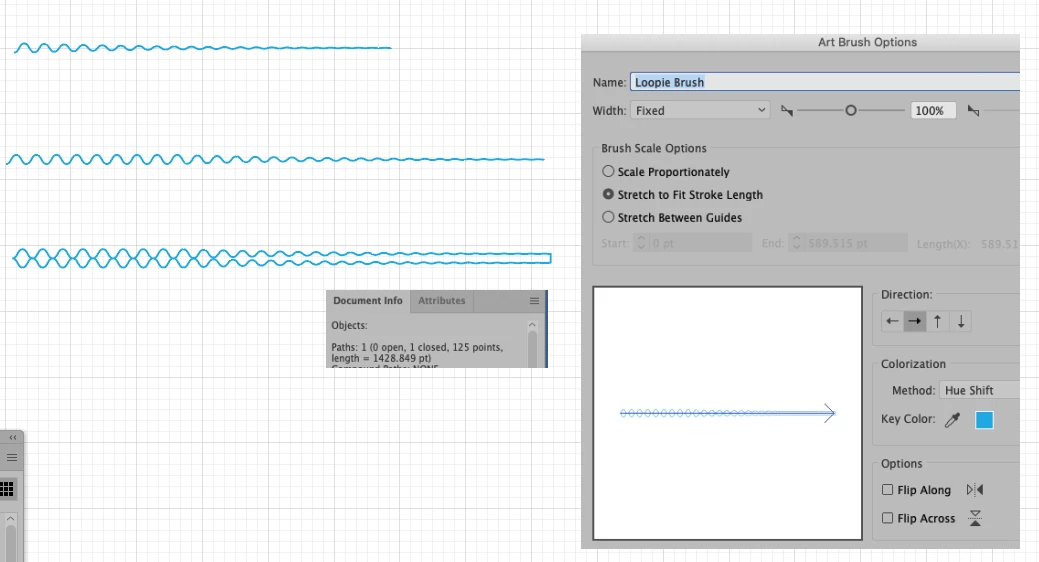
Make Art Brush, One close path, Make Art Brush, Stroke path.


See below some detailed screenshots.

Hope that helps you.


K

2 replies

kphotopage
kphotopageCorrect answer
Legend
June 13, 2020

Pyerbass,  Hi.

That was an interesting inspiration piece.

No, it’s not a one trick pony.

Not difficult but a process.


I’m briefly sharing my process. Of course, your settings may differ.

Basically  I'm working with Strokes, Effects>Transform, Align Panel, Expand Appearance, Object>Path>Average and then again, Join,

Make Art Brush, One close path, Make Art Brush, Stroke path.


See below some detailed screenshots.

Hope that helps you.


K

pyerbass
pyerbassAuthor
Participant
June 13, 2020

woow thank you for such acurates answers and examples, you guys are great!

Ares Hovhannesyan
Community Expert
Community Expert
June 10, 2020

You can create brush and apply it to circle. Please review help for brushes. Also width tool can be use to create such a effect for changing brush width

https://helpx.adobe.com/illustrator/using/brushes.html

Ares Hovhannesyan
Community Expert
Community Expert
June 10, 2020

Here is example of pattern brush that I have created , apply to stroke and edit with Width Tool