
Aleathem
Participant
October 2, 2023
Question

Detailed object not blending properly. Help
  • October 2, 2023
  • 2 replies
  • 419 views

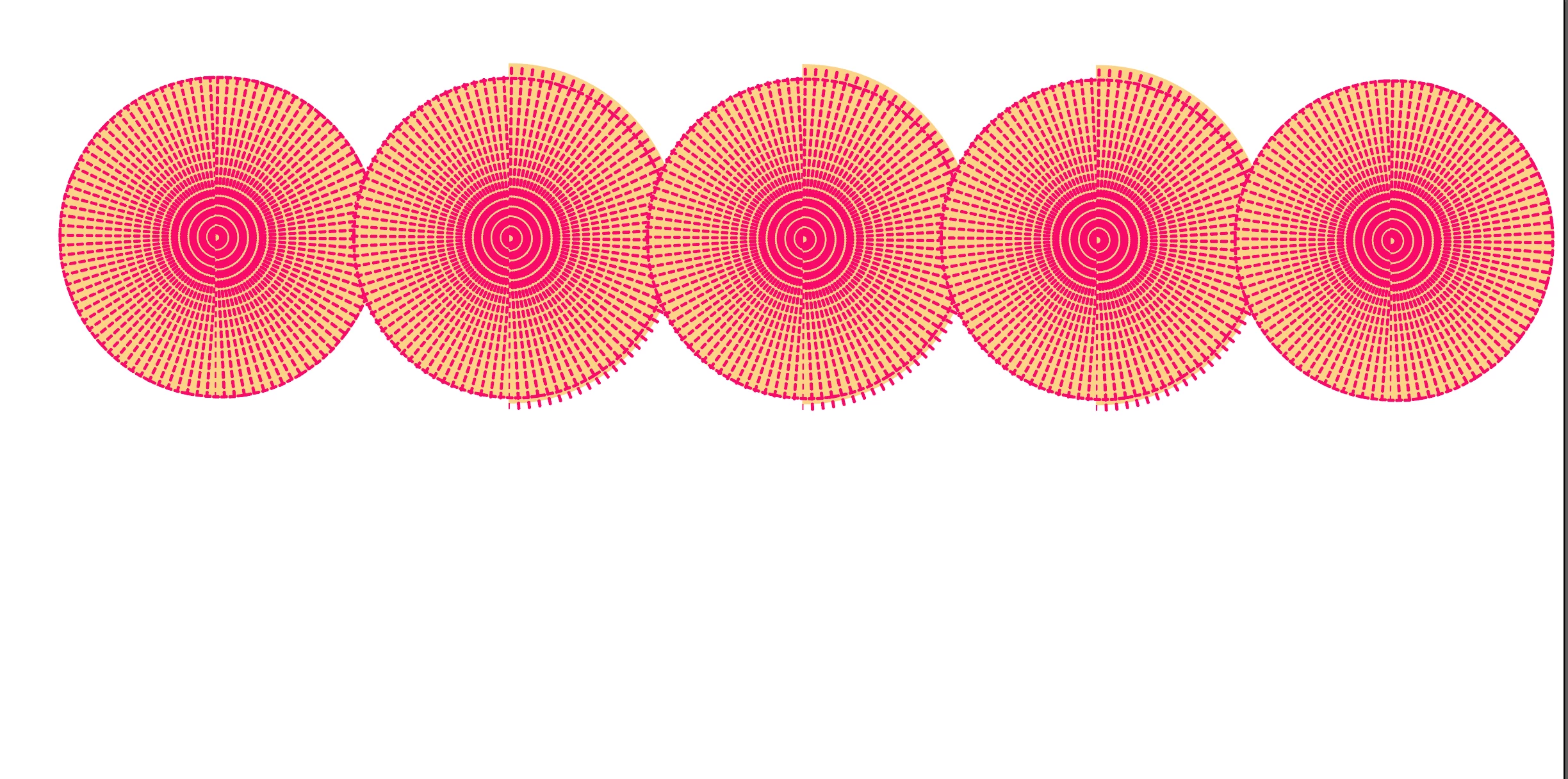
I hope I've inserted this image correctly. I'm a complete newbie so I hope I'm posting correctly. As you can see my image is not blending correctly. I made it from scratch on illustrator- creating the little pink shape and then putting it into a radial. Then I copied the image and erased either side of each, creating two halfs. I put the two halfs together, cropped the image into a perfect circle and then added all the horizontal pink bits all around the edges. I've grouped it all together. I've tried expanding it. But when I go to blend the image, it looks like part of the cropping I did when I was making it has come undone. Any guidance would be greatly appreciated. Thank you. 

This topic has been closed for replies.

2 replies

kphotopage
Legend
October 2, 2023

Aleathem, Hi.


Here I am working with strokes.

Top stroke has a larger stroke weight and larger height.

The bottom stroke has a smaller stroke weight and a smaller height.

Create a Blend.


I duplicated that Blend and centered aligned it within a very large circle (stroke color of none)

Group your Blend and the large circle.

Next Effects>Transform.

I used these settings. The angle: 360/80=4.5


Both the Blend and the Transform are live. Easy to edit.


Hope that helps.


K

Monika Gause
Community Expert
Community Expert
October 2, 2023

There are some things that just cannot be blended. So what does not work? a clipping mask does not appear?

Aleathem
AleathemAuthor
Participant
October 2, 2023

Yes the clipping mask is being released when I blend the object

Monika Gause
Community Expert
Community Expert
October 2, 2023

Your options are:

- re-apply a mask after blending (possible after expanding the blend)

- expand the mask before blending. It would depend on the exact nature of the object whether that is possible at all. It will be impossible when strokes are involved.

- creating the object without having to use a mask