
Participant
December 14, 2021
Question

Different Color Results, "Same" Document Color Profile

  • December 14, 2021
  • 4 replies
  • 4662 views

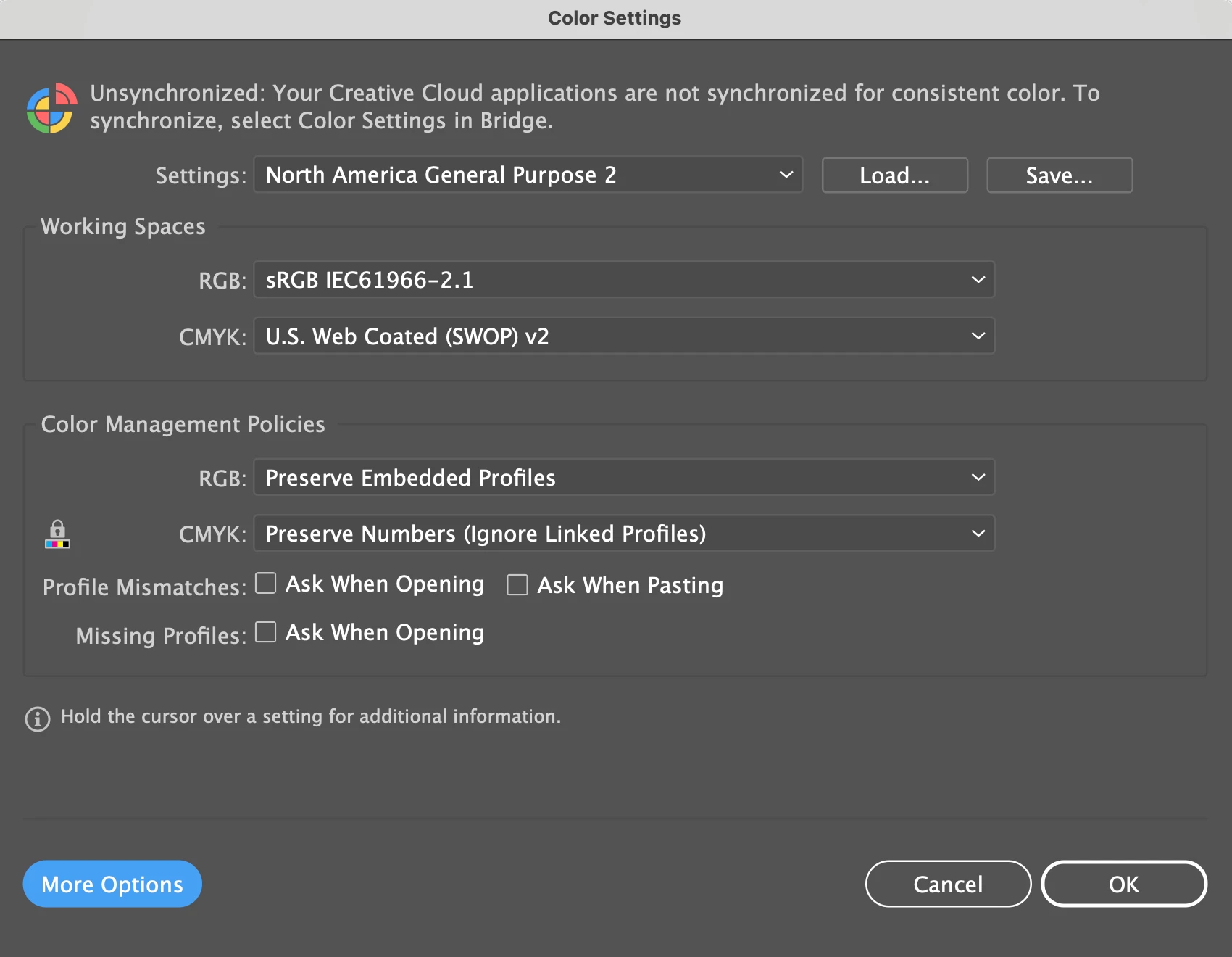
Hello. I'm experiencing something I haven't come across before. I'm working in two different Illustrator files. Both seem to me to have the exact same color profile set up (see image below). For both documents, I've selected sRGB IEC61966-2.1. However, on the bottom of the program, where I've chosen to show the document color profile, one file is stating it's actually "Display" (see images below).


I'm working on establishing brand colors and need to know how to reconsile this issue.


As an aside, which color profile should I work in while establishing brand colors? We're a tech company and primarily promote online so I'm looking to establish accurate colors for web.


Thank you in advance for your help.

-------------------------

Both files have these color settings:
 

One file (the file with duller colors) shows this:



While the other (the file with bright colors) shows this:



This topic has been closed for replies.

4 replies

Ton Frederiks
Community Expert
Community Expert
December 14, 2021

I would recommend to check the boxes for Missing Profiles and Mismatches in your color settings.

If you open a file with a different profile than your working color space you wil be warned and have options to solve the problem.

NB, colourmanagement
Community Expert
Community Expert
December 15, 2021

Definitely agree Ton, I've no idea why people switch off those warnings 


I hope this helps
neil barstow, colourmanagement net :: adobe forum volunteer
google me "neil barstow colourmanagement" for lots of free articles on colour management
[please only use the blue reply button at the top of the page, this maintains the original thread title and chronological order of posts]

Ton Frederiks
Community Expert
Community Expert
December 15, 2021

@NB, colourmanagement wrote:

Definitely agree Tom, I've no idea why people switch off those warnings 


Unfortunately they are switched off by default when you select one of the general purpose presets.

Ton Frederiks
Community Expert
Community Expert
December 14, 2021

Your document profile can be different from the working RGB in your color settings when you Open an image in Illustrator, instead of placing it in an Illustrator document.

You can assign a profile in Illustrator using Edit > Assign Profile.

NB, colourmanagement
Community Expert
Community Expert
December 14, 2021

sRGB is a good colour space for web, I'd recommend you also embed the sRGB ICC profile.

The default 'color settings' do not impose upon existing documents. If a new document is created, yes, it should be sRGB (not monitor RGB).

But, you can set document colour spaces individually. 

I imagine you didn't intend to do that, but its worth noting that you should never work in Monitor colour space as the work produced will suit ONLY your own monitor. 


Should PECourtejoie move this post to the Illustrator forum for you BTW? 


I hope this helps
neil barstow, colourmanagement net :: adobe forum volunteer
google me "neil barstow colourmanagement" for lots of free articles on colour management
[please only use the blue reply button at the top of the page, this maintains the original thread title and chronological order of posts]

PECourtejoie
Community Expert
Community Expert
December 14, 2021

Hi, did you post in the Photoshop forum on purpose? I can move it to the Illustrator forum, if needed.

Participant
December 14, 2021

Oh sorry. I didn't realize this was for Photoshop. Yes please. Thank you.