
Inspiring
December 9, 2021
Answered

Different photo resolution reading between Illustrator and Acrobat

  • December 9, 2021
  • 3 replies
  • 488 views

Hi everyone,

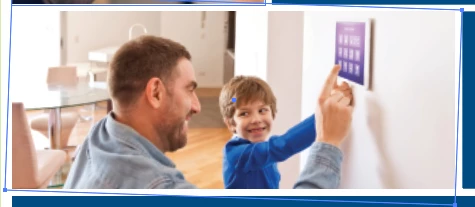
I was just curious as to why this photo in a PDF gives me a reading PPI of 296x278 PPI in Illustrator vs 300x300 PPI when I view it using the object inspector in Acrobat. As you can see it is placed in a clipping mask (I have it selected with the direct selection tool) and the photo was rotated--I assume that has something to do with it. My understanding is that you are not descreasing the size of the photo, just cropping it with clipping mask...so I would think the effective resolution would not change and it would read the same in both programs. If someone could enlighten me, I would greatly appreciate it!


This topic has been closed for replies.
Correct answer Brad @ Roaring Mouse

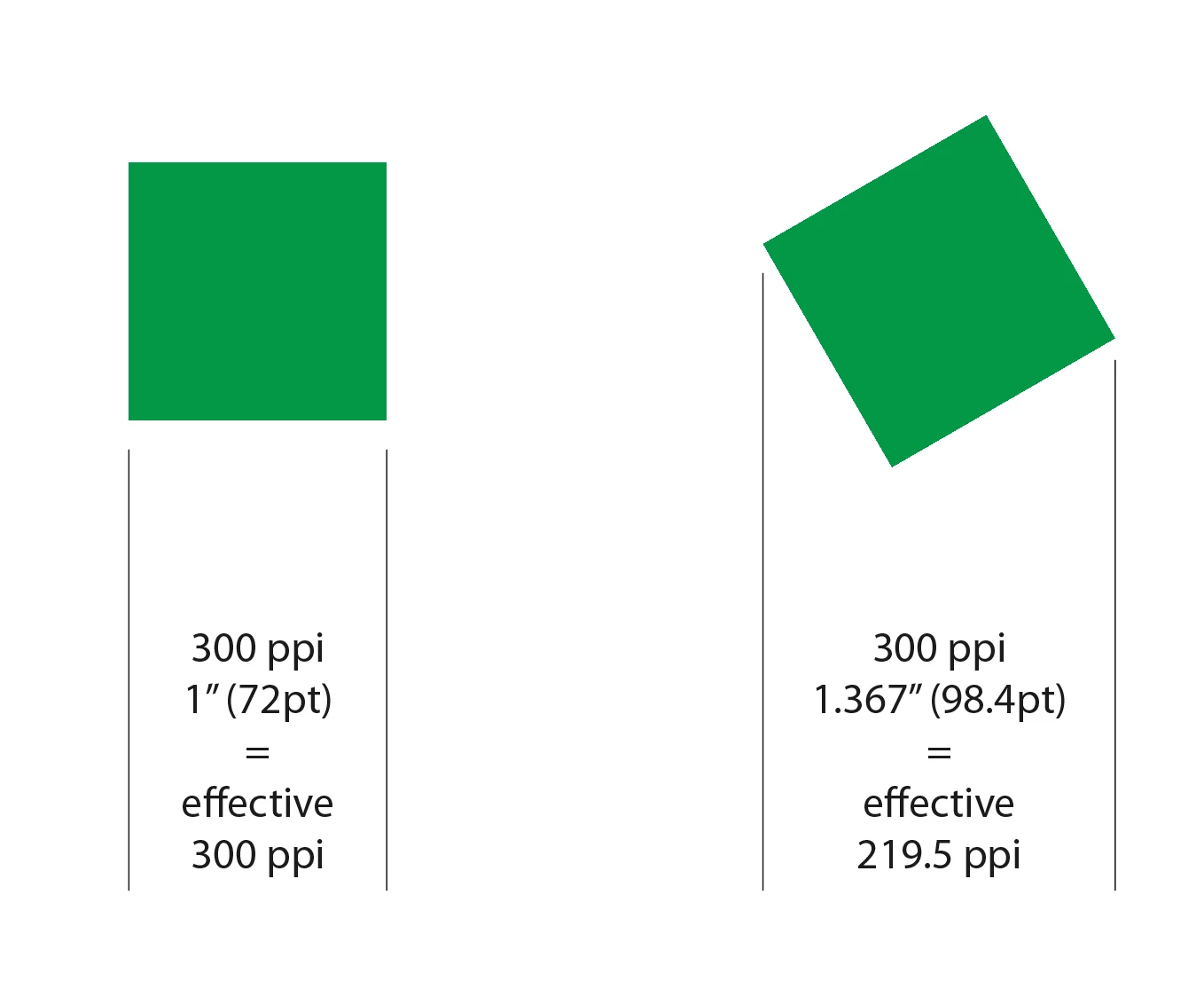
It is because of the rotation, and it's because of how Illustrator determines the effective PPI.

Illustrator measures the PPI on horizontal and vertical axis only, not on an angle, so a photo rotated even a little bit becomes a bit wider from corner to corner, and that ratio affects the apparent PPI. It throws people off, but in the end, nothing has happened to your photo.

Acrobat, on the other hand, sees it differently as it's reading the PPI for the photo itself apart from the rotation. 

If it makes you feel any better, this has come up as a feature request many times to rethink how this works. I don't have a link to the User Voice item, but if you do a search, add your vote to the idea

3 replies

Ton Frederiks
Community Expert
Community Expert
December 9, 2021
Brad @ Roaring Mouse
Community Expert
Community Expert
December 9, 2021

My example was a square, but in your case, your photo is a rectangle so the increase in x/y dimensions are different when rotated, hence your effective PPI reading is two different numbers, the larger number is the horizontal followed by the vertical determination.

Brad @ Roaring Mouse
Community Expert
Brad @ Roaring MouseCommunity ExpertCorrect answer
Community Expert
December 9, 2021

It is because of the rotation, and it's because of how Illustrator determines the effective PPI.

Illustrator measures the PPI on horizontal and vertical axis only, not on an angle, so a photo rotated even a little bit becomes a bit wider from corner to corner, and that ratio affects the apparent PPI. It throws people off, but in the end, nothing has happened to your photo.

Acrobat, on the other hand, sees it differently as it's reading the PPI for the photo itself apart from the rotation. 

If it makes you feel any better, this has come up as a feature request many times to rethink how this works. I don't have a link to the User Voice item, but if you do a search, add your vote to the idea