
Participating Frequently
September 10, 2024
Question

Dimension tool results are too big.

  • September 10, 2024
  • 1 reply
  • 369 views

Hi, 

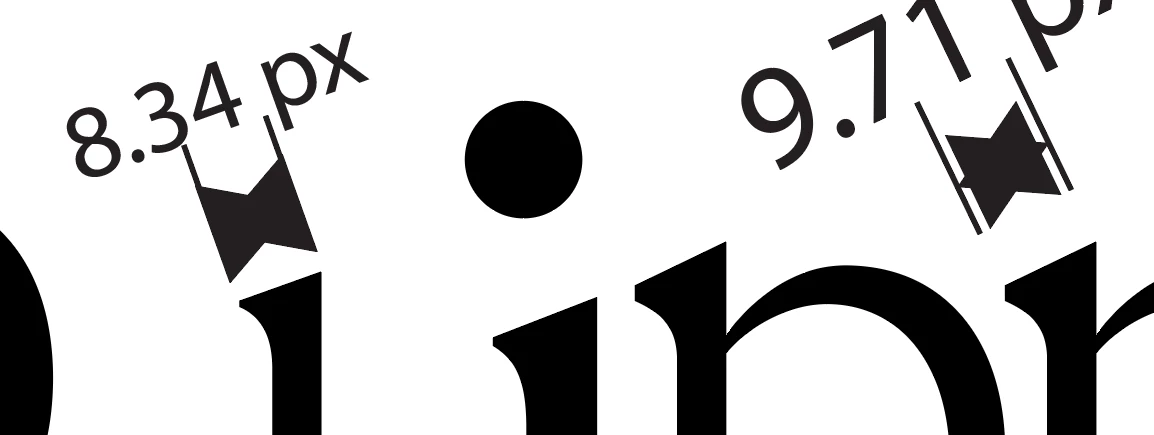
The results displayed after using the dimension tool is massive. As seen in the photo below, how can i make it... normal? I've seen youtube videos and theirs look about normal. Any help is appreciated.
 

This topic has been closed for replies.

1 reply

Kurt Gold
Community Expert
Community Expert
September 10, 2024

In case you mean the font size, just double click the Dimension tool and modify the size in the Dimension Tool Options dialog.

Participating Frequently
September 11, 2024

I've already done that. But it doesn't seem to change. There is also some ridicilous icon when i use it.

Community Expert
September 11, 2024

Are you able to share a photo of your Dimension Settings? Also have you tried the Reset button?

Ensure you've selected your dimension first before making changes, otherwise it may only effect new dimensions made. If you've accidentally scaled it in anyway, it may have already expanded the object so will no longer be considered a "Dimension".