
Participant
February 11, 2023
Answered

Direct selection tool

  • February 11, 2023
  • 2 replies
  • 482 views

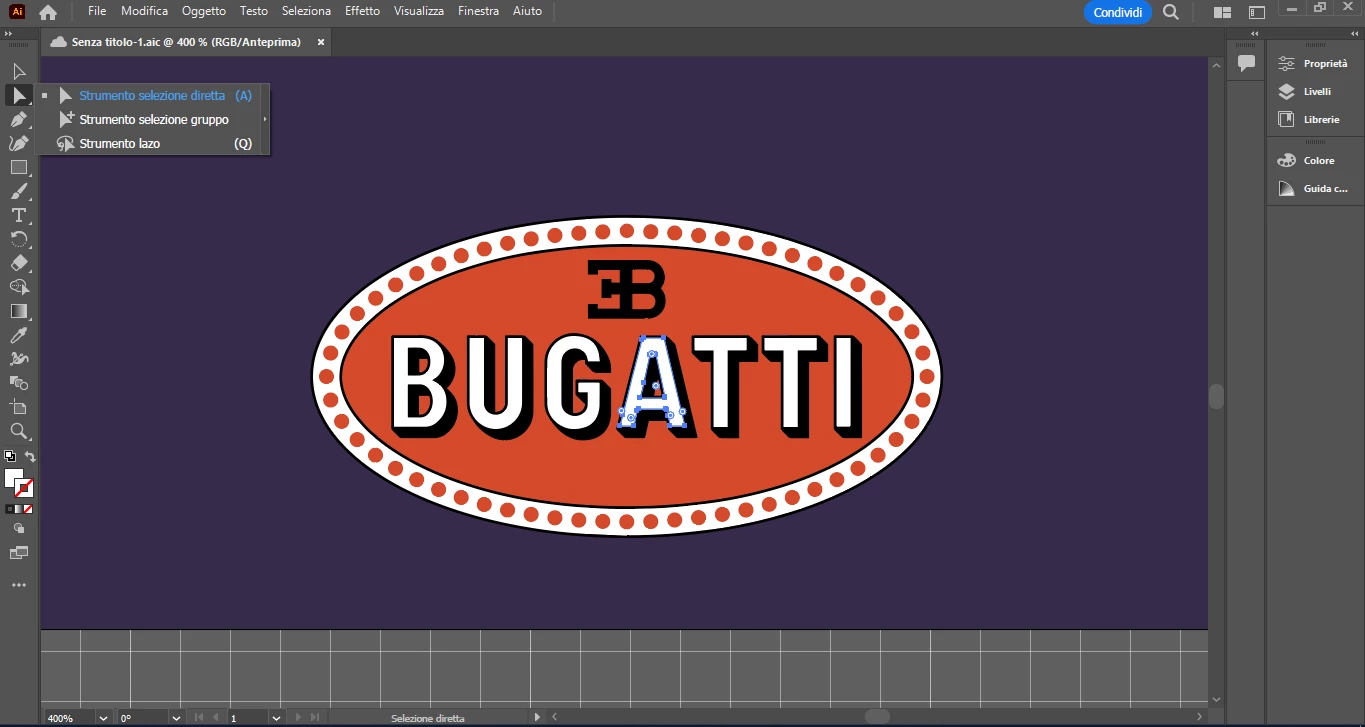
Hello, I am using illustrator version 27.2 and when using the direct selection tool I can't use it like ti was before, I have to press bottons (at same time) ctrl and shift or only ctrl or shift to seee the rights sizing lines
This topic has been closed for replies.
Correct answer Edoardo28362393h3or

SOLVED! 🙂 problem was HANDLE STYLE! Now everything is ok

2 replies

Monika Gause
Community Expert
Community Expert
February 11, 2023

So you want to see the paths? Try if View > Show Edges is on

If this is about the bounding box: View > Show Bounding box


But: the bounding box is only visible with the Selection tool. Has been that way for always.


If this is about the tools panel itself, try Window > Toolbars > Advanced

Participant
February 11, 2023

It still appear... I will want that direct selecting tool showing this (without pressing ctrl)

Edoardo28362393h3orAuthorCorrect answer
Participant
February 11, 2023

SOLVED! 🙂 problem was HANDLE STYLE! Now everything is ok