
Disable Adobe Print dialog box
Hello,
I have been looking for this answer quite a lot but without any result. Can someone please tell me if there is a way to cancel the Adobe Print Dialog box and go straight to the printer options? I am working with laser cutter as a "printer" for the artworks so I do not use the adobe print box and go straight to setup:
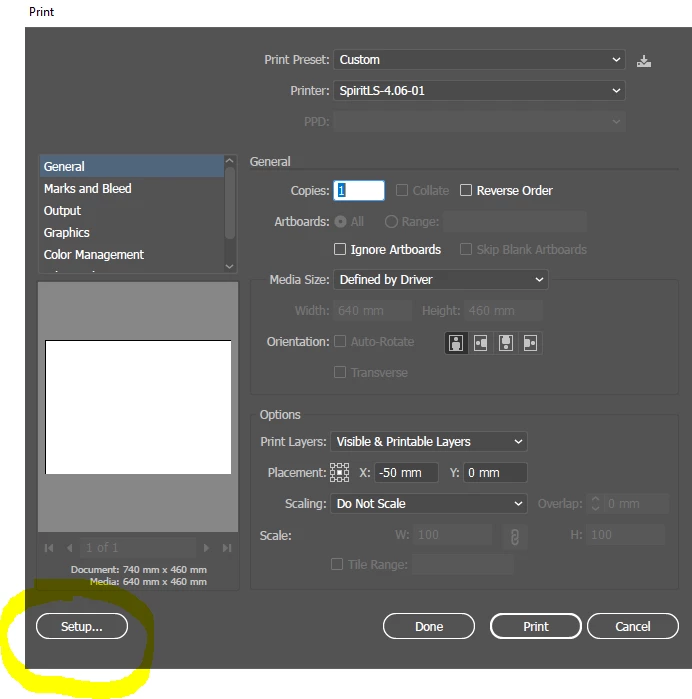
This would be a simple inconvenience but the laser driver do not communicate properly with the adobe dialog box and show me a shorter media (640mm vs 740mm) even though I put the 740mm in the driver. This happens sometimes but not always so it is a real struggle. Because of this the laser supplier recommended using CorelDRAW where this problem does not exist but I would rather fix it and use Illustrator instead.
Any help appreciated!
Best Regards,
Szymon, AFSI
 AdChoices