



NCLoRd
Participant
March 4, 2026
Question

Discover Panel does not load - Illustrator v30.2.1 on Windows

  • March 4, 2026
  • 2 replies
  • 83 views

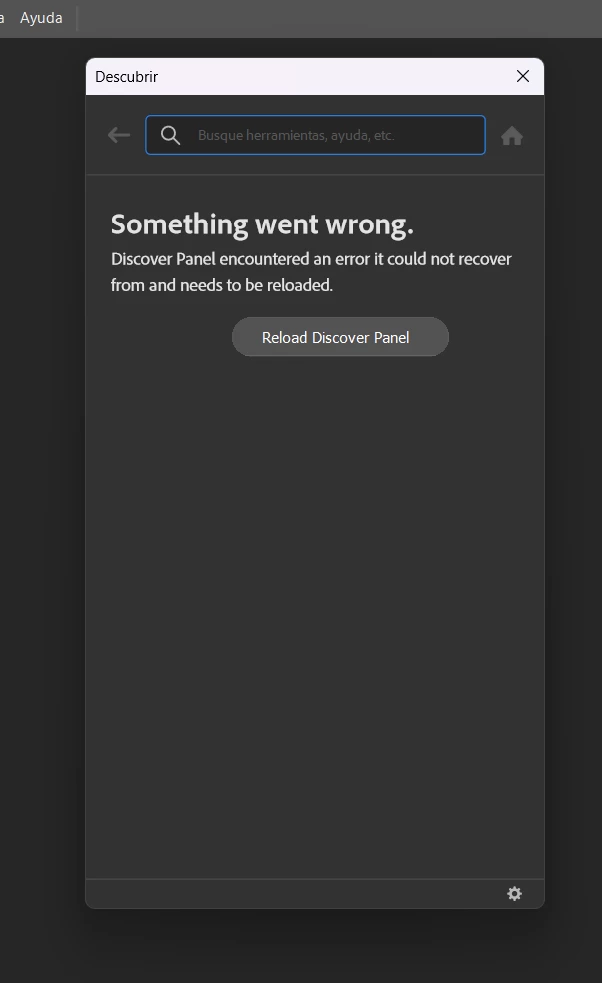
He intentado acceder a los tutoriales de Illustrator dentro de la aplicación, pero el Panel Descubrir no funciona. Intenté acceder al mismo por medio de “Formación” y después en buscar más tutoriales, pero apareció un mensaje indicando que el Panel Descubrir tenía un error y que debía volver a cargarse, pero una vez que seleccioné dicha opción el panel solo desapareció.

Desinstalé y volví a instalar Illustrator, pero el único cambio fue que ya no aparecía la pestaña de “Formación”, por lo que decidí acceder a los tutoriales por medio del menú “Ayuda”, pero el resultado fue el mismo.

Recientemente, vi que este problema también ocurrió con una actualización de Phtotoshop hace unos meses, el mensaje es el mismo.
 

    2 replies

    Participant
    March 18, 2026

    Me está pasando lo mismo con Adobe Ilustrator 2026. Al intentar desinstalar lo indicado sólo me dan otras opciones que dejo en imagen como archivo adjunto


    Anubhav M
    Community Manager
    Community Manager
    March 24, 2026

    Hello ​@crearconecta 


    I’m sorry to hear you’re having similar trouble with Illustrator. Kindly use option 6 to remove Creative Cloud only using the Creative Cloud Cleaner Tool, then reinstall the Creative Cloud Desktop app to see if that helps.

    If the problem persists, try running Illustrator under a different administrator account (Windows) and share your observations.


    Looking forward to hearing from you.
    Anubhav

    Anubhav M
    Community Manager
    Community Manager
    March 5, 2026

    Hello ​@NCLoRd 


    That does seem troubling. Would you mind trying the following steps and checking if it helps:

    • Close all Adobe applications
    • Remove the Creative Cloud Desktop application, CCLibrary, and CoreSync using the Creative Cloud Cleaner Tool (https://helpx.adobe.com/creative-cloud/kb/cc-cleaner-tool-installation-problems.html)
    • Reinstall the Creative Cloud Desktop application (https://helpx.adobe.com/download-install/kb/creative-cloud-desktop-app-download.html)
    • Relaunch Illustrator


    Looking forward to hearing from you.
    Anubhav

    NCLoRd
    NCLoRdAuthor
    Participant
    March 6, 2026

    Hi, I followed the steps, but it did not work. Still, thank you.

    Anubhav M
    Community Manager
    Community Manager
    March 24, 2026

    Hello ​@NCLoRd 


    Sorry for the delayed response. I hope the problem is resolved by now. If not, please try running Illustrator under a different administrator account (Windows) and share your observations.
     

    Looking forward to hearing from you.
    Anubhav