Molly,
To get an accurate symmetrical set of eyelashes with lengths changing gently between shorter at the sides and longer in the middle, with Smart Guides being your friends you can (see images below, where the the upper rim of the eye is made from a diameter of 720 pt with a basic centred 3pt Stroke and an added 6pt Stroke inside corresponding to a total Stroke Weight of 7.5pt, the dual strokes made in order to try out a few possible other ways):
1) Create a Polar Grid of a sufficient size to hold the eyelashes, with 0 Concentric Dividers and a suitable number of Radial Dividers, and a suitable Stroke Weight (shown in red with a diameter of 960pt and 60 concentric dividers, 3pt Stroke Weight;
2) Align the Polar Grid horizontally with the eye and move it vertically (use Shift and/or Smart Guides) to have a pair of outermost eyelashes fit so they cover the corners of the eye; they can be perpendicular to the upper rim or form a lower angle (the latter option is shown, maybe giving a more natural look);
3) Create a smaller circle to form the upper ends of the eyelashes (shown in red with a diameter of 720pt like the upper rim, and 3pt Stroke Weight;
4) Align the smaller circle from 3) horizontally and move it vertically to obtain the desired lengths and overall shape of the eyelashes;
Time to get rid of unwanted parts and finish the artwork as a logo (this can also be done in other ways, including use of Shape Builder/Live Paint):
5) Lock the eye and the smaller circle from 3)/4), and Ungroup the Polar Grid so you only have independent paths;
6) With the Scissors Tool click both ends of each of the lashes (Smart Guides say intersect when you are within snapping distance), then Group the eyelashes set and lock it, then unlock the smaller circle and delete everything unlocked;
7) Unlock the eyelashes Group and turn it black, then Unlock the eye;
😎 If desired outline strokes/group/unite to turn everything into one (compound).
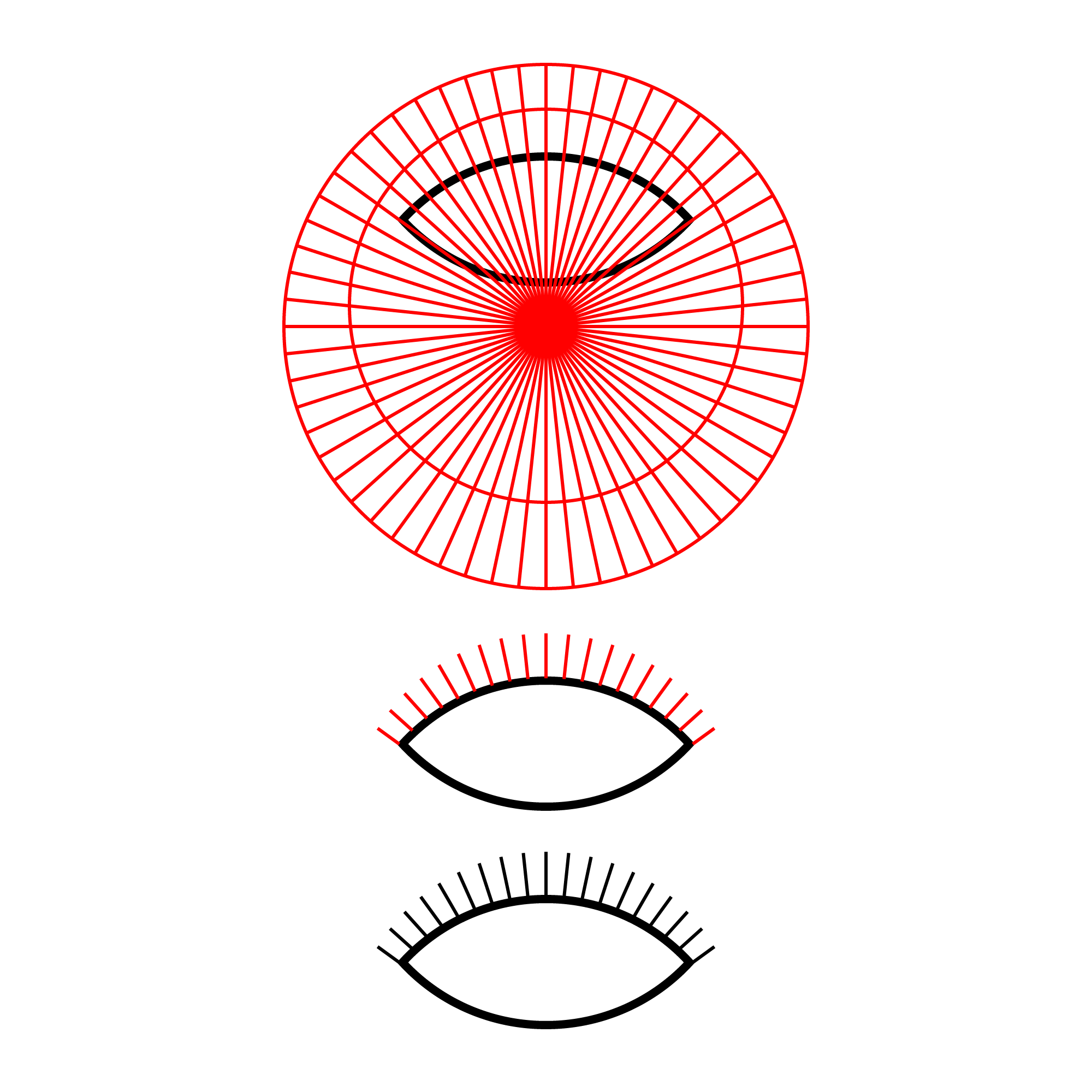
Click/RightClick to get closer, Click again to get closer still




 AdChoices