kpochard
Participant
June 23, 2019
Question

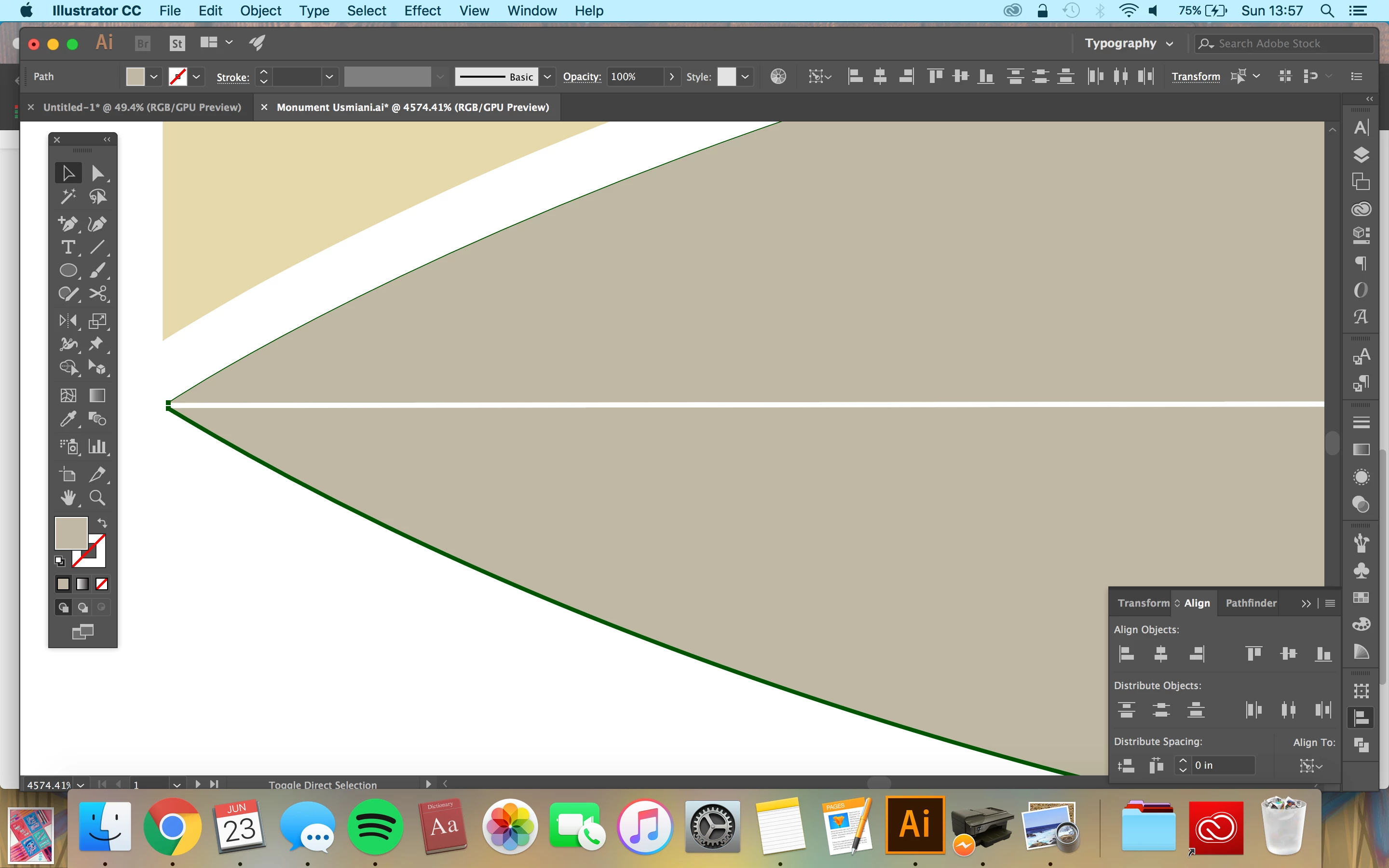
Distribute spacing set to 0, still not making objects flush.

  • June 23, 2019
  • 4 replies
  • 1310 views

I have two objects I'd like to abut directly against each other, and so I just discovered the 'distribute spacing' tool. However, even when set to zero, it moves them, but there is still a small amount of space between them. I have checked the objects themselves to make sure that there are no flaws that would prevent the alignment from being perfect. Not sure what I'm missing, but any suggestions are appreciated!

I have also never posted in the forums before - I couldn't find another thread with the same question, so if I somehow did this wrong, please redirect me! Lots of topics explaining how to make objects flush by setting this tool to 0, but nothing about when that won't work. Thanks!
4 replies

Participating Frequently
June 24, 2019

Tutorial regarding the subject:

How to move, align, and distribute objects in Illustrator

Good Luck!

Legend
June 24, 2019

In your Illustrator general preferences, is Use Preview Bounds checked? If so, try Unchecking it.

ceyhun_akgun
Legend
June 24, 2019

This function works perfectly. But can there be a "point" in the group that prevents this practice? Line thickness, white color line and so on. Is it possible to look at these gaps again in linear mode?

Graphic Designer Educator / PrePress Consultant
michelew83603738
Community Expert
Community Expert
June 23, 2019

You need to set one of the objects as a Key Object, otherwise distribute spacing only really works with more than 2 objects. Once you have selected both objects holding the Shift tool, release Shift and click on the object you want the other one to abut to. That one will become the Key Object. Then when you hit distribute with zero, they should abut.