



Ewa No
Participant
June 5, 2025
Answered

Divide an image into evenly spaced stripes

  • June 5, 2025
  • 2 replies
  • 372 views

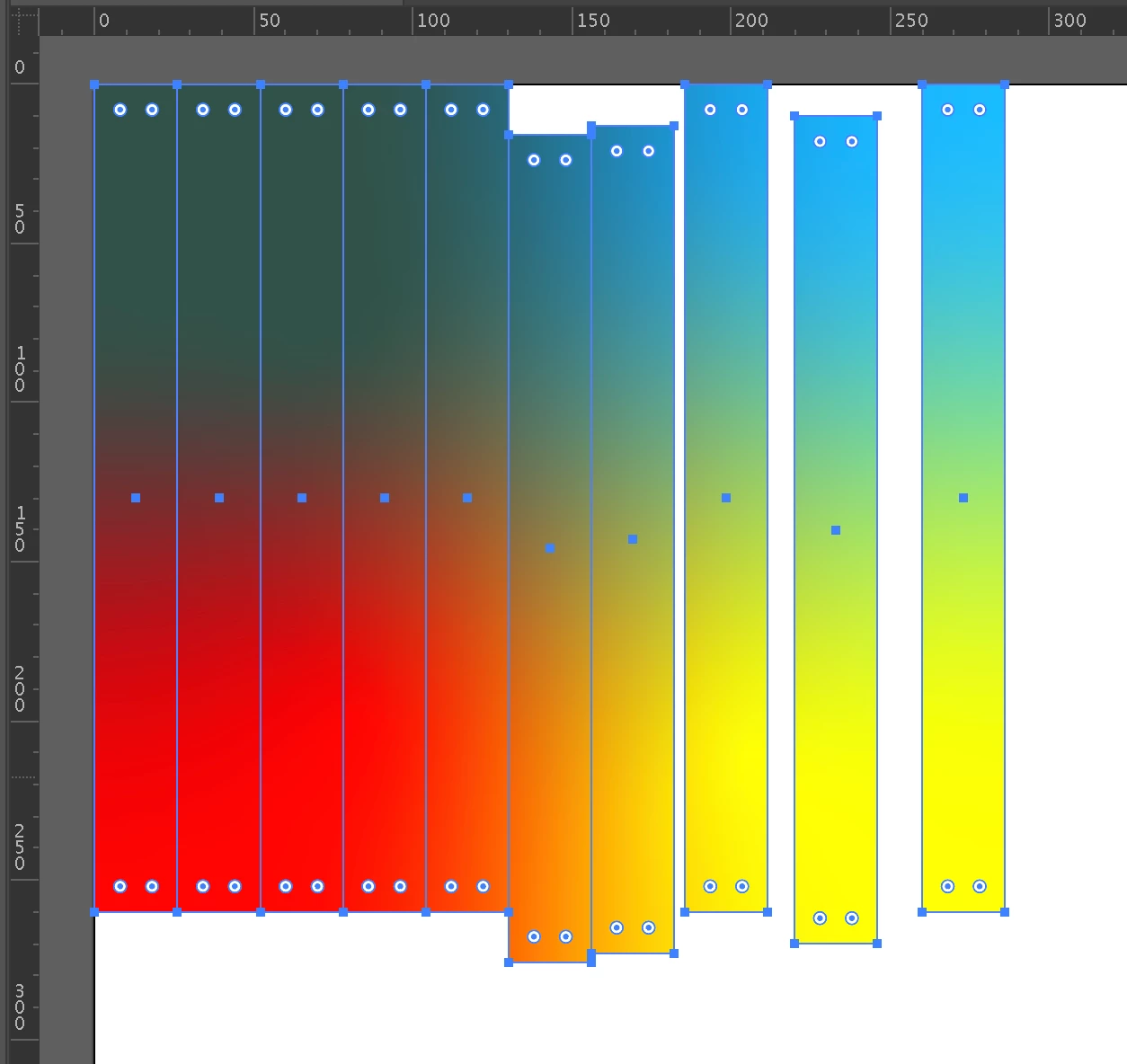
Hey everyone, I am trying to cut/divide a freeform gradient square into evenly spaced stripes. I used before Object/Path/Split into grid method and it was working perfectly with linear gradient but not with freeform or images. I am stuck.. can someone help me please? Below I attached an image to show what I am trying to do (one on the left side is divided into stripes so I can flip them etc like on the right side)




Correct answer Ton Frederiks

You could try to make it a pattern first.

Position your freeform gradient on the top left corner, note the Width and Height.

Select it and choose Object > Pattern > Make

When I did this with a freeform gradient it added some white space to the gradient. Enter the numbers you previously noted for width/height and click OK.

Delete the gradient and create a rectangle in the upper left corner with the width and height you noted.

Divide the rectangle into small strokes. 

Select them all and fill it with the pattern.

Now you can move them when you have selected the Transform Patterns option in the Selection (Move) tool (V)

2 replies

Ton Frederiks
Community Expert
Ton FrederiksCommunity ExpertCorrect answer
Community Expert
June 5, 2025

You could try to make it a pattern first.

Position your freeform gradient on the top left corner, note the Width and Height.

Select it and choose Object > Pattern > Make

When I did this with a freeform gradient it added some white space to the gradient. Enter the numbers you previously noted for width/height and click OK.

Delete the gradient and create a rectangle in the upper left corner with the width and height you noted.

Divide the rectangle into small strokes. 

Select them all and fill it with the pattern.

Now you can move them when you have selected the Transform Patterns option in the Selection (Move) tool (V)

Ewa No
Ewa NoAuthor
Participant
June 5, 2025

Amazing! Thank you soo soooo much! 

Ton Frederiks
Community Expert
Community Expert
June 5, 2025

Good to hear that helped.

Ewa No
Ewa NoAuthor
Participant
June 5, 2025

When using Pathfinder/Divide, my freeform gradient ends up being divided into stripes but doesn't preserve the appearance of the Freeform gradient...