

Roger Breton
Legend
December 6, 2023
Question

Divide objects below fails to produce its magic?

  • December 6, 2023
  • 2 replies
  • 544 views

Sometimes, the command works but more often than not, the command does not work? 
As in this example :
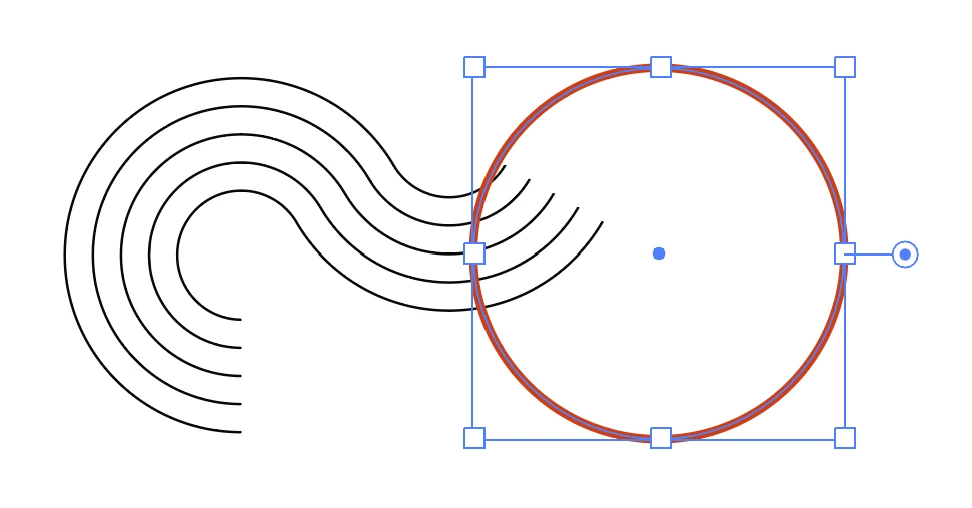
I want for the circle to "cut" the series of 1 pt black strokes "BELOW" it. But it produces no result?
See attached document.

This topic has been closed for replies.

2 replies

Ton Frederiks
Community Expert
Community Expert
December 6, 2023

The Split Paths script from Sergey Osokin may help:

https://github.com/creold/illustrator-scripts/blob/master/md/Path.md#splitpath

Roger Breton
Legend
December 20, 2023

Thank you, Ton! I might give this script a trial at some point.

But I am more concerned with understanding the programmatic nature of the underlying command.

This morning, for example, I had a shape behind a line. The shape was a closed surface. I selected the line and activate the Divide object below command and it worked!! Similarely, I guess, along the lines of the Pathfinder > Divide command, with which I think it shares some similarities. 

So I think we can safely establish that the command works best on closed surfaces. 

How it can work on line segment, I'll come back at some point when I run across a situation which warrants its use. But for the moment, I thought I'd pass this out.

Kurt Gold
Community Expert
Community Expert
December 6, 2023

The command does not work in conjunction with open stroked paths.


Guess you know alternative ways, don't you?


Roger Breton
Legend
December 6, 2023

Well, I swear it worked once, on the same collection of stroked paths. I swear.

And I'm ve used it many times on simple lines...
I'm baffled.
I guess I have to dig the Documentation?