Participant
December 30, 2019
Question

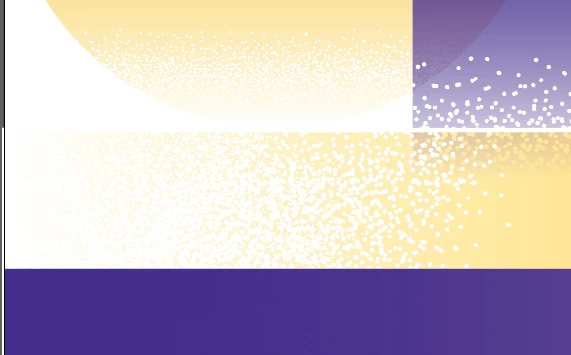
Do you know how to to put grain gradient effect?

  • December 30, 2019
  • 2 replies
  • 520 views

I want some effect like the first photo.

But my result is not that look natural....

I tried 3 methods... using brushes, using grain(trippled), using graphic pen texture.... but it looks weired..... I need your help...

This topic has been closed for replies.

2 replies

barbara_a7746676
Community Expert
Community Expert
December 30, 2019

You could do it with a separate object for the texture.

Start with the first shape, for example, this gold rectangle.

Make another shape with the texture. Illustrator comes with some textures and one of them might work for you. You'll find them in the Swatches panel menu > Open Swatch Library > Patterns > Basic Graphics > Textures. Make a third shape with a black, white, gray gradient. 

Put the gradient on top of the texture. Select both. In the Transparency panel, click on Make Mask. Where the top object is white the texture will show, where it is black the texture will be hidden, and where it is gray the texture will partly show.

Align the texture over the colored shape. 

If you want to edit the mask (the gradient), click on the right icon in the Transparency panel. If you want to edit the texture, click on the left icon in the Transparency panel. 


Community Expert
December 30, 2019

Hi, please take a look here:

https://www.youtube.com/watch?v=YFxFgMp2_jk