Participant
May 11, 2018
Answered

Document presets missing?

  • May 11, 2018
  • 2 replies
  • 3140 views

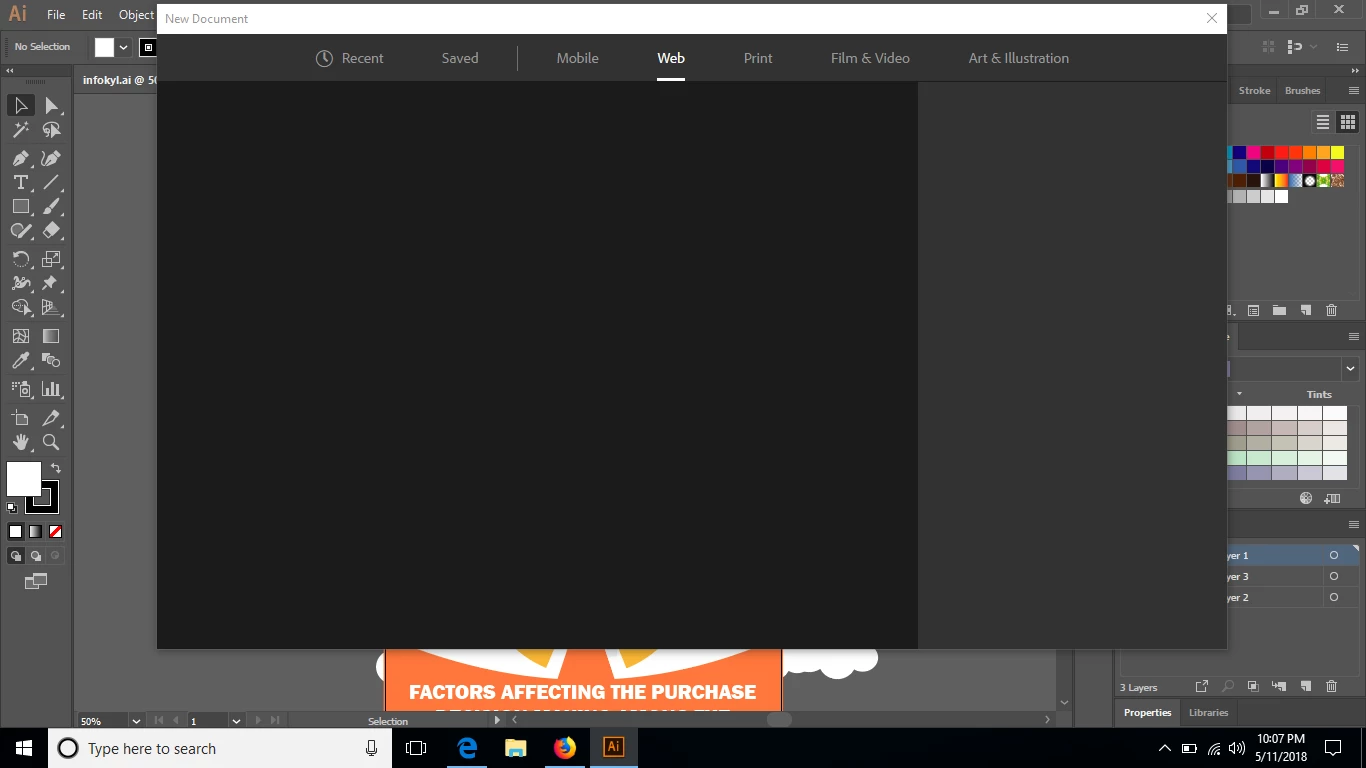
I've been using adobe illustrator for about 2 months. Recently, i tried to create new document using document presets given by the program, but nothing shows up.

Restarting my computer didn't worked.

Are there any solutions aside from reinstalling the program?

Thank you very much!
This topic has been closed for replies.
Correct answer Bill Silbert

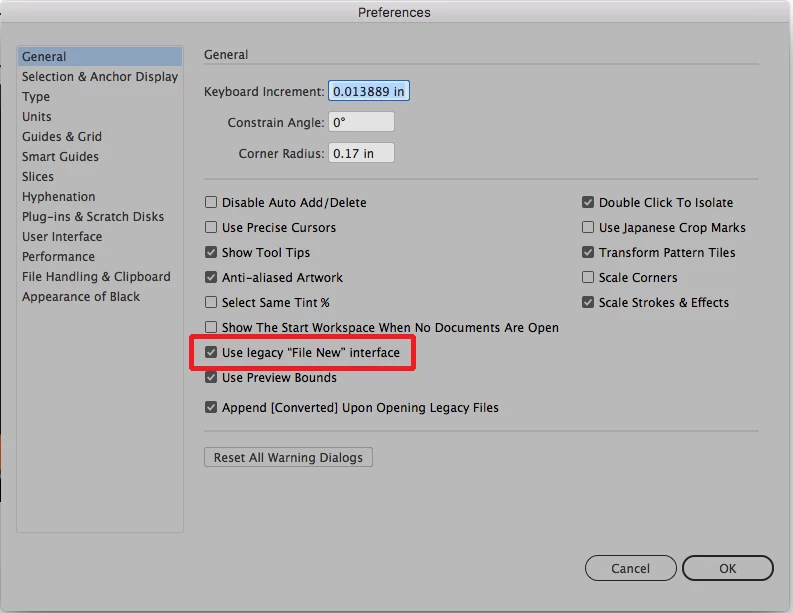
Before you try opening a new document go into the General section of your Illustrator preferences and check "Use legacy "File New" interface". You did not say what version of Windows and what version of Illustrator that you're using but this has worked for some Illustrator CC on Windows 10 users. See screen shot:

2 replies

Bill Silbert
Community Expert
Bill SilbertCommunity ExpertCorrect answer
Community Expert
May 11, 2018

Before you try opening a new document go into the General section of your Illustrator preferences and check "Use legacy "File New" interface". You did not say what version of Windows and what version of Illustrator that you're using but this has worked for some Illustrator CC on Windows 10 users. See screen shot:

Participant
May 12, 2018

It worked for me, having the legacy interface for creating new file. Though I still prefer the new one.
Thanks!!

Bill Silbert
Community Expert
Community Expert
May 12, 2018

Happy to help.

Monika Gause
Community Expert
Community Expert
May 11, 2018

THis might point to issues with the network access.

Does your firewall perhaps block this?