MahaB82A
Legend
December 22, 2022
Question

Document setup

  • December 22, 2022
  • 1 reply
  • 349 views

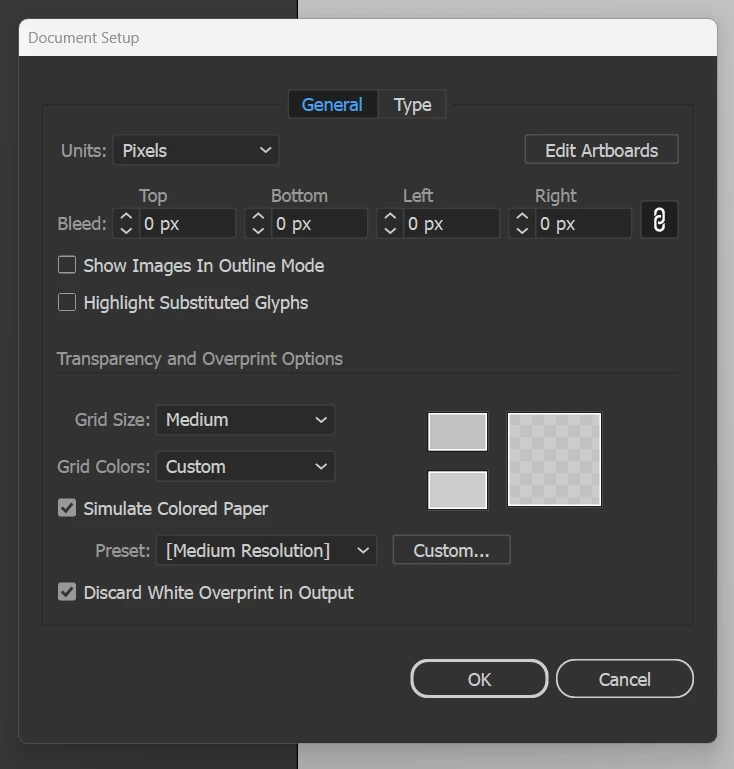
Is it possible to setup document color, I wish default? Even though I setup in grey color new artboard returned back to usual white color. 


This topic has been closed for replies.

1 reply

Ton Frederiks
Community Expert
Community Expert
December 22, 2022

You need to change that in a New Document Profile.

But it is meant to simulate paper color and won't print or export.

MahaB82A
MahaB82AAuthor
Legend
December 22, 2022

Is it possible to have default color grey instead of white?

Ton Frederiks
Community Expert
Community Expert
December 22, 2022

Do you want the grey to print?

If so, create a layer in the background filled with a grey object and lock that layer.

Save the file as an Illustrator template and use that to crate new documents.

If you just want to have a grey simulation of paper (are you always printing on grey paper?) then create a new document profile and use it to create your new documents.

You can customize your default settings by modifying the preset files: Print.ai (CMYK), Art & Illustration.ai (RGB), Web.ai, Film & Video.ai and Mobile.ai.

When you change the Print.ai file in a Mac system: Username > Library > Application Support > Adobe > Illustrator version > Your language folder > New Document Profiles > Print.ai it should work. 

On a Win System this location would be:  Documents and Settings\(Your Username)\Application Data\Adobe\Adobe Illustrator version Settings

I prefer to set my Preferences > General to Use legacy "New File" interface, but the newer way should work too.
