Participant
August 14, 2026
Answered

Does the blue Generative icon mean Generative AI was used?

  • August 14, 2026
  • 5 replies
  • 25 views

Hi everyone, I have a question about Adobe Illustrator’s Generative features.

I created a vector artwork manually by myself, I drew all the shapes and chose all the colors myself. I did not intentionally use Generative AI or click the Generate button.

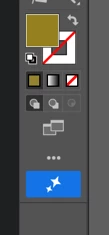
However, I noticed that the Generative/Generate Vectors icon appeared blue in Illustrator, and at one point I clicked the Generative icon/menu just to see the options.

Does the blue icon indicate that Generative AI was used on my artwork? Or does it simply indicate that the Generative feature/tool is available or selected?

I want to make sure that my artwork is still considered manually created and that I did not accidentally generate anything with AI.

Thank you!
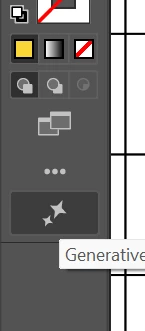
This is before i click it
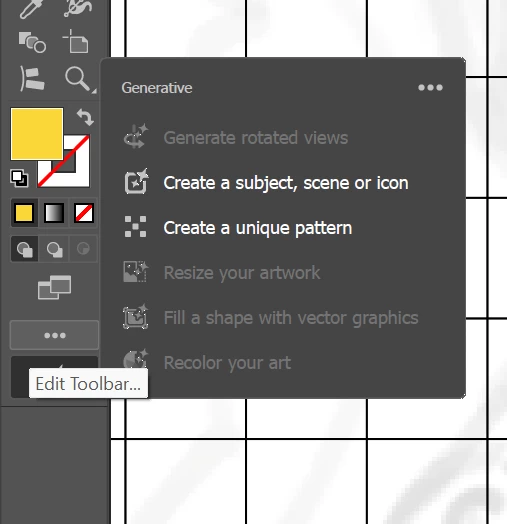
And this is after
This is when im clicking it


Correct answer Ton Frederiks

@Whimsical_coder060c The blue is only used to attract attention. It does not indicate if AI is used in the artwork.

5 replies

Ton Frederiks
Community Expert
Community Expert
August 14, 2026

You need to select an option from the menu to start generating.

Ton Frederiks
Community Expert
Ton FrederiksCommunity ExpertCorrect answer
Community Expert
August 14, 2026

@Whimsical_coder060c The blue is only used to attract attention. It does not indicate if AI is used in the artwork.

Participant
August 14, 2026

Oh okay, now i can fully understand. Thank you so much! 

Ton Frederiks
Community Expert
Community Expert
August 14, 2026

@Whimsical_coder060c It is just a menu. You can turn it off/on by selecting: Window > Hide/Show Generative Menu

Participant
August 14, 2026

Thank you! But just want to make sure i understand correctly, when the generative menu/button apprears blue, does the blue simply indicate the Generative Menu/UI, and does NOT mean that Generative AI has been used?

Also, if I only click the blue Generative button to open the menu, that does not generate anything automatically, correct? I would have to actually select a generative feature and click “Generate” for AI-generated content to be created?

I just want to make sure that my manually created vector was not accidentally generated by AI.


Thank you so much!