Crossfit Kate
Participant
August 21, 2019
Question

Draw a thread-like double line with black edges and a white center in Illustrator

  • August 21, 2019
  • 2 replies
  • 1060 views

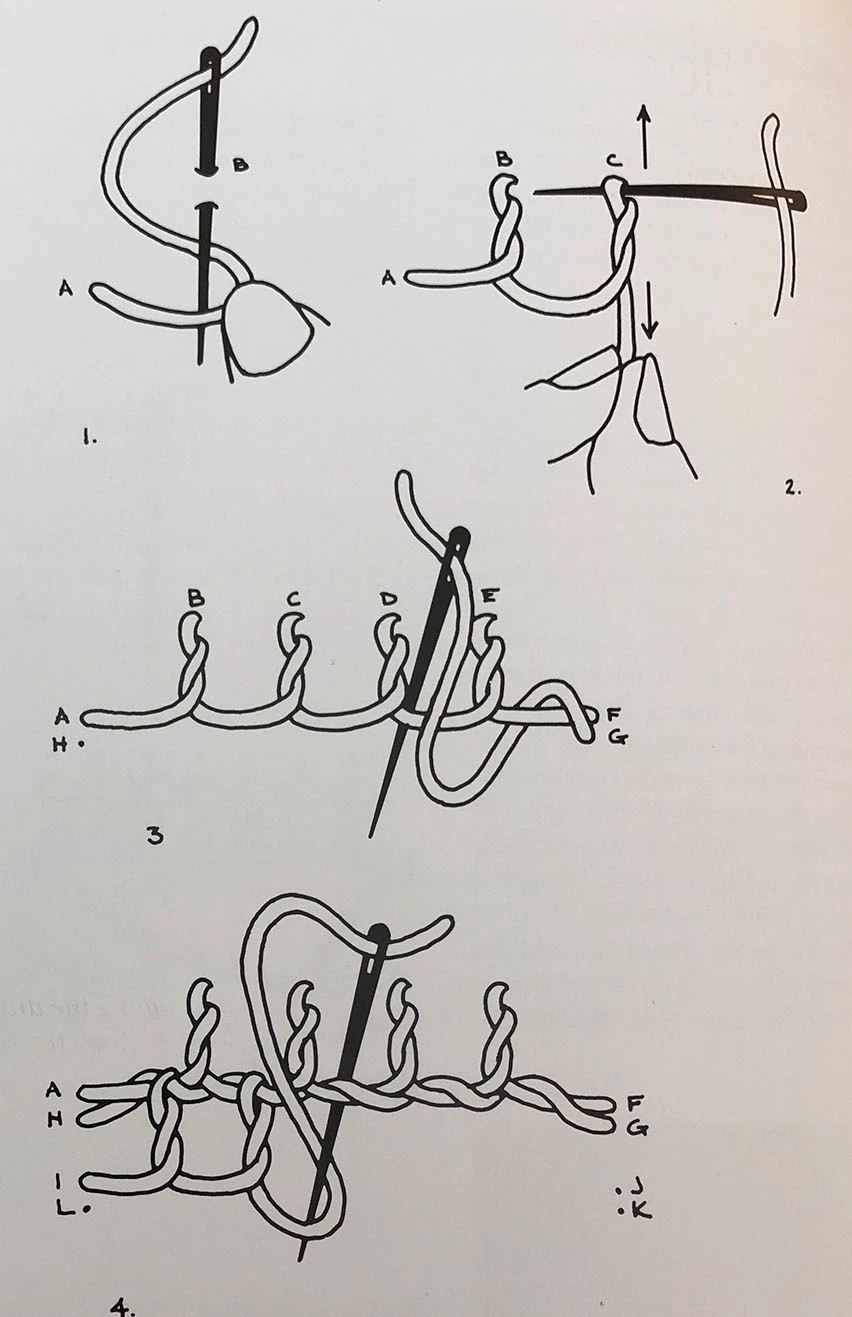
Hi all. I need to be able to draw diagrams of stitches, like the image below. I'm looking for something with a solid white centre and black edges, so the thread can cross over itself clearly. I found some rope brushes for illustrator, but I'd rather it was simplified as shown. I'm a photoshop/indesign user but new to illustrator, so forgive me if I'm being dense!
 

{Renamed by MOD}

This topic has been closed for replies.

2 replies

Srishti_Bali
Legend
September 12, 2019

Hi Kate,


Thanks for reaching out. In addition to the suggestion shared by Monika, you can also take a look at this help article: http://artemiswolf.blogspot.com/2012/08/adobe-illustrator-how-to-knitting.html


Let us know if that helps or if you need any further assistance.


Regards,

Srishti

Monika Gause
Community Expert
Community Expert
August 21, 2019

You need to make it a pattern swatch. Generally this could be achieved with two strokes on one path and also with an art brush, but then the overlapping would not work.

You need 3 elements for the pattern brush

Create a Pattern brush |

Still you might need to cut paths in order to create the intricate interweaving of yarn.