

melissapiccone
Community Expert
Community Expert
June 28, 2024
Answered

Draw Inside - can't select object / group to move

  • June 28, 2024
  • 1 reply
  • 635 views

When using Draw inside, I can't select the object. This has been happening for quite a while. I have a bear - his belly and his nose are draw in side of the shapes. All the parts are grouped together. If I use the selection tool on the tail, ear or the legs I can move him as expected.


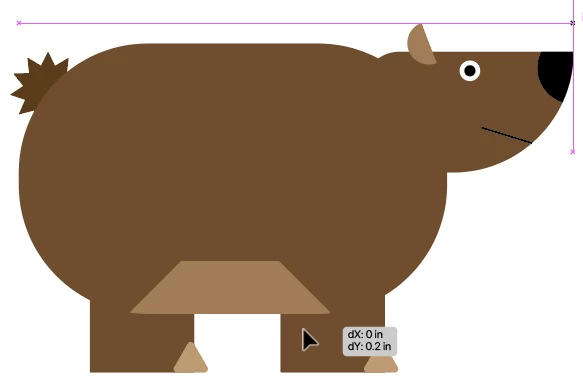
First screenshot shows move tool over leg and smart guides - everything work as it should. 
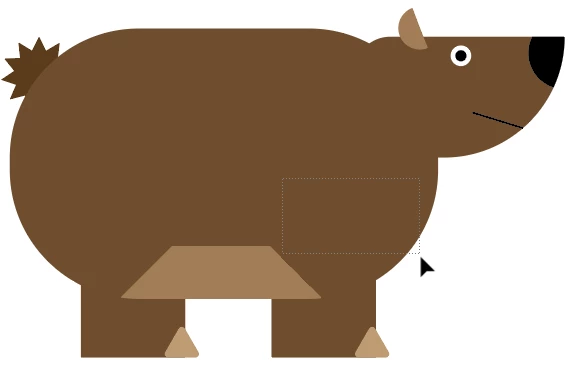
I can't us the move tool to move the goup over the head or the belly - second screenshot shows how the move tool doesn't grab the object but drags out a selection box instead. As long as I continue to drag outside the bounds, it will select the whole group, but then I have to click to drag again to move the bear. It should just grab, select and move the entire group with one mouse click. 
This topic has been closed for replies.
Correct answer Monika Gause

Draw inside makes a clipping mask. You cannot grab them when clicking on the fill of the clipping path. But that (sadly) is nothing new or related to the method of Draw inside.

1 reply

Monika Gause
Community Expert
Monika GauseCommunity ExpertCorrect answer
Community Expert
June 28, 2024

Draw inside makes a clipping mask. You cannot grab them when clicking on the fill of the clipping path. But that (sadly) is nothing new or related to the method of Draw inside.

melissapiccone
Community Expert
Community Expert
July 1, 2024

I don't remember that being the case previously but I guess I've never tried to grab a clipping mask and move it before. It's annoying... And even more annoying that this is the current lesson in the Classroom in a Book... 

Melissa Piccone | Adobe Trainer | Online Courses Author | Fine Artist