
Stellar_navigator0D45
Participating Frequently
October 28, 2019
Question

drop shadow effect in adobe illustrator

  • October 28, 2019
  • 3 replies
  • 1224 views

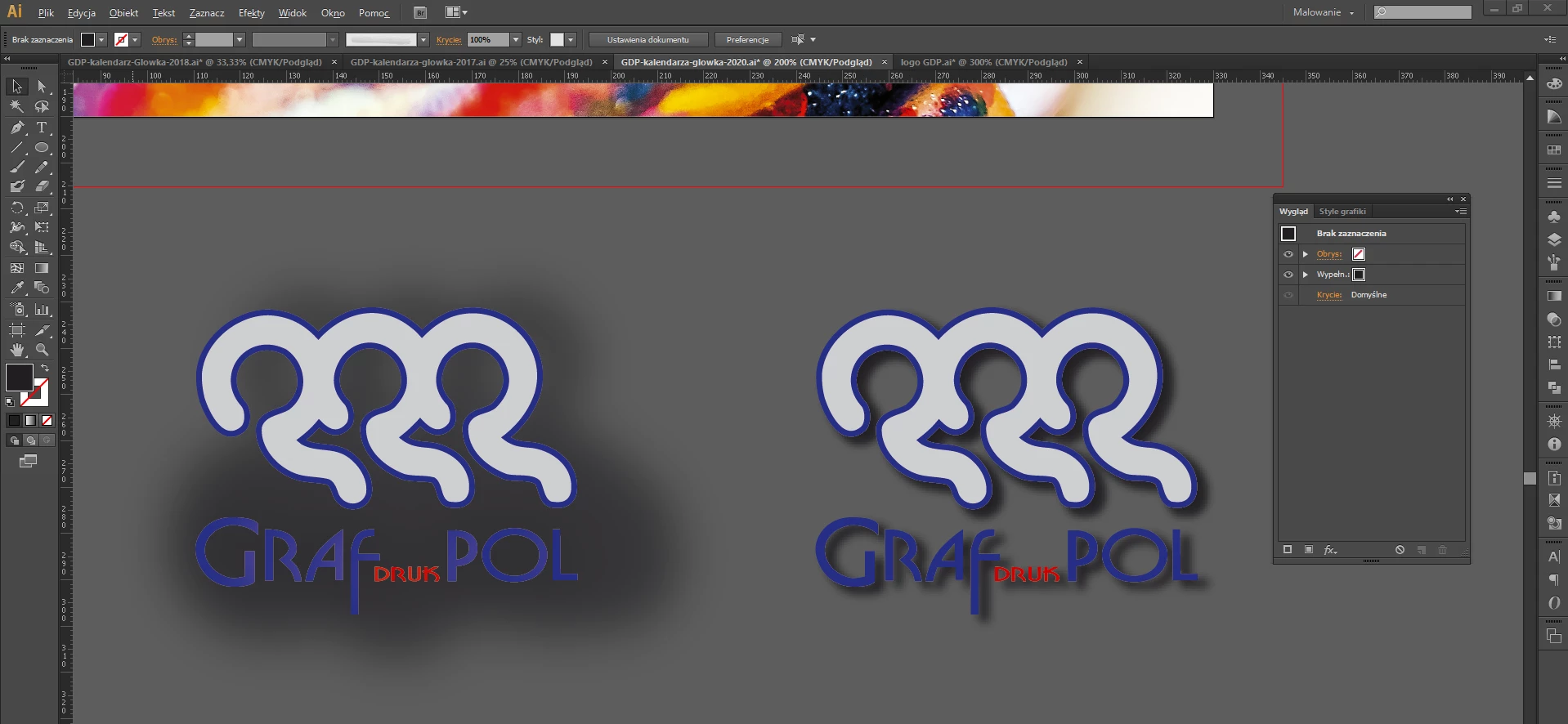
Hey, I've been trying to make drop shadow effect look like the one on the right. I've done it before and it was OK but then I tried to do it again and... Idk what's happened. I can't seem to find radius control or whatever. The right one I made by copying objects and made them black and blurred.


    This topic has been closed for replies.

    3 replies

    Mike_Gondek10189183
    Community Expert
    Community Expert
    October 28, 2019

    Cześć Krywań jest tutaj.


    Select the one that is bad and show us the appearance palette. You need to set a drop shadow at the group level of the entire logo.  Delete the one you have and do a new open as seems the top left of the logo is not in the group. If you struggle finding where the drop shadow is assigned on your logo, ungroup until disappears, then select all make group and add drop shadow.

    Stellar_navigator0D45
    Participating Frequently
    October 28, 2019

    Alright I will try this tomorrow when I'm at work and I'll let you know. For now I used the second option, but I was just curious what went wrong. Thanks!

    renél80416020
    Inspiring
    October 28, 2019

    Salut!

    Dans ton cas, il faut utiliser le panneau Aspect

    Monika Gause
    Community Expert
    Community Expert
    October 28, 2019

    Then set different blurring until it fits?

    Stellar_navigator0D45
    Participating Frequently
    October 28, 2019

    first one is done with drop shadow effect and I can't set no blurring thats my problem

    Monika Gause
    Community Expert
    Community Expert
    October 28, 2019

    The drop shadow effect also has a blurring option.