


Inspiring
Feb 7, 2025 9:56 PM UTC
Question

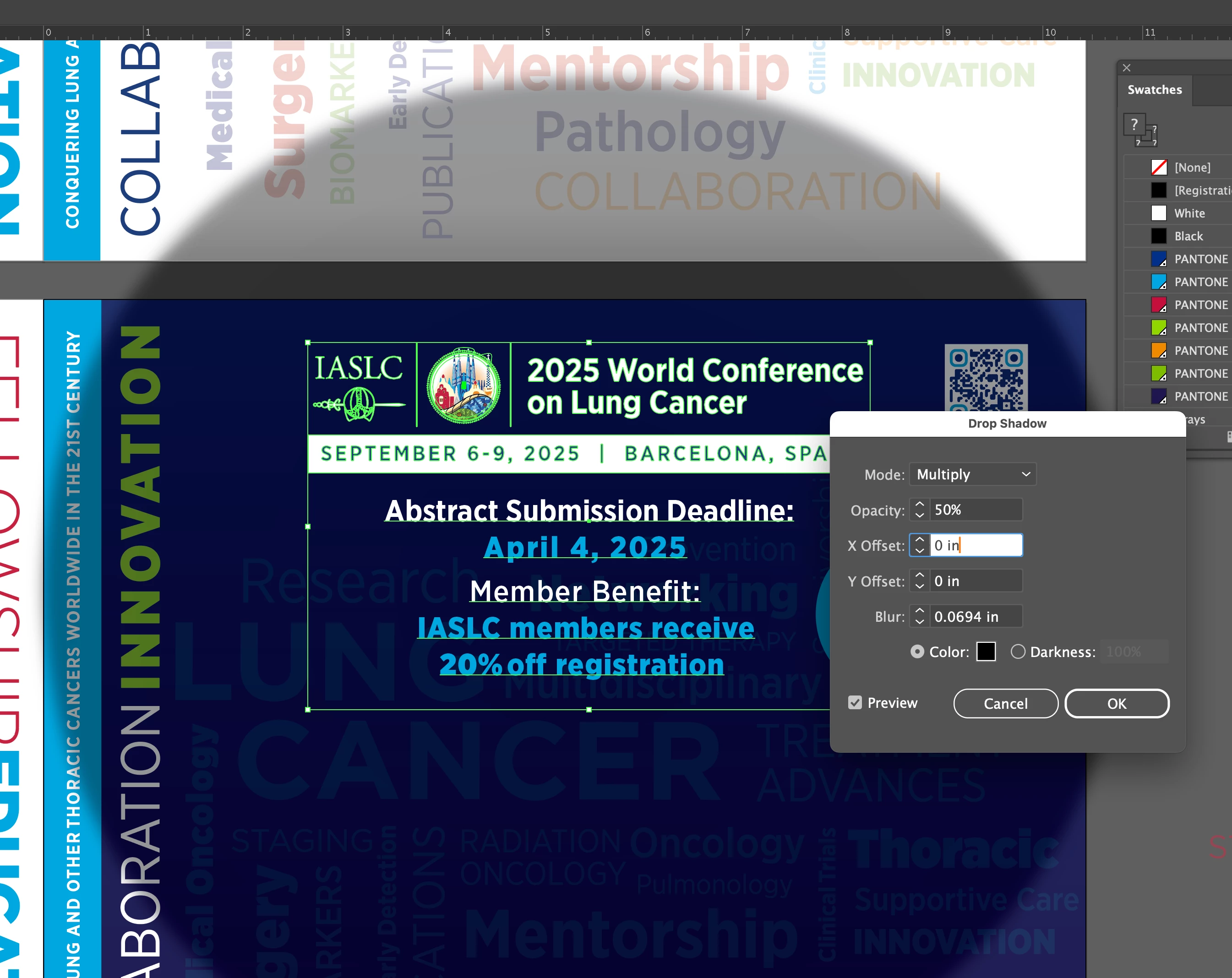
Drop Shadow in Illustrator is sudden huge on the lowest settings. I'm working on a Macbook pro M2

Drop Shadow in Illustrator is sudden huge on the lowest settings. I'm working on a Macbook pro M2, Apple studio display. I've made drop shadow in Illustrator thousands of times and I've never seen this. Image is around 10 x 10 inches. System and Creative Suite all up to date.
 

6 replies

Ton Frederiks
Community Expert
Community Expert
Feb 7, 2025 10:11 PM UTC

Hard to replicate that, What is your Effect > Document Raster Effects Settings?

Translate
Inspiring
Feb 7, 2025 10:19 PM UTC

I included the effects setting in the screenshot. Apparently it was a glitch in the line of text, I redid text and problem was solved. Thank you for your reply though. 

Translate
Ton Frederiks
Community Expert
Community Expert
Feb 7, 2025 10:24 PM UTC

That was not the setting I asked for, but since you solved it, it does not matter anymore.

Translate