


Drop Shadow on a Transparent Object? Or a workaround to get same effect?
Hey all! I have been working with Illustrator for quite a while but ran into an issue that has me stumped and I am hoping someone here can help me out. I am looking for a direct fix to my method if there is one, or any way to mimic the effect to get the desired result.
So, the issue is with this effect I used on a portion of our company logo. 
The way I went about creating the effect was as pictured below. As all of our product packages are white I didn't think this far ahead and went about creating the effect as follows... used smaller rectangles with drop shadow applied and then use slightly larger white rectangles to cover the left hand side of each to get the desired effect of our logo is sliding under portions of our packaging.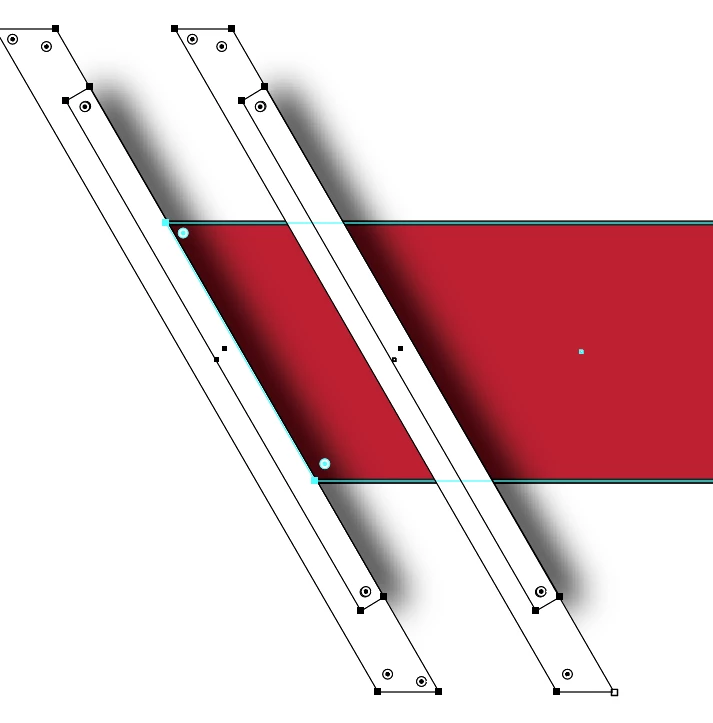
Now, I have the following issue. We have grown and would like to release some mech in the form of tshirts... 'of various colors,' and therein lies the problem.
- If we just print the logo on say a blue shirt... everything looks fine except you get white rectangles.
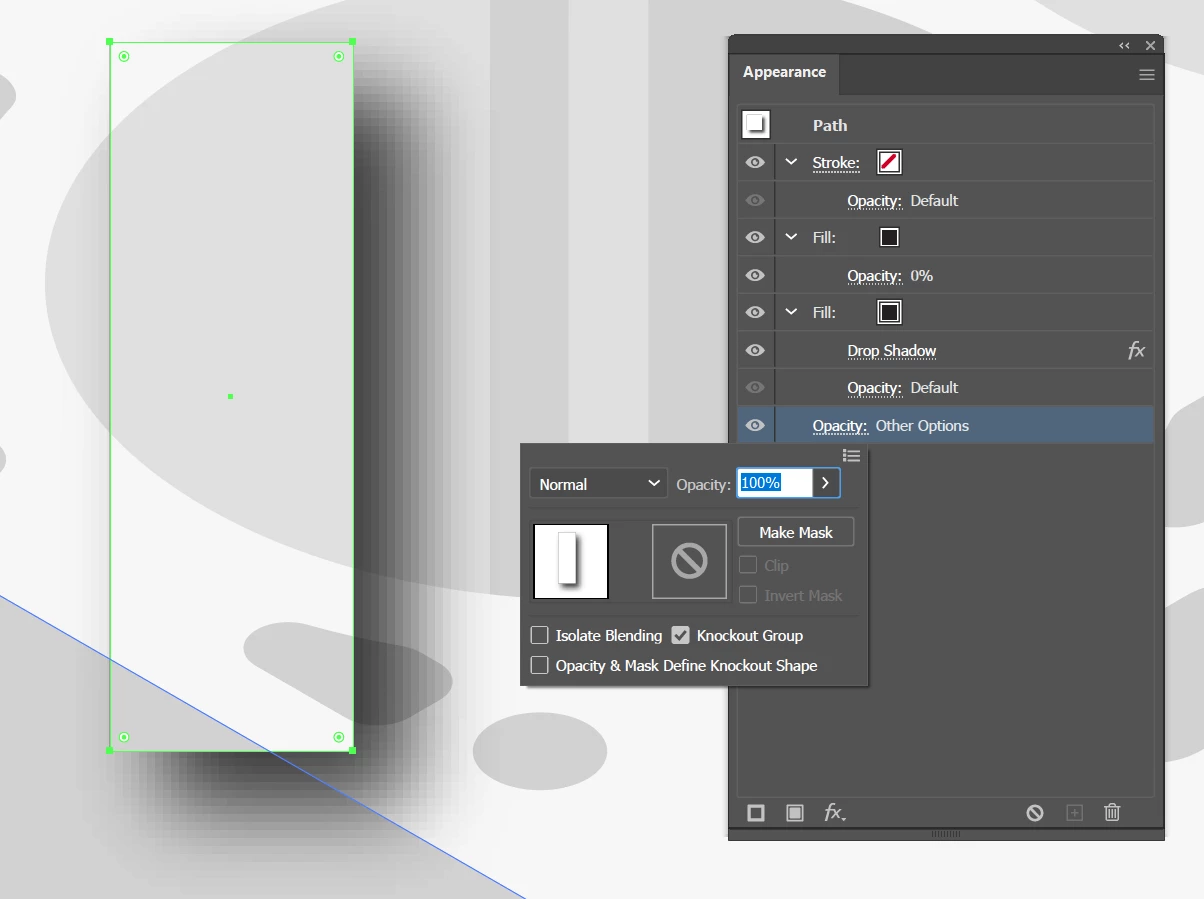
- If I make the larger rectangles transparent, or without fill, then the smaller rectangles that cast the drop shadows are visible along with the extra drop shadow blur.
- If I make all the rectangles transparent to let the shirt color show as intended, the drop shadow dissappears.
Maybe there is a proper/professional method that I should have used on the outset to create this effect? If anyone knows, or a workaround to get the same effect, it would be greatly appreciated. Thank you!

 AdChoices