

Drop shadows and multi-layered appearances rendering backwards on JPEG export.
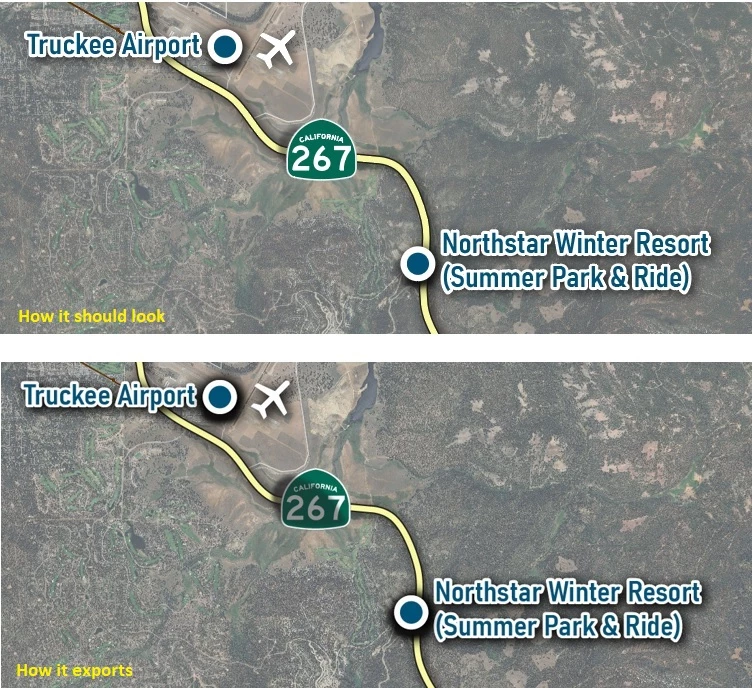
I've been having this weird issue over the past couple of weeks where elements with drop shadows export with the drop shadow on top of the element or coming out extra dark. It only happens when exporting to JPEG. If I export to PNG, it corrects the issue.
Also, if I have two symbols stacked on top of eachother, and the bottom symbol has an effect applied to its appearance, it renders on top of the other symbol regardless of draw order. Take a look at the shadows behind the "267" highway symbol below. The shadow is a symbol and it's rendering it on top when exporting to JPEG.
The top image is how it's supposed to look. The bottom is how it's exporting.
This is Illustrator, 28.7.1.
Windows 10 PC
NVidia 3080 TI
64gb RAM
EDIT: Just reinstalled the latest NVidia drivers, but the problem remains.


 AdChoices