


Question
Dull colors only in Illustrator - CMYK and RGB
I have in issue consigned to the v27 of the Mac version of Illustrator where the colors are all dull for both RGB and CMYK color spaces when compared with:
- The exact same version of Illustrator on another laptop replicating the same CMYK swatch with the exact same color settings (same proofing settings, same FOGRA39 profiles)
- On the same laptop with side by side windows running Photoshop / Affinity replicating the same CMYK swatch in the same color mode (which shows correctly in Photoshop / Affinity)
- An exported PDF from the plagued Illustrator version with CMYK color profile (which shows correctly in Preview and Acrobat)
- Even the Recently Opened previews in the home screen of Illustrator show correctly, but revert to dull versions when opened
See swtaches and differences below, with the 'correct' version shown in Illustrator. I should emphasise these are colours I have been working with for years and have always looked correct in my previous laptop running Illustrator (with the same external monitor I connect to now).
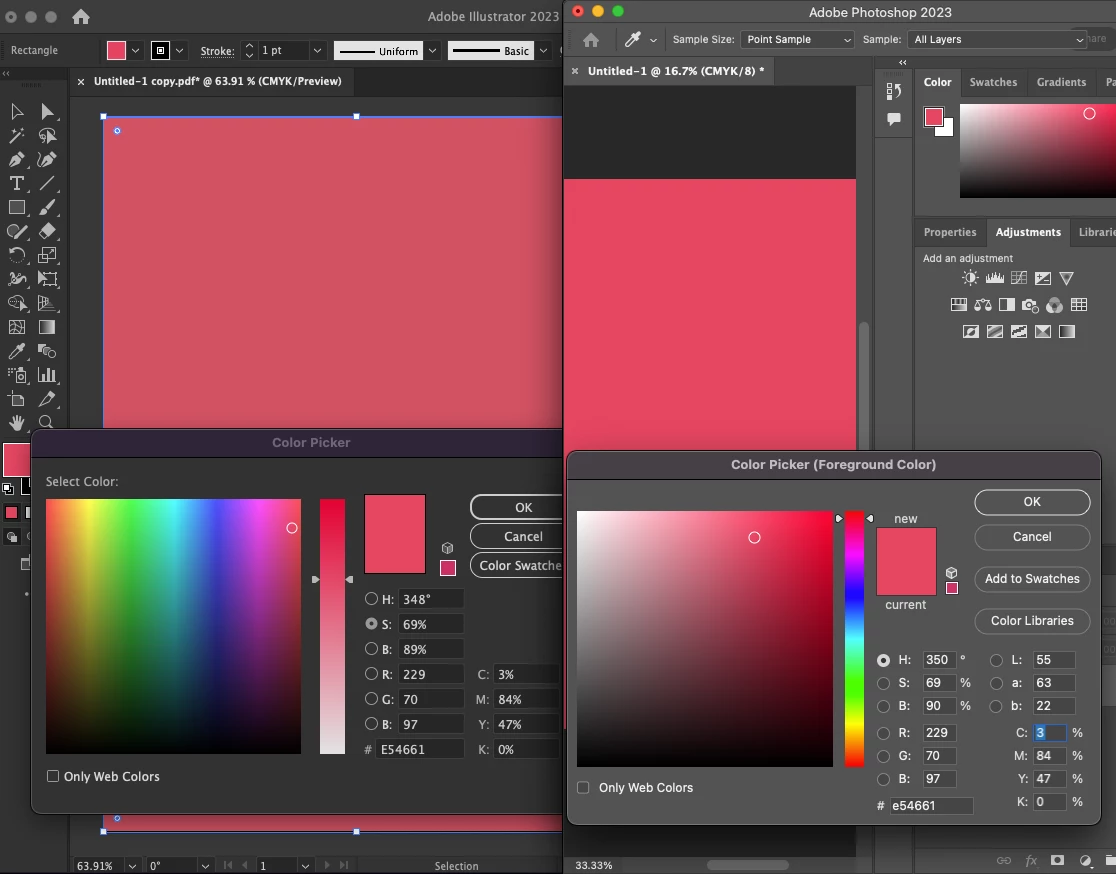
Some other notes:
- The colours are dull both on the MacBook Pro's 14 inch screen and external monitors connected to the MacBook Pro (these monitors show the colors perfectly in Photoshp for example) - therefore in my view ruling out monitor callibration
- I understand RGB > CMYK conversions issues can cause dullness, but I have worked with these swatches for years on other versions (including sending them to CMYK printers many times)
In terms of settings I have tried:
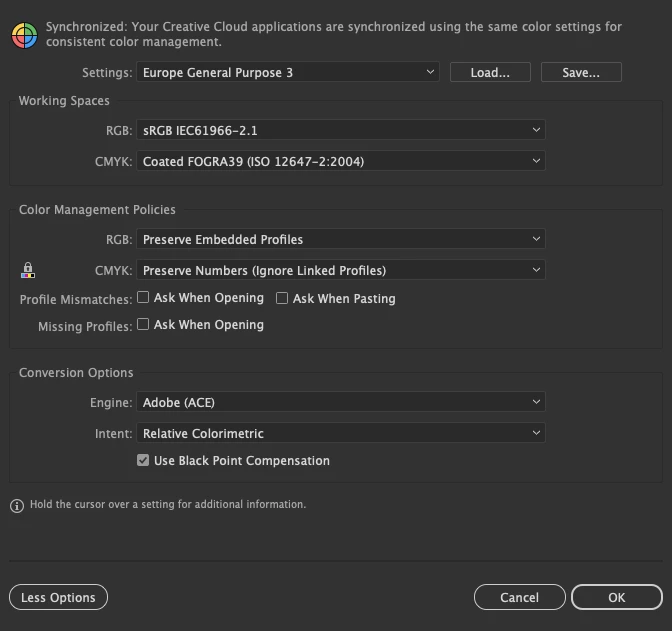
- Changing Colour Settings from my usual Europe General Purpose 3 to determine any difference (in anycase Photoshop shows correctly in CMYK mode under the same Europe General Purpose 3)
- Forcing the colour swatched to be 'sourced' from CMYK values by entering those values
- Changing Proof Setup and toggling Proof Colors mode (in any case they are the same as the laptop which shows the correct settings)
- Other random tidbits on forums elsewhere
I am convinced the issue must be consigned to this instance of Illustrator's settings. Any ideas where else I can look? This is driving me crazy!
Illustrator color settings:
 =
=
 AdChoices