Duplicate Swatches
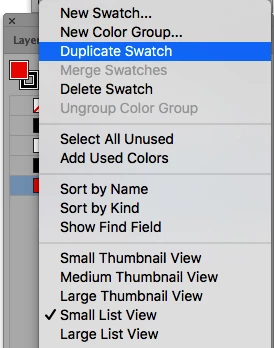
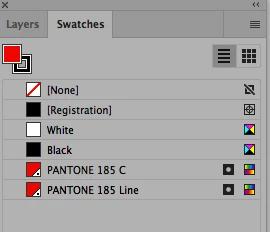
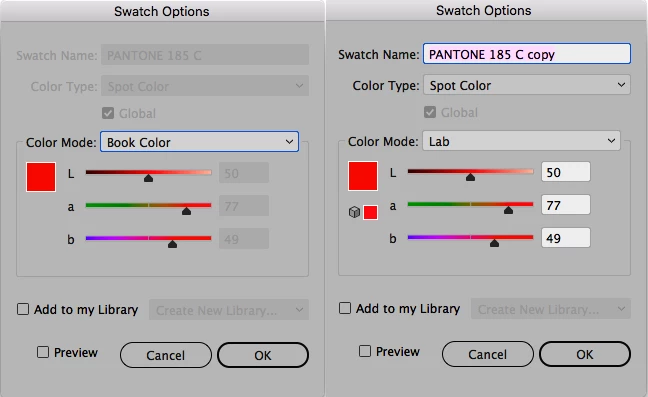
How come in any of the Creative Cloud Illustrator's when color swatches are duplicated using the Swatch Palette Pulldown Menu, the breakdown and Color Mode is different than the original swatch? Our files will use the same Spot Color twice so that they can be separated as screen or a line color to help with printing. For example PMS 185 would show up twice as Pantone 185 C and Pantone 185 Line. To create the Line Color, Pantone 185 C is selected and duplicated in the Swatch Palette using the Pull Down Menu. The name is then changed to Pantone 185 Line. But the breakdowns are different. The breakdowns should not really matter when using Spot Colors, but our ESKO workflow has a problem with the different values and Color Mode in the Swatch that is duplicated. We have seen large differences caused by the different breakdowns on screen and outputting HCPs. That could be an ESKO Issue, but again why is the Original Swatch changing breakdowns and the Color Mode when it is duplicated in Illustrator. I have included some screen shots below. Any information or suggestions would be appreciated.
 AdChoices