
Answered
Easiest way to get rid of overlapped shapes converted from Pattern?
Hi,
I was trying to create a custom shape with a pattern fill of dots/circles, what I wanted to do was the "circle", would make up the shape, with no circles overlapping the original path.
Picture:
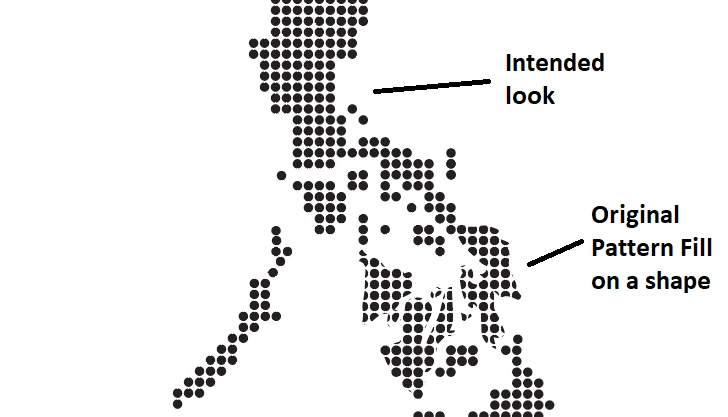
Is there an easier way of doing it aside from expanding the appearance of the original shape (Expand, Ungroup, Release Mask, then manually delete the unneeded circles)? I am using the original path as a guide when tidying them up.
Thank you all.


 AdChoices