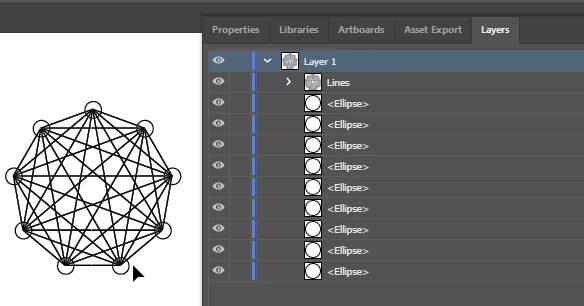
Yea, just use the Radial repeat to make enough circles, make sure to expand the object so you get the Radial Repeat split up into circle paths, and use this script, it should do what you want:
#target illustrator
function test () {

	var doc = app.activeDocument;
	var sel = doc.selection;
	var pathUuids = [];
	var thisItem;
	for (var i = 0; i < sel.length; i++) {
		thisItem = sel[i];
		pathUuids.push(thisItem.uuid);
	}
	var thisPath, thisOtherPath, newLine;
	var newGroup = doc.groupItems.add();
	newGroup.name = "Lines";
	for (var i = 0; i < pathUuids.length; i++) {
		thisPath = doc.getPageItemFromUuid(pathUuids[i]);
		for (var j = 0; j < pathUuids.length; j++) {
			thisOtherPath = doc.getPageItemFromUuid(pathUuids[j]);
			newLine = newGroup.pathItems.add();
			newLine.setEntirePath([
				[
					thisPath.left + (thisPath.width / 2),
					thisPath.top - (thisPath.height / 2)
				],
				[
					thisOtherPath.left + (thisOtherPath.width / 2),
					thisOtherPath.top - (thisOtherPath.height / 2)
				],
			]);
			newLine.stroked = true;
		}
	}

};
test();
It is not handling duplicated lines, so there are a lot of duplicated lines on top of each other as the lines are drawn from each and every shape to each other shape - like in the case of the triangle it would make 6 lines total. Matter of fact, it also draws a line to itself - haha.
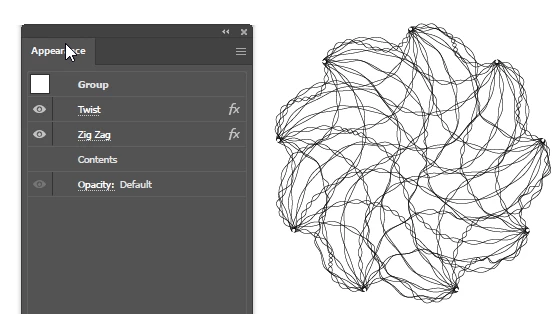
Hey, you can come up with cool jellyfish art using some effects on this.

 AdChoices