

Will Price
Inspiring
May 13, 2024
Answered

Edit Gradient tool off the canvas

  • May 13, 2024
  • 3 replies
  • 982 views

Hello,


I have a large number of individual outlined paths with gradients in them. When I want to Edit the Gradient, the handles are miles off the canvas. It's a pain to edit. Is this a bug?
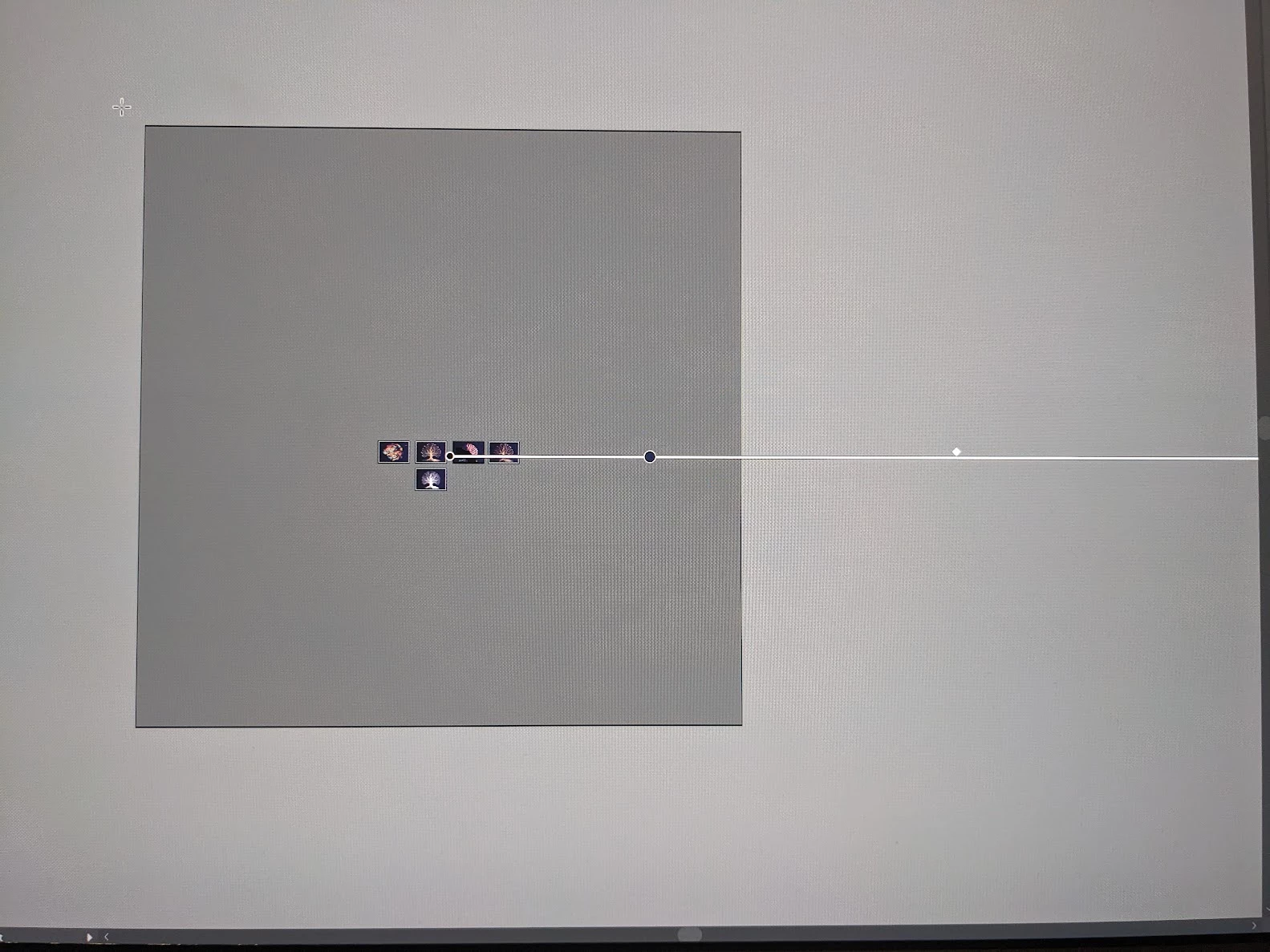
 

Or can I force all the gradients to fit on the artboard in one action?


I can't seem to be able to edit multiple gradients at once.


Do I have to do this on every single path?


Thanks,

Will

This topic has been closed for replies.
Correct answer Monika Gause

I changed the fills to solid and made some test gradients. When I eye-dropped them, it copied the gradient but not the correct angle. At least it put the bounds on the canvas this time, so it fixed that.


Is there a key command to make sure you also copy the correct angle?


When you save a gradient, the angle is saved as well.

When you apply a gradient swatch, hold down the alt key. Then the angle is applied as well.

3 replies

Kurt Gold
Community Expert
Community Expert
May 13, 2024

Can you share this Illustrator file for inspection?

Will Price
Inspiring
May 14, 2024

You can download it from this shared drive: https://drive.google.com/file/d/1dKP02PsxGiYvOaNHL2r-yEPGha9LAEL1/view?usp=sharing


See if you can find anything.


Thanks.

Community Expert
May 13, 2024

Was this artwork imported from another application? It's not natural for the gradient annotator to be extending completely outside the maximum workspace limits. I wouldn't trust such a thing to print correctly. I'd probably change the object fills to a normal solid fill to get rid of that gradient and re-build a gradient that is within the art board or at least within the visible workspace.

Will Price
Inspiring
May 14, 2024

Yes, it was all created in the file. I used the line tool and then outlined paths. The file was filled with gradients from my swatches. I'll try a solid fill and eye dropping some test versions of the gradients.

Thanks.

Will Price
Inspiring
May 14, 2024

I changed the fills to solid and made some test gradients. When I eye-dropped them, it copied the gradient but not the correct angle. At least it put the bounds on the canvas this time, so it fixed that.


Is there a key command to make sure you also copy the correct angle?

Monika Gause
Community Expert
Community Expert
May 13, 2024

Are the gradients saved as swatches?


The plugin Subscribe/Gradiator offers a button called "Fit to art"

So just in case you have Astute Graphics plugins (not free), then that's what you can use.

Will Price
Inspiring
May 14, 2024

Yes, the gradients are all swatches. Nothing looks untoward, all within the confines of the settings. It's odd. I'll take a look at that plugin; thanks.