xoser18009762
Known Participant
September 25, 2018
Answered

Edit perspective of photo

  • September 25, 2018
  • 4 replies
  • 913 views

I need to change the perspective of a photo. Which is the procedure in Illustrator?

    This topic has been closed for replies.
    Correct answer rcraighead

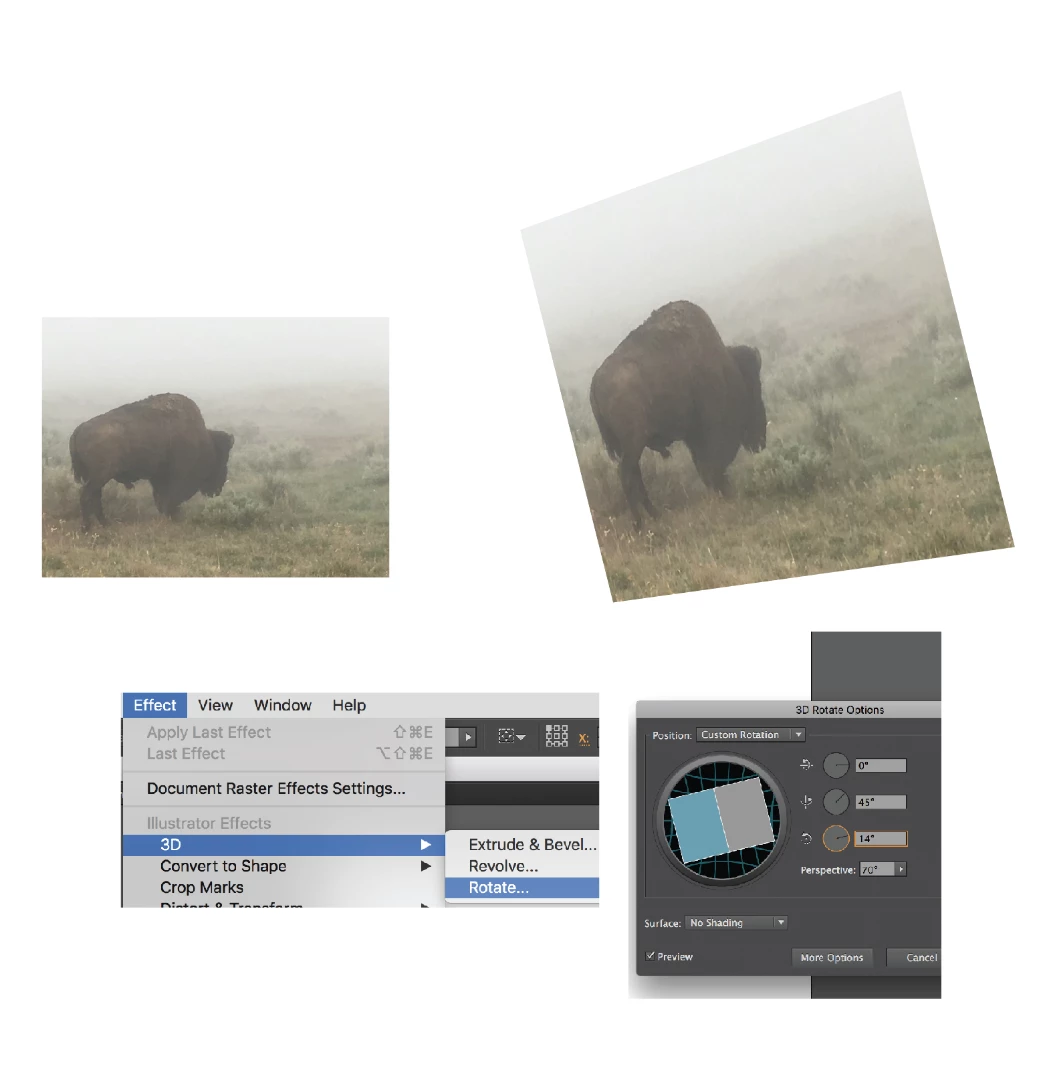
    Can you provide a few more details? Are you trying to change elements within a photo or are you simply wanting to make it appear to be rotated on a plane? Rotate a photo in AI by using the "3D>Rotate" effect.
    4 replies

    Ray Yorkshire
    Participating Frequently
    September 25, 2018

    Another way is to use the perspective grid,

    demonstrated in this short video

    Adobe Illustrator Perspective Tip - Raster Images - YouTube

    rcraighead
    rcraigheadCorrect answer
    Legend
    September 25, 2018

    Can you provide a few more details? Are you trying to change elements within a photo or are you simply wanting to make it appear to be rotated on a plane? Rotate a photo in AI by using the "3D>Rotate" effect.

    lambiloon
    Community Expert
    Community Expert
    September 25, 2018

    Hi yes i think Adobe Photoshop is best way to do that for accuracy....Thanks

    Ali Sajjad / Graphic Design Trainer / Freelancer / Adobe Certified Professional
    Eugenio.NYC
    Participating Frequently
    September 25, 2018

    Hi There

    In my opinion, Photoshop is better, but in Illustrator you have a few ways to do it

    op 1- Object/Envelop Distort and play with the options

    op 2- convert your image on a Symbol and then create a 3D object and map the image over the symbol

    E