Editing curved objects with curved path?
Hello!
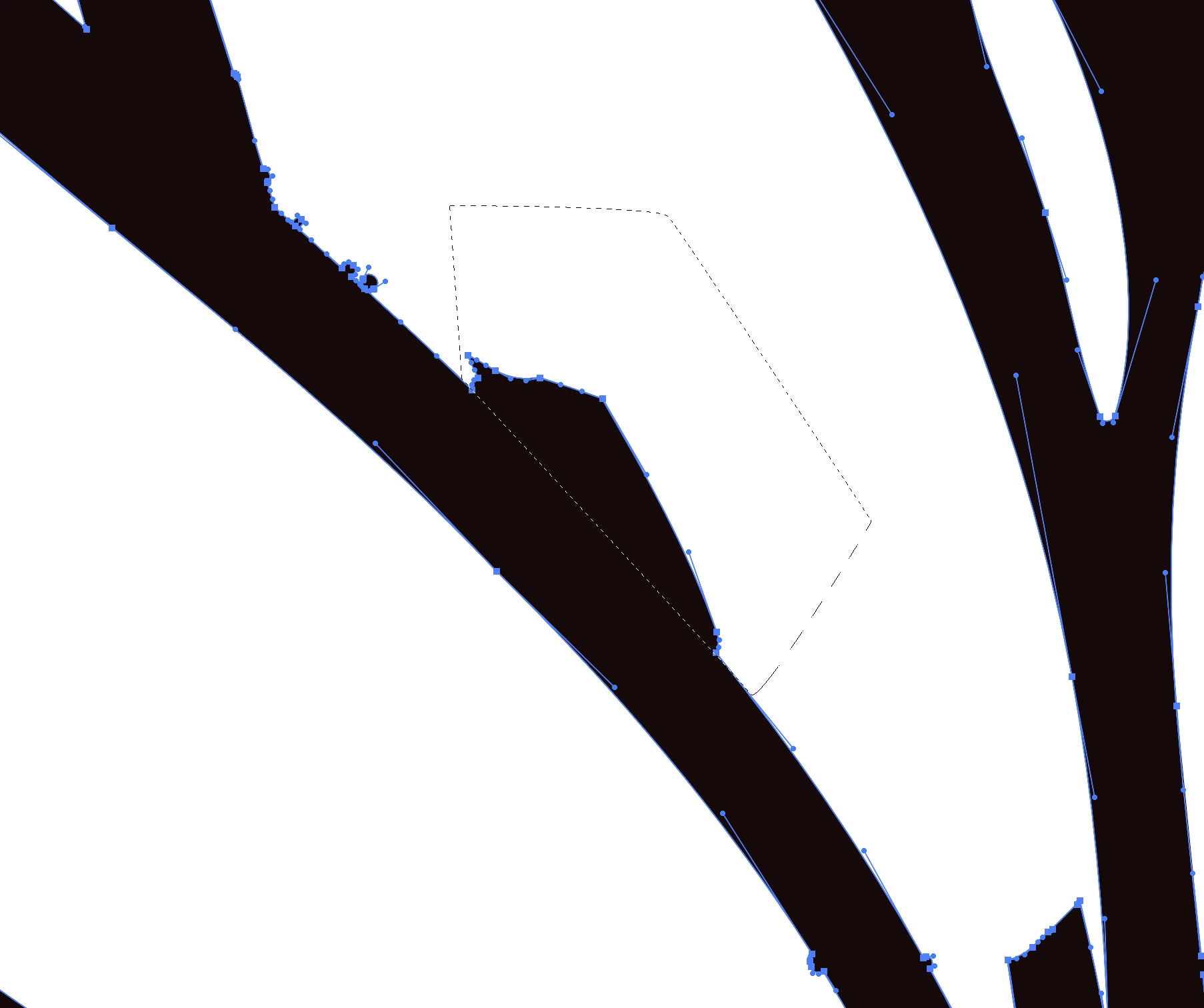
I tried doing so with the knife tool but it doesn't give me an accurate slice. Maybe I'm doing something wrong (very likely), but if you see in the image, the marquee selection is the part I want to slice and remove. Is there a way to draw a path and then use it as an eraser? I know I could make do a punch out with a new path, but this image is incredibly detailed and it would take me forever to do that. This portion of the image is at 3200% lol, I just need a quick way to remove unnecessary parts of the object. I also tried using the eraser, but the angles of the curves vary and changing my eraser shape isn't efficient. You can also see above the marquee those small bubbled anchor groups. Those need to be removed too. Going in the with "anchor remove" tool potentially compromises the overall shape.
Thanks!
Christina
 AdChoices