

Editing Illustrator Templates HELP
Hey Adobe Community I have worked in illustrator a few times creating things and know my way around but today i am trying to use a template i got off of adobe stock. Whenever i open the template in illustrator i cant seem to edit anything or fully understand why the template looks like it does. This is the template i am trying to customize: https://stock.adobe.com/search?filters%5Bcontent_type%3Aphoto%5D=1&filters%5Bcontent_type%3Aillustration%5D=1&filters%5Bcontent_type%3Azip_vector%5D=1&filters%5Bcontent_type%3Aimage%5D=1&filters%5Bcontent_type%3A3d%5D=1&filters%5Bcontent_type%3Atemplate%5D=1&filters%5Bcontent_type%3Avideo%5D=1&k=simple+catalog&order=relevance&safe_search=1&limit=100&search_page=1&search_type=usertyped&acp=&aco=simple+catalog&get_facets=1&asset_id=324103352
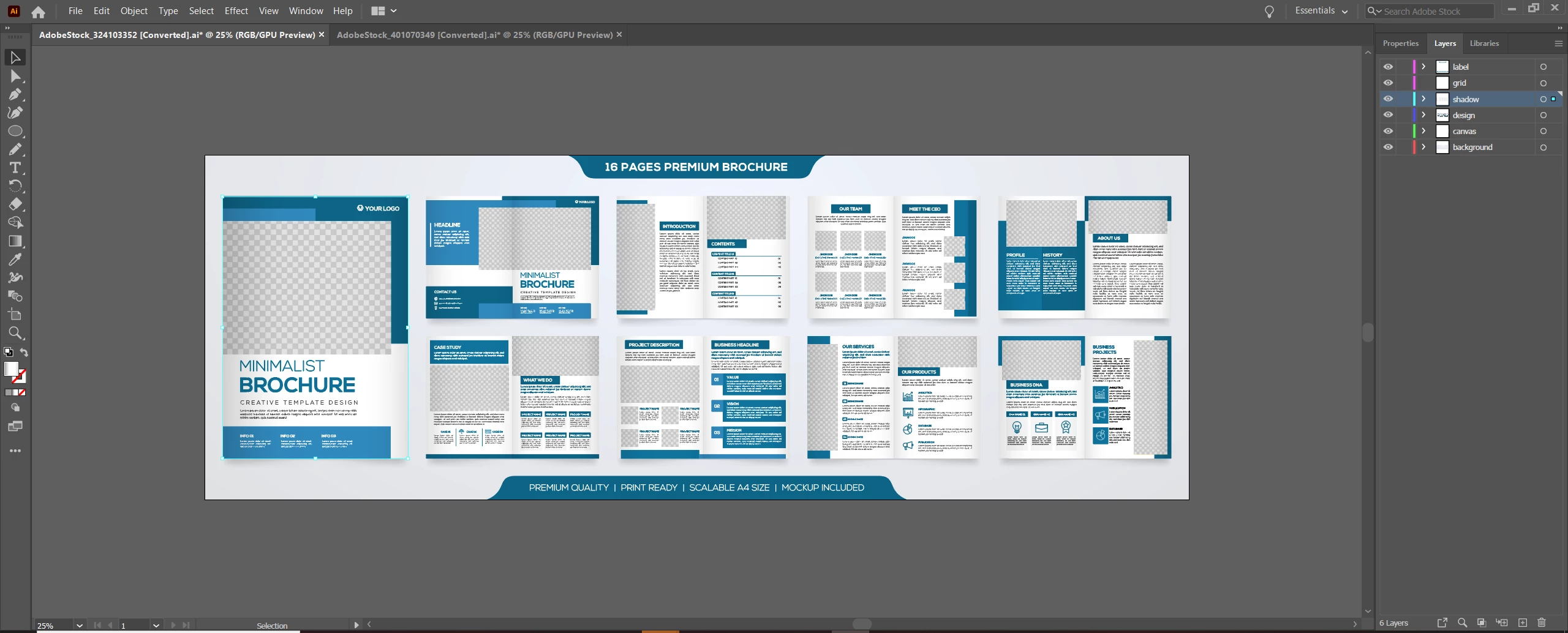
When i open it up all the pages are in like what looks like a preview state like it shows online instead of them being there individual pages. Whenever i click on a page it points to shadow. If i hide the shadow then it allows me to click on content inside that page but i cant edit text or anything. All the text has anchor points.
Here is a picture of what it looks like when i open up the template.


 AdChoices