Participant
August 8, 2018
Answered

"Effect > Stylize > Scribble" is missing?

  • August 8, 2018
  • 1 reply
  • 8500 views

Hello,

I'm trying to use the scribble effect, but it seems to be missing from the menu. I've selected the shape, and then went to Effect  >  Stylize  >  … but my only option is Glowing Edges. There should be a list of several stylize options, including Scribble. I just got a new computer and put Adobe CC on it. I don't know why it's not working... Any help would be much appreciated. Thanks!
Correct answer chanaart

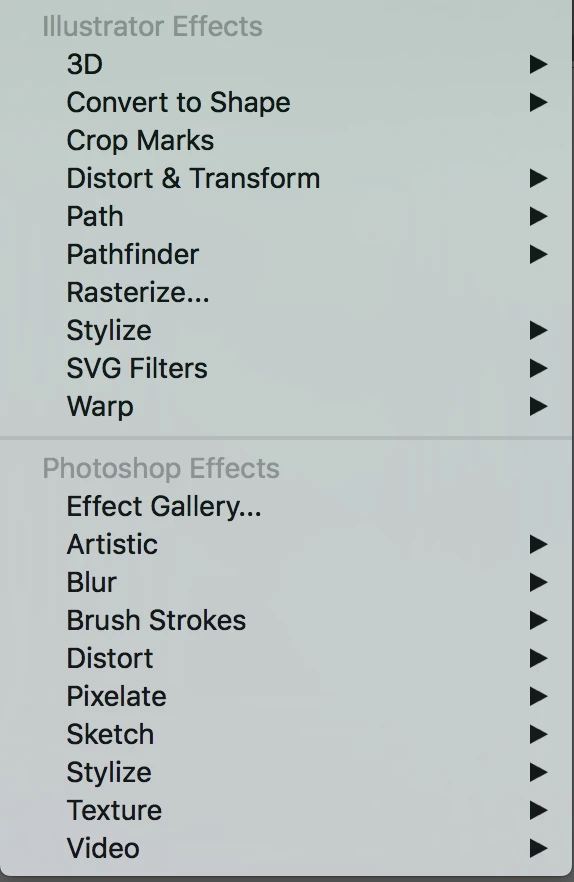
When you go to the effect panel:

The top filters are vector effects.

the bottom ones are the raster effects.

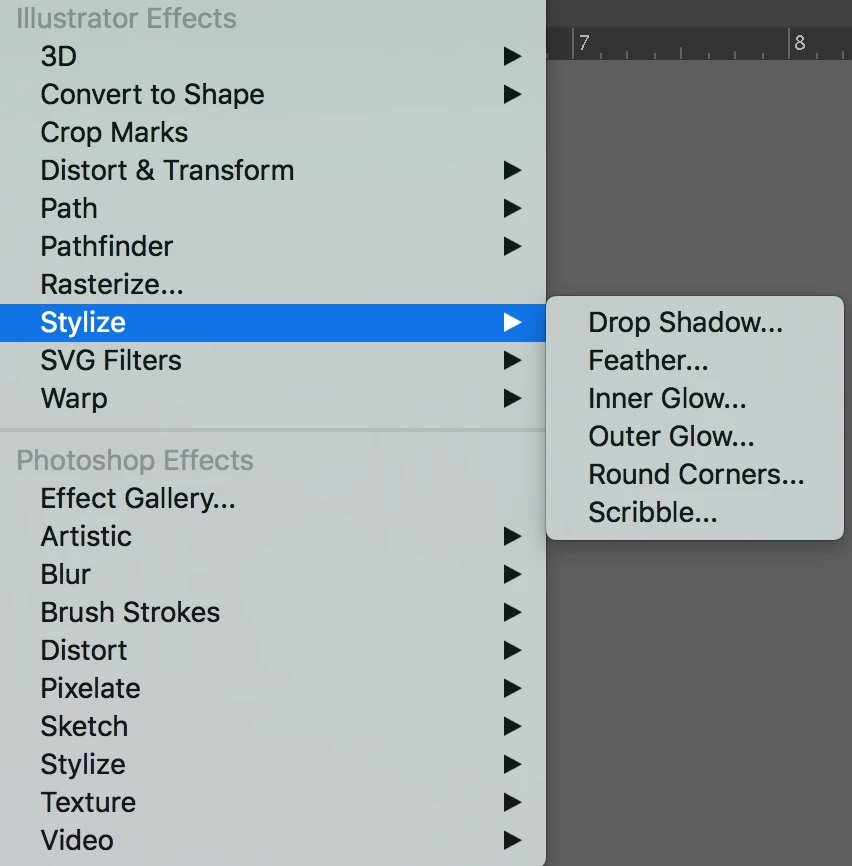
Choose Stylize in the from the top area: and you will see the scribble.

in the bottom one it is glowing edges which is photoshop.

1 reply

chanaart
Community Expert
chanaartCommunity ExpertCorrect answer
Community Expert
August 8, 2018

When you go to the effect panel:

The top filters are vector effects.

the bottom ones are the raster effects.

Choose Stylize in the from the top area: and you will see the scribble.

in the bottom one it is glowing edges which is photoshop.