


Participant
June 9, 2025
Answered

embed but retain link name as object name

  • June 9, 2025
  • 1 reply
  • 152 views

Hello everyone. I was wondering if anyone knew a way to do this?

I want to drag a bunch of .ai files into an open AI file. So far so good. As you all knowm they come in as linked items.
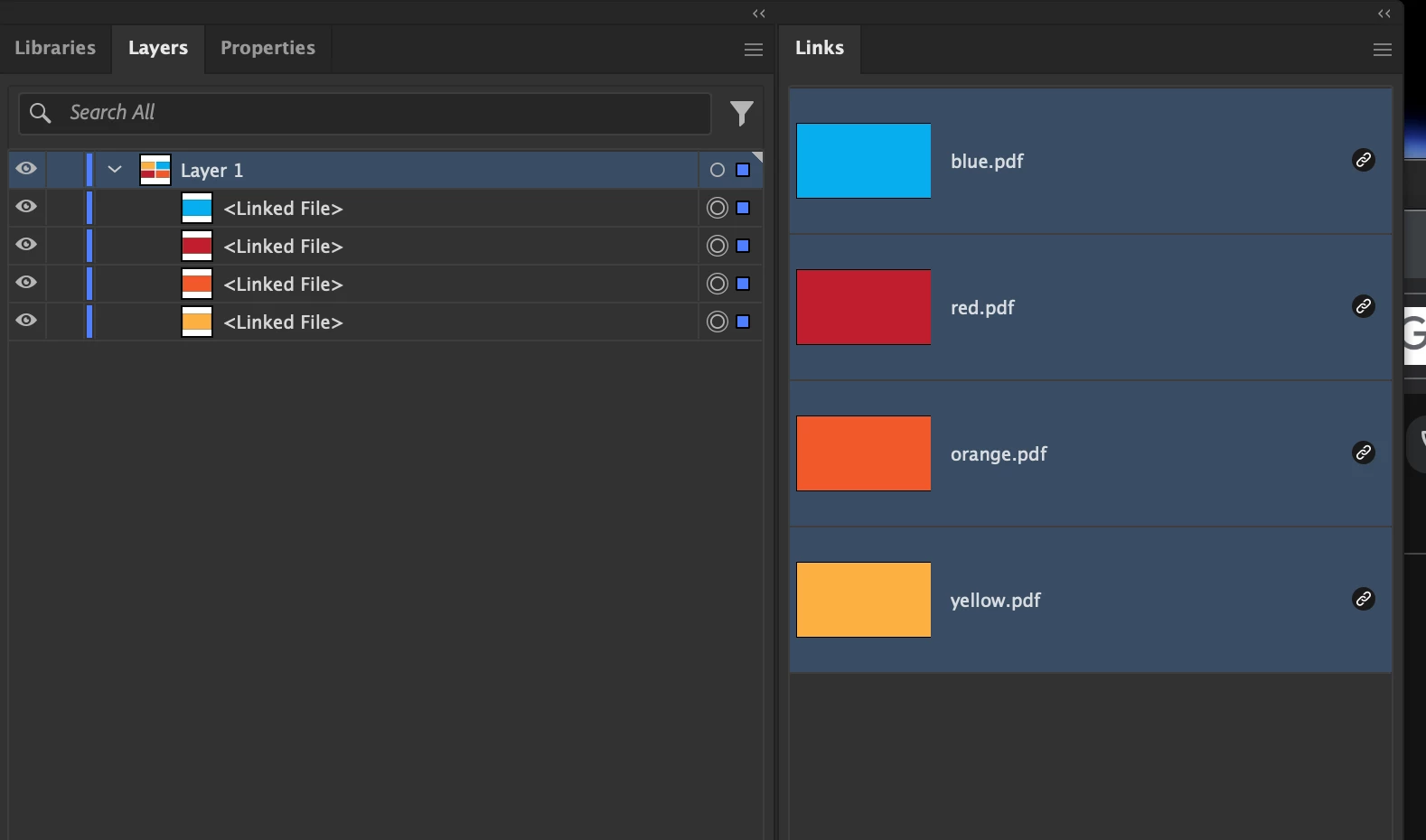
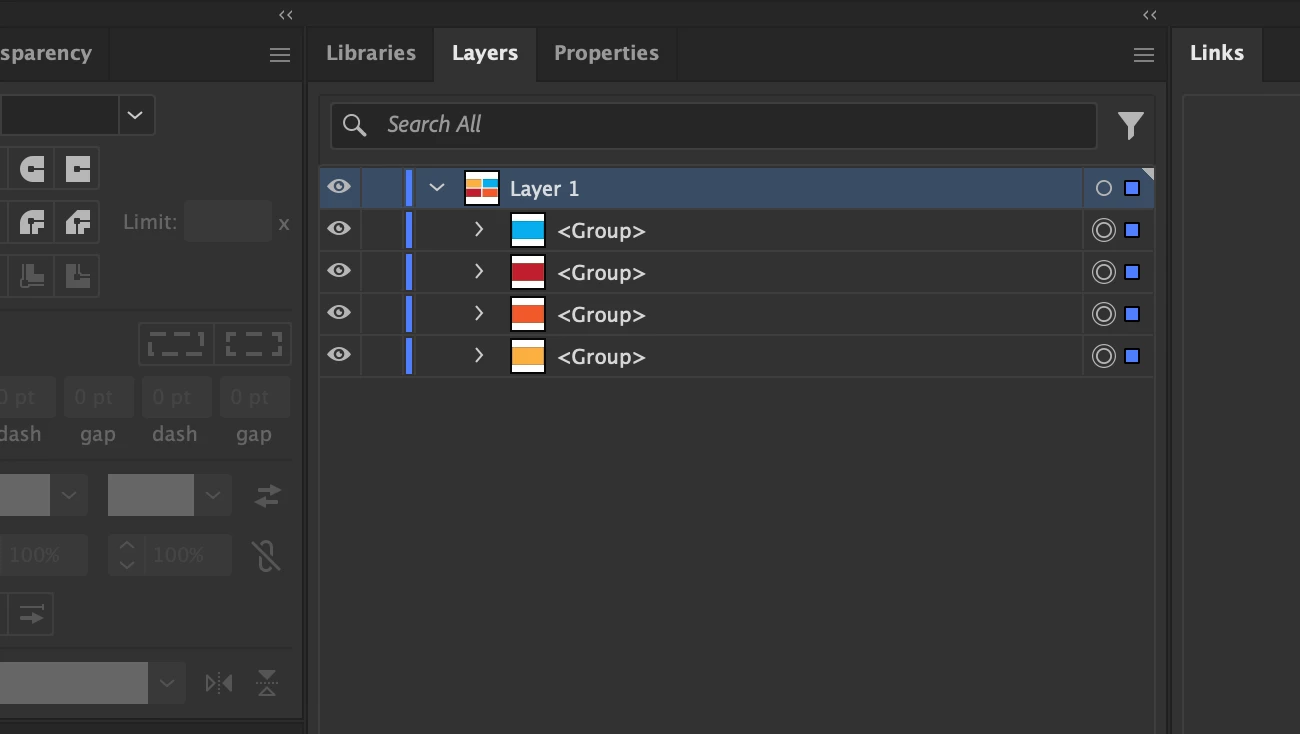
I would then like to embed those links BUT have the "object" retain that linked file name. Right now, once you embed, it just becomes a "group".
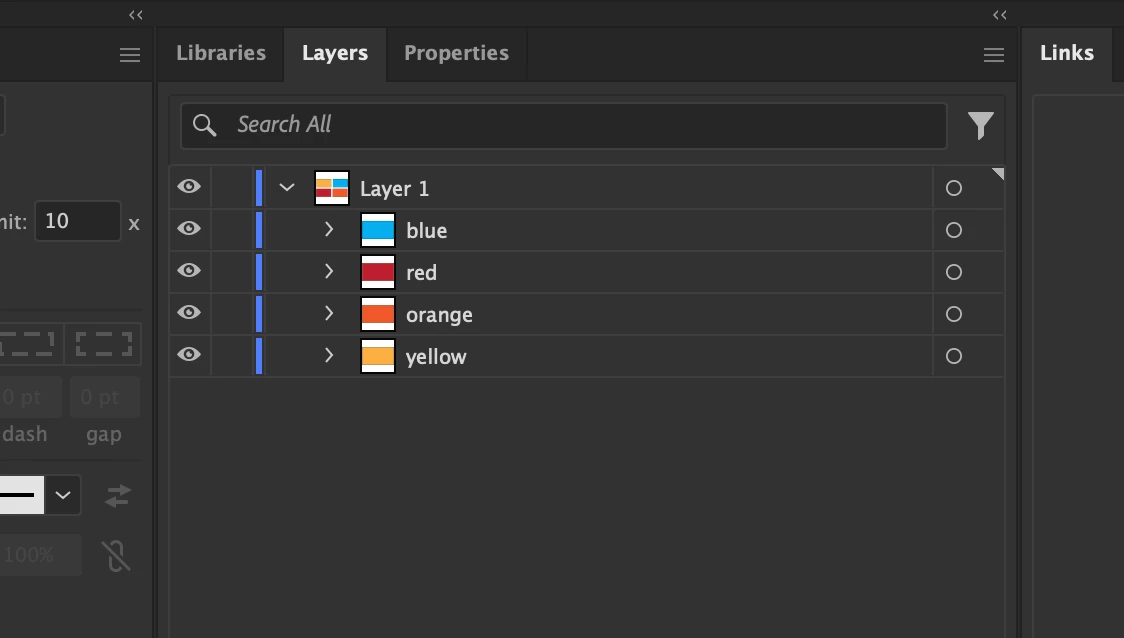
I would want them to end up like this.
 

I have around 250 files that all need updates but batch actions can't do what I need but if I had them all in one file, I could easily make the adjustments then create artboards for each item (which retains the objest name) and export them. That way all the files are already names accordingly. 

Correct answer Ton Frederiks

If you Shift-Drag them they become embedded, but as you've noticed they become groups.

I suppose that is because you do not really embed the original Illustrator file, but the PDF part of the file, which cause loss of some Illustrator attributes like layers and creates many clipping groups.

So embedding creates something that is very different from the original Illustrator file or what you would have got when you open a file, copy the contents and paste it with Paste Remembers Layers checked.

1 reply

Ton Frederiks
Community Expert
Ton FrederiksCommunity ExpertCorrect answer
Community Expert
June 9, 2025

If you Shift-Drag them they become embedded, but as you've noticed they become groups.

I suppose that is because you do not really embed the original Illustrator file, but the PDF part of the file, which cause loss of some Illustrator attributes like layers and creates many clipping groups.

So embedding creates something that is very different from the original Illustrator file or what you would have got when you open a file, copy the contents and paste it with Paste Remembers Layers checked.