


Embedded images disappear from .ai file
Hello! I’m a professional who uses Illustrator to design jewelry concepts for work. This means that in any given file, I’ll be using a number of different images of jewelry parts that I drop in from my computer’s local files. I always embed the images into the Illustrator file so that I can send them back and forth between myself, my boss, and my coworkers easily without losing anything along the way.
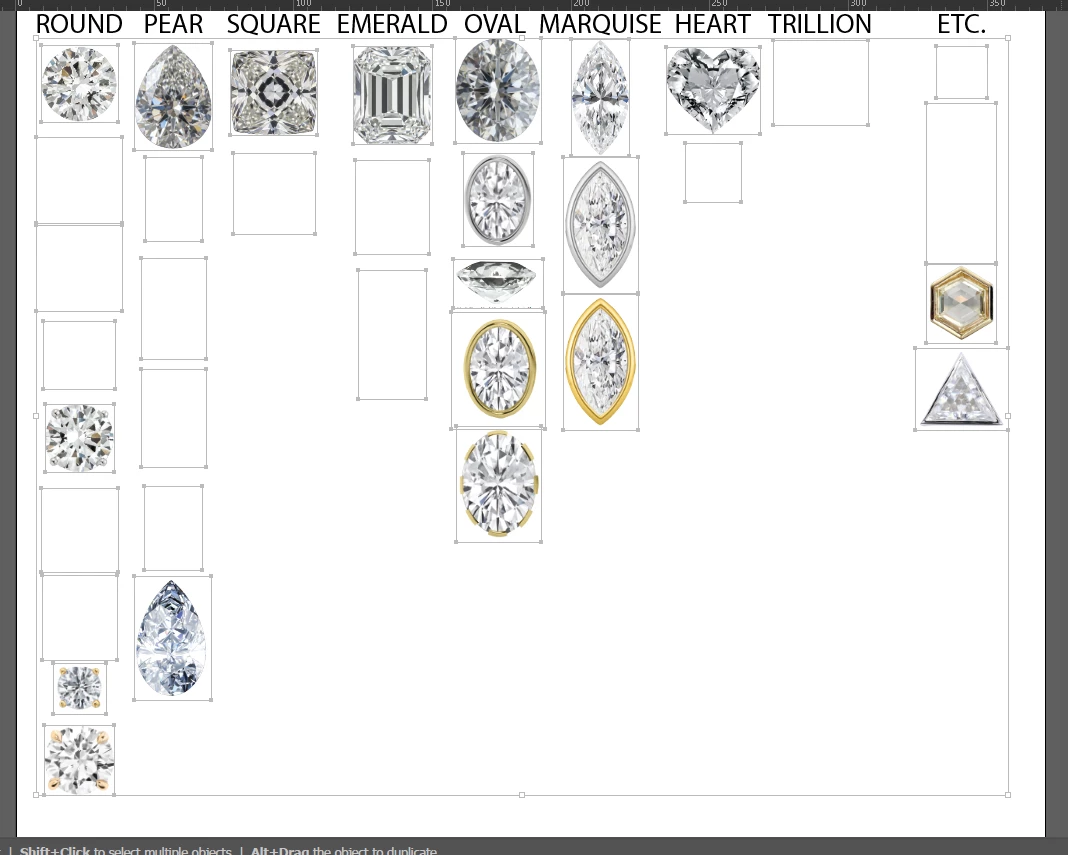
Sometimes, when I reopen my files, I will find that there are images missing from them. Often, over half of the images are missing. The images are embedded, NOT linked, so I don’t understand why they vanish. I will be able to see the bound boxes, but the image that should be within the box is gone. It gets in the way of my work almost every day and is extremely frustrating. We have tight deadlines and I cannot be constantly replacing images in my files every time I open them up to work on them.
Is there any way to recover the images without having to manually replace them one by one every time? See screencap below of one page from my asset library file, which recently started giving me this problem and is ruining my week because of it. Note that some images are fine, while many are gone.
All of the Adobe programs on my computer are up to date with the most recent update. Illustrator is version 30.8.1.

 AdChoices