
Known Participant
August 27, 2023
Question

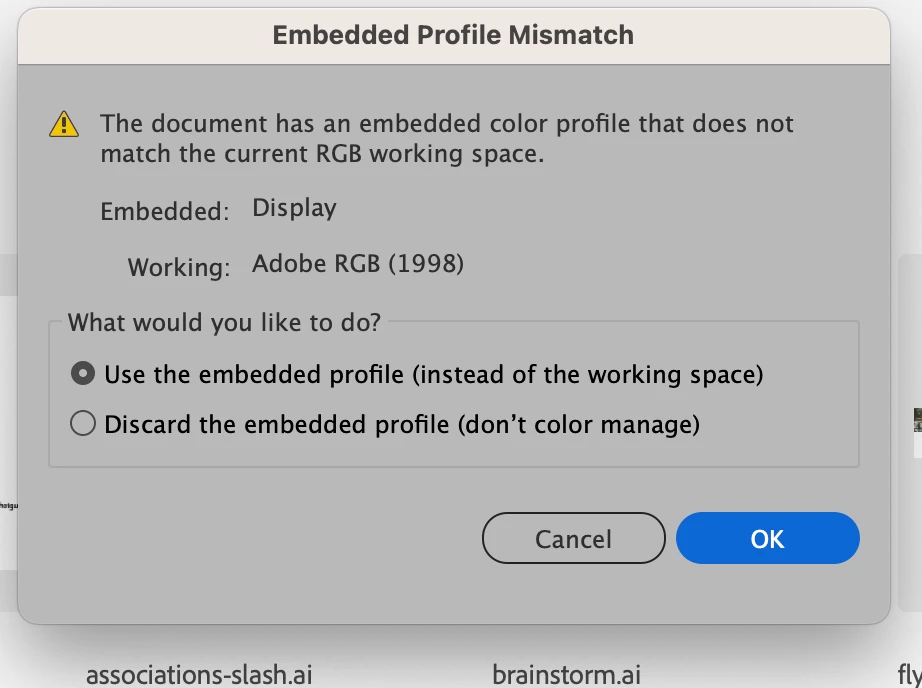
Embedded profile mistmatch ... apply to all check function or default behaviour?

  • August 27, 2023
  • 1 reply
  • 433 views

Hi guys, been having issues for a long while concerning color profile mismatches between my computers. Is there a way to set a default behaviour to handle these, or a "apply to all" check function such in the way it works when some image links are missing? It's pretty annoying having to click okay on every prompt that keeps popping for every image in the documents, when there are a few dozen images linked. thanks  back 
This topic has been closed for replies.

1 reply

Monika Gause
Community Expert
Community Expert
August 27, 2023

You can turn off the warnings in Edit > Color settings, but you do not want to do that.

Because then you might experience color changes and you don't know where they are coming from (countless threads in this forum about colors changing out of the blue and people have no clue whatsoever about what's happening inside their documents).

Known Participant
August 27, 2023

okay thanks. i guess ill have to stick with it. I just find it odd because these warnings would never show up in prior versions and i never experienced this beforehand. I guess its because im using some external displays now ? or the fact i use mac mini + macbook air regularly between files?

Monika Gause
Community Expert
Community Expert
August 27, 2023

It's probably happening because you had color management set up differently previously. It's unlikely that your screenshots had an Adobe RGB profile included. sRGB would be possible, but not Adobe RGB.