


Participant
May 22, 2025
Answered

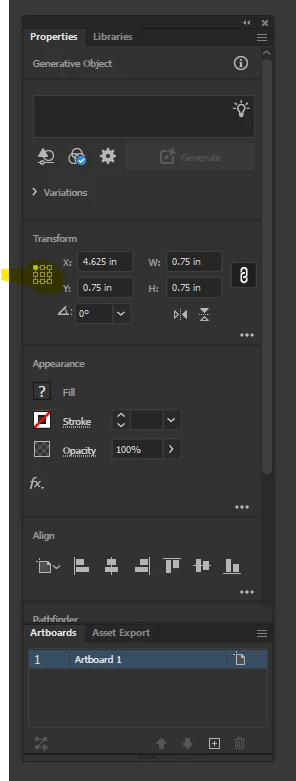
Enlarge my Reference Point Grid, but keeping the rest of my UI small.

I like my UI being small, everything is spaced out so I can click where needed without bumping the wrong thing.  The reference grid on the other hand, is a pain with the nine dots so close I'm constantly misclicking.  I don't have to change the size of anything else, besides enlarge the Reference Point Grid and I'm curious if anyone has a solution.

 

Monika Gause
Monika GauseCorrect answer
Community Expert
May 22, 2025

There is no solution.


You can only make a feature request at https://illustrator.uservoice.com for the reference point symbol to be enlarged

1 reply

Monika Gause
Community Expert
Monika GauseCommunity ExpertCorrect answer
Community Expert
May 22, 2025

There is no solution.


You can only make a feature request at https://illustrator.uservoice.com for the reference point symbol to be enlarged

Translate