Agla
Participating Frequently
Nov 21, 2026 9:31 AM UTC
Answered

Envelope distort pattern without gaps

Hello all,


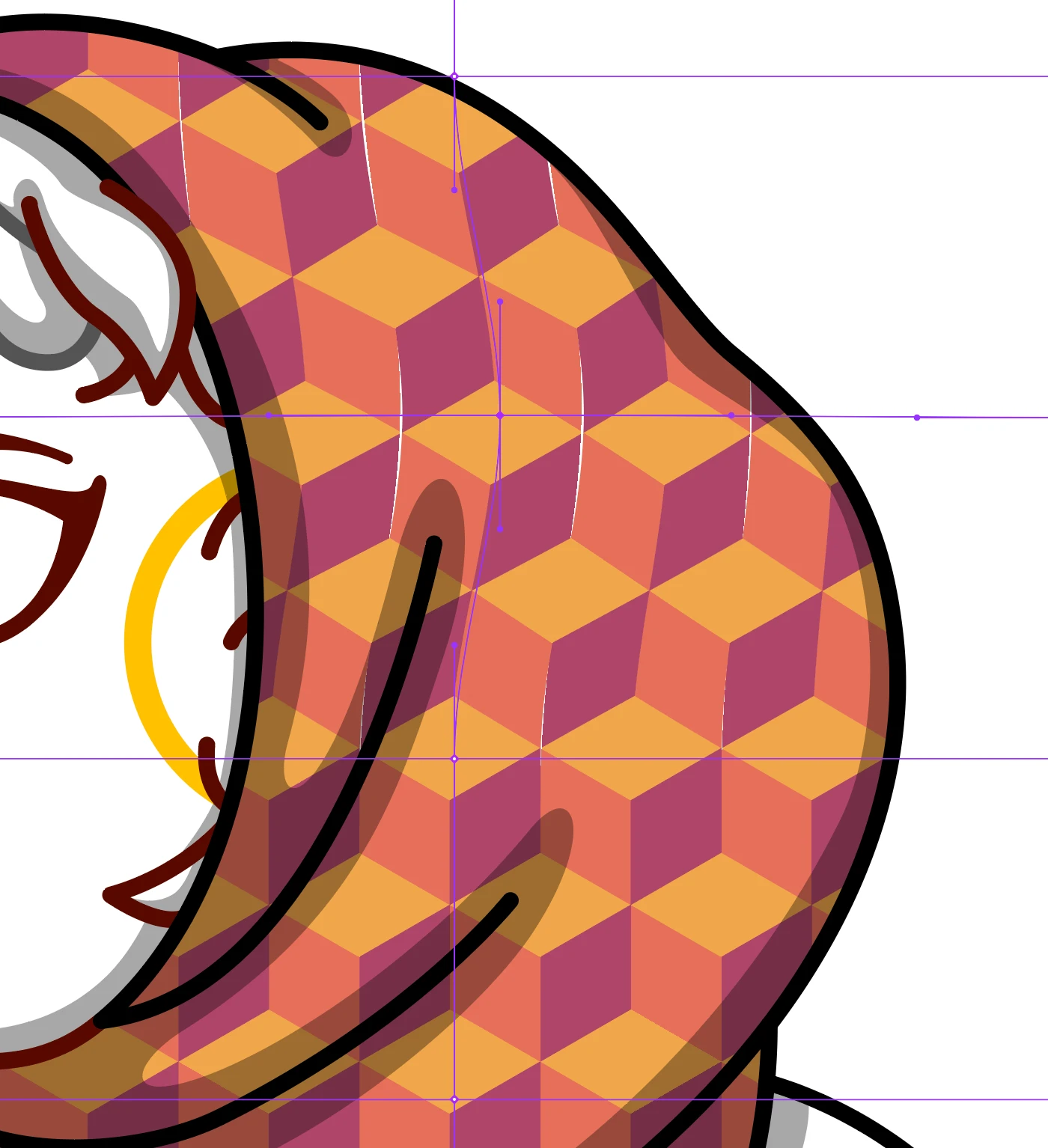
I have created an isometric cube Pattern in Illustrator to be used on a scarf. I want to warp the pattern around the character’s head so that it is in perspective, but the settings in Warp (Bulge etc.) don’t offer enough control for what I want.


The only tool I’ve found that lets me warp patterns without expanding the pattern is Envelope Distort. However, it leaves gaps between each instance of the pattern.


Is there any way of warping the pattern where these gaps are not created (each instance of the pattern stays connected seamlessly)? I don’t mind expanding the pattern if necessary.


Thanks for any advice!


    Jacob Bugge
    Jacob BuggeCorrect answer
    Community Expert
    Nov 21, 2026 2:01 PM UTC

    Agla,


    Fundamentally, a woven scarf will fold, whereas a knitted scarf will (to some extent shrink, and) stretch.


    Possible solution depends on which.


    The most straightforward  case is the knitted scarf, and your image seems to point to that with the direction of the simplified fold lines:


    One way is to use an Art Brush with the expanded pattern:


    1)) Create a closed shape of the inner and outer boundaries of the scarf;


    2)) Create a curved path corresponding to the inner boundary round the head to be used as the centre line of the Art Brush, either:

    2a)) Just use the inner boundary if you wish to only stretch, or

    2b)) Select the inner boundary and apply Object>Path>Offset Path with an Offset giving the desired path with both shrinking and stretching and use that;


    3)) Create a rectangle with a width equalling the length of the centre line from 2)), an with adequate height (the rectangle needs to be twice as high as the width of the visible scarf if you choose 2a))), and turn it into an Art Brush;


    4)) Apply the Art Brush from 3)) to the centre line from 2));


    5)) Select both the Art Brush from 4)) and the closed path from 1)), and move the closed path on top of the Art Brush (you can drag it in the Layers palette), then Object>Clipping Mask>Make to hide the unwanted parts;


    6)) Move the Group from 5)) underneath the other artwork.


    6 replies

    Monika Gause
    Community Expert
    Community Expert
    Nov 21, 2026 4:13 PM UTC

    There are options for envelopes in the menu, have you already tried to increase the precision?

    Translate
    Jacob Bugge
    Community Expert
    Jacob BuggeCommunity ExpertCorrect answer
    Community Expert
    Nov 21, 2026 2:01 PM UTC

    Agla,


    Fundamentally, a woven scarf will fold, whereas a knitted scarf will (to some extent shrink, and) stretch.


    Possible solution depends on which.


    The most straightforward  case is the knitted scarf, and your image seems to point to that with the direction of the simplified fold lines:


    One way is to use an Art Brush with the expanded pattern:


    1)) Create a closed shape of the inner and outer boundaries of the scarf;


    2)) Create a curved path corresponding to the inner boundary round the head to be used as the centre line of the Art Brush, either:

    2a)) Just use the inner boundary if you wish to only stretch, or

    2b)) Select the inner boundary and apply Object>Path>Offset Path with an Offset giving the desired path with both shrinking and stretching and use that;


    3)) Create a rectangle with a width equalling the length of the centre line from 2)), an with adequate height (the rectangle needs to be twice as high as the width of the visible scarf if you choose 2a))), and turn it into an Art Brush;


    4)) Apply the Art Brush from 3)) to the centre line from 2));


    5)) Select both the Art Brush from 4)) and the closed path from 1)), and move the closed path on top of the Art Brush (you can drag it in the Layers palette), then Object>Clipping Mask>Make to hide the unwanted parts;


    6)) Move the Group from 5)) underneath the other artwork.


    Translate
    Agla
    AglaAuthor
    Participating Frequently
    Nov 21, 2026 2:36 PM UTC

    Hello, thank you for the reply. What is an Art Brush? I know the Brush tool, is it part of that? thanks

    Translate
    Jacob Bugge
    Community Expert
    Community Expert
    Nov 21, 2026 12:10 PM UTC

    Agla,


    The Warp tools are rather limited.


    Gaps or no gaps, apart from different levels of shear, it seems that the pattern is (still) fundamentally unchanged with Envelope Distort, each row being horizontal.


    If that is satisfactory, what happens if you expand and try that again?


    Translate