
Participant
November 18, 2021
Question

Envelope Distort Text Distortion Problem

  • November 18, 2021
  • 2 replies
  • 2597 views

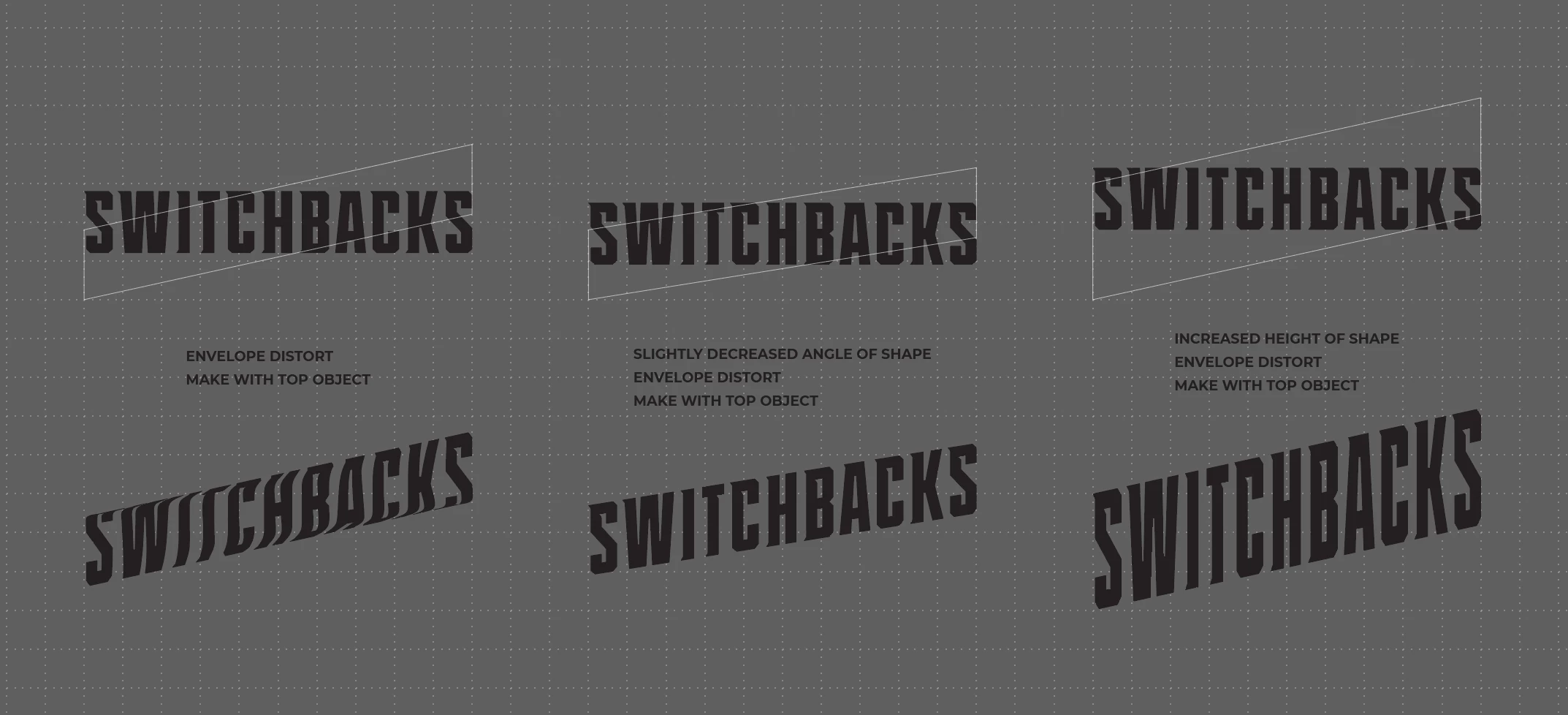
Can anyone explain why this happens? See attachd photos.


In the first photo you'll see that I am trying to do a simple envelope distort to angle text using "make with top object."  I would like it to be a fairly steep angle but once I get to a certain steepness it starts to distort the text in an odd way. I have found that if I decrease the angle it doesn't mess up the text but I want a steeper angle. If I increase the height of the box it doesn't distort the text like before but it ends up being stretched to be taller than it should be.


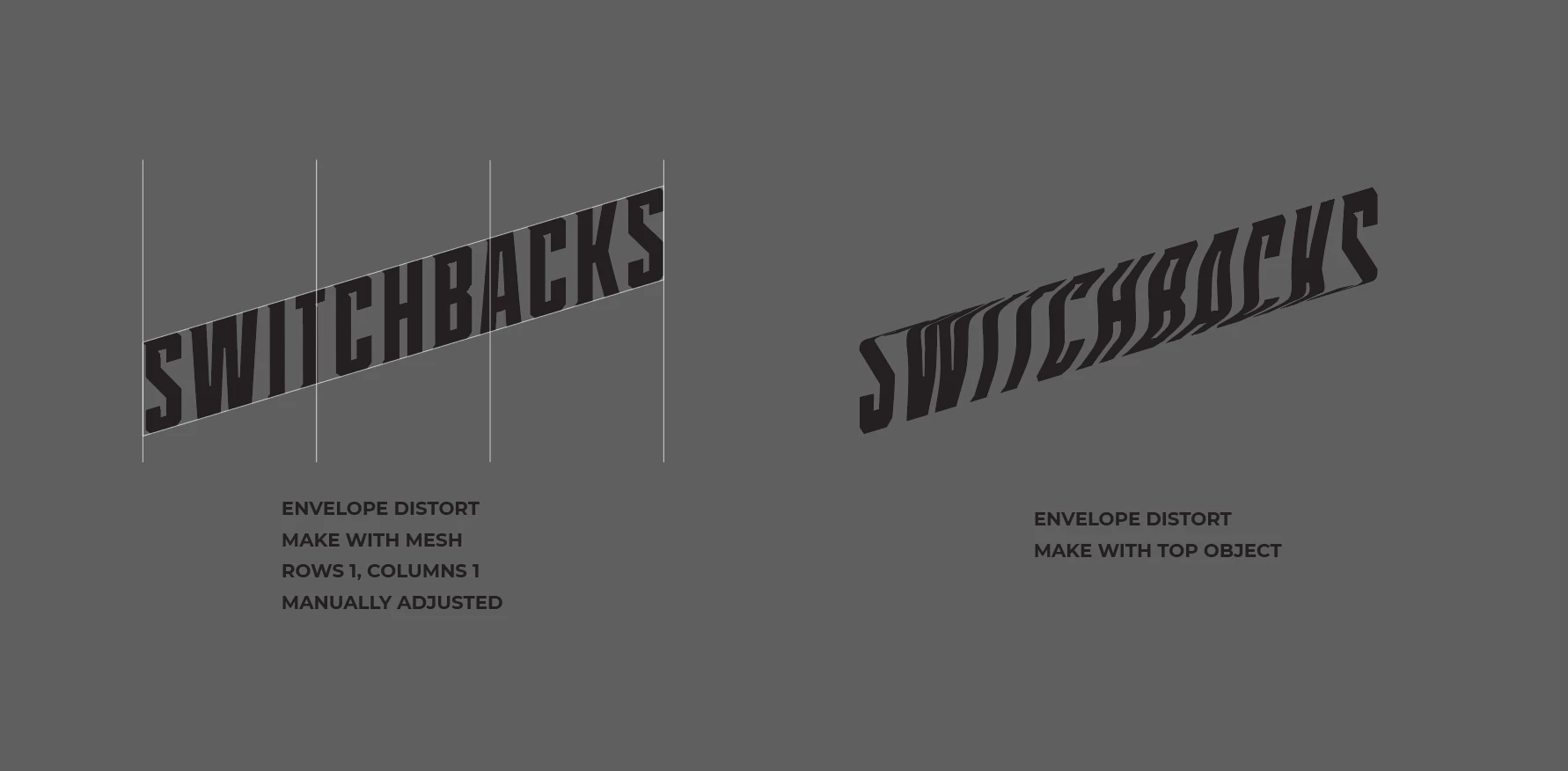
In the second photo,  I am able to achieve the result I want with "make with mesh" and making manual adjustments. If anyone else is having this issue, that might be the way to go. But it would be very nice to be able to do this with one click instead of doing it manually. And I don't see a "make with warp" option that will do it. Can anyone explain?
 

This topic has been closed for replies.

2 replies

tromboniator
Community Expert
Community Expert
November 18, 2021

Alternatively, you could use the Shear tool, hidden under the Scale tool, with the Shift key depressed to constraint movement, if desired:


Peter


rindlislAuthor
Participant
November 18, 2021

I achieved a very similar result with the shear tool too. Thank you! I see how this could be an easy way to do a simple rectangle like I was doing.


Monika Gause
Community Expert
Community Expert
November 18, 2021

You need to tell Illustrator the corner points of that envelope shape.

Put a 5th point on the path.

Select the 4 corners with the direct selection tool

Object > Make gradient mesh

Set up the number of columns and rows

Select the text and the mesh you created and Object > Envelope > Make with top object

rindlislAuthor
Participant
November 18, 2021

Thank you! It worked but now I have a more questions. I'll have to research using a gradient mesh.


I still wonder why "make with top object" without creating a gradient mesh was distorting the text like it was but you have sent me down a good path to learn more!


Monika Gause
Community Expert
Community Expert
November 18, 2021

I've recorded a video about the one secret of meshes. This is about gradient meshes, but it applied to envelopes as well: https://www.youtube.com/watch?v=aIqGHoLPuuE