Answered
Envelope Distortion error
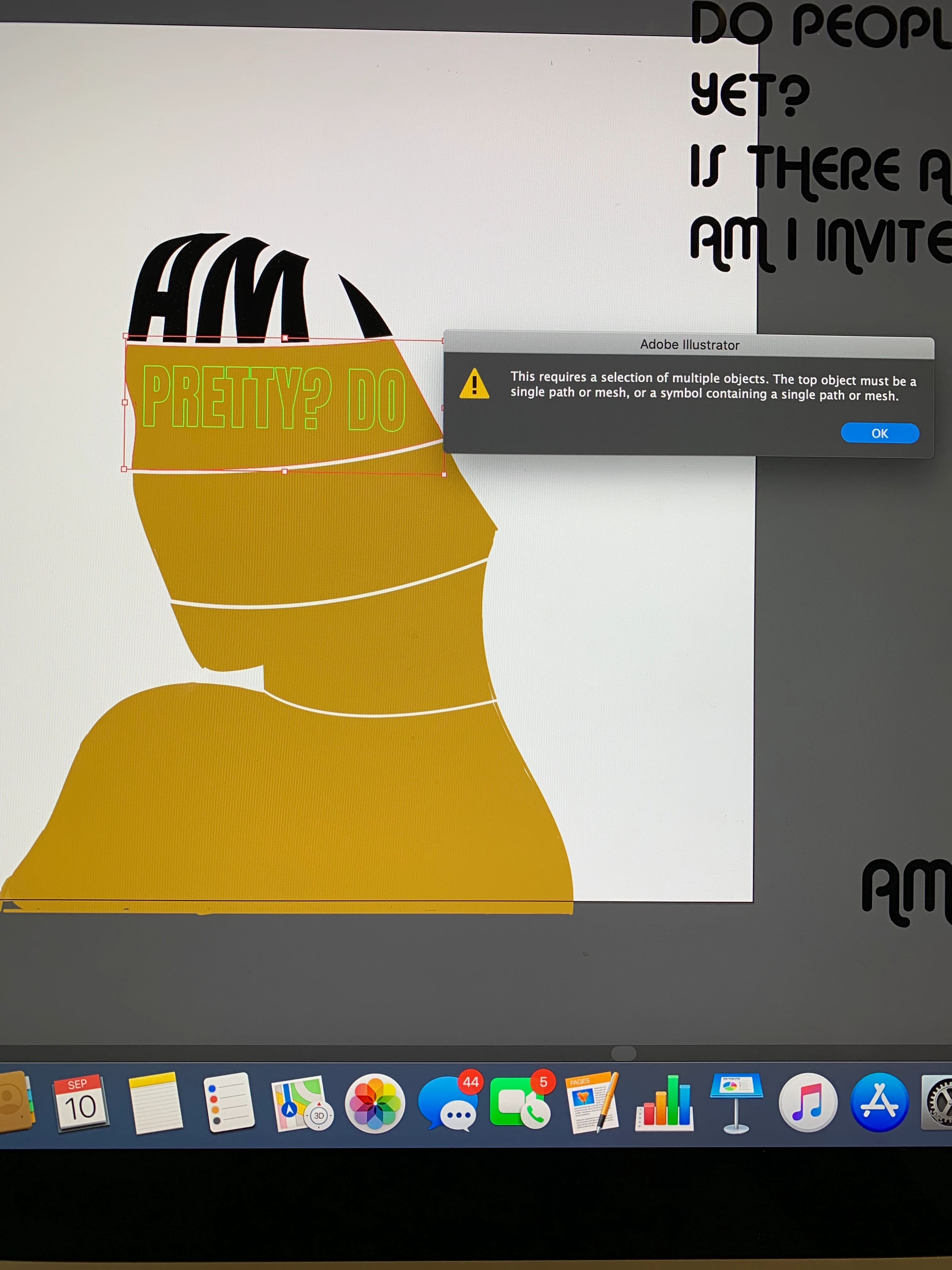
Hi, everyone! I feel like I'm about to go a bit mad trying to figure out my problem here.
I'm using Envelope Distort > make with top object for a project of mine. I used the shape builder to cut out my shapes, and am using a layer underneath of that for my text. As you can see, I got the first piece to merge fine. But when I went to distort my second piece, I got an error "this requires a selection of multiple objects. The top object must be a single path or mesh....." However, both my top layer and my text (underneath) are selected.
Any help is VERY greatly appreciated!
 AdChoices