



EPS Fonts Exporting as Embedded Subset Instead of Fully Embedded in PDF
Hello Adobe Illustrator Community,
I am seeking advice regarding font embedding in EPS files created from Adobe Illustrator.
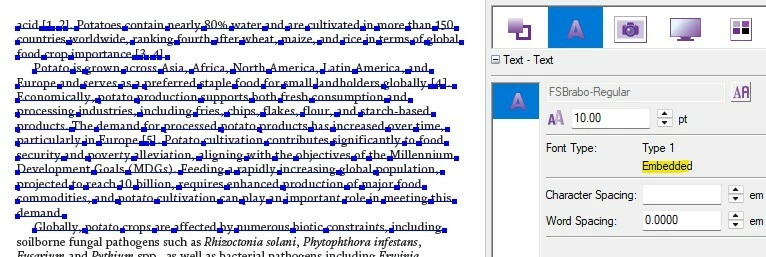
As per our client requirement, all fonts in the final print PDF must be Fully Embedded and not Embedded Subset. We have successfully achieved this for the main book content by generating the PDF from our pagination software with full font embedding enabled.
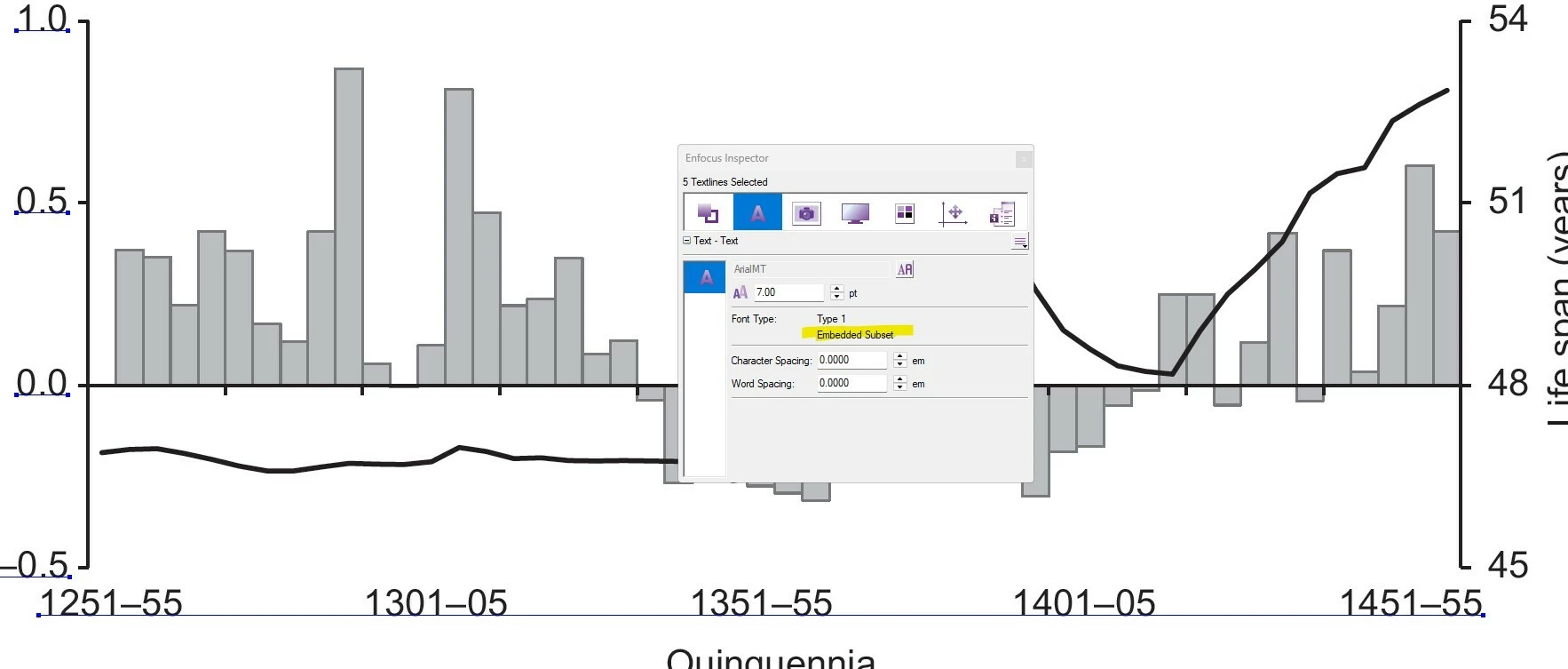
However, we are facing an issue with image elements. Wherever Illustrator-created EPS images are placed in the book, the fonts used within those images appear as Embedded Subset in the final PDF instead of Fully Embedded. As a result, the entire book PDF contains fully embedded fonts except for the text within the EPS-based figures.
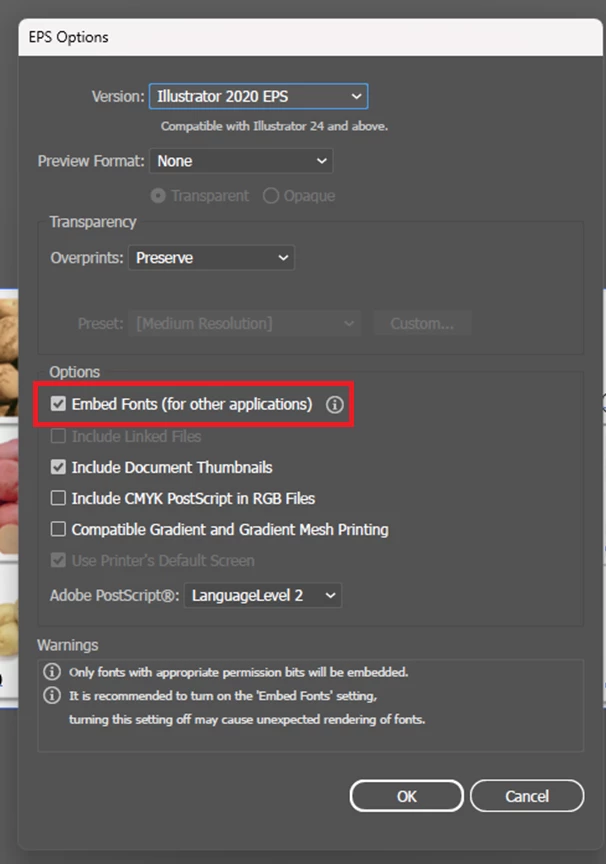
While creating the EPS files in Illustrator, we have enabled the "Embed Fonts" option. Despite this, when the EPS files are processed and included in the final PDF, the fonts are still reported as Embedded Subset.
Could anyone please advise:
- Is it possible for Illustrator to create EPS files with fonts fully embedded rather than subset embedded?
- Is this a limitation of the EPS format itself?
- Are there any Illustrator settings, PDF export settings, or workflow recommendations that would allow the fonts in the figures to remain fully embedded in the final PDF?
Any guidance or best practices would be greatly appreciated.
Thank you in advance for your help.
- Santhosh...
 AdChoices