Inspiring
October 4, 2017
Answered

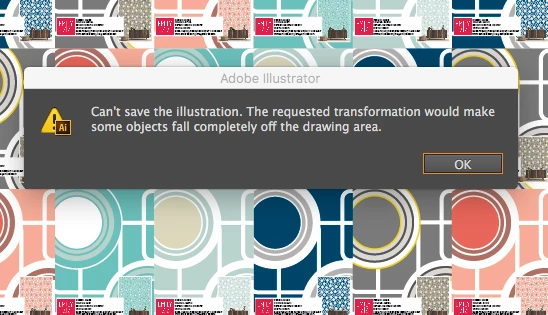
EPS Saving Files in CS6 Error

  • October 4, 2017
  • 5 replies
  • 3655 views

I have been saving may EPS files before this error occurred and after with no issues. I have even started with a whole new file and it still happening with this particular pattern as I use this setup with other patterns and no issue. Also, the other patterns all save the same way and don't have an issue.  I can save the ai and the pdf no problem. Thanks in advance
 

This topic has been closed for replies.
Correct answer Kevin Stohlmeyer

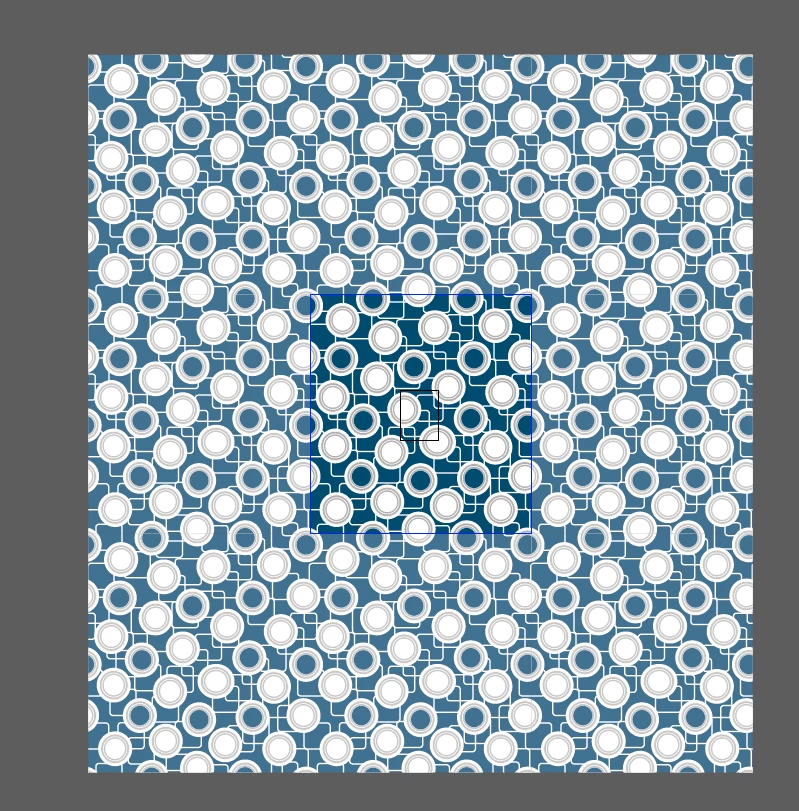
I've done some digging on my own and found it is the patterns you have created in the AI file that are WAY too large to be saved out as an eps. Your pattern swatches are 50" x 50" instead of one smaller repeating pattern.

No matter how you build this file, you are utilizing extremely large patterns in a 1 off preview along with scaled down wallpaper samples that repeat that larger pattern several times over.

You should reconsider how you've built the patterns first then reformat the larger document. Use a smaller pattern swatch and scale it up.

5 replies

Kevin Stohlmeyer
Community Expert
Kevin StohlmeyerCommunity ExpertCorrect answer
Community Expert
October 27, 2017

I've done some digging on my own and found it is the patterns you have created in the AI file that are WAY too large to be saved out as an eps. Your pattern swatches are 50" x 50" instead of one smaller repeating pattern.

No matter how you build this file, you are utilizing extremely large patterns in a 1 off preview along with scaled down wallpaper samples that repeat that larger pattern several times over.

You should reconsider how you've built the patterns first then reformat the larger document. Use a smaller pattern swatch and scale it up.

Kevin Stohlmeyer
Community Expert
Community Expert
October 27, 2017

To explain - the black center area is a letter size artboard (8.5 x 11"), the blue outline is your pattern swatch (50" x 50").

Inspiring
October 31, 2017

Thank you for checking that out for me. When I build a pattern it does not always start at this scale it's often smaller. And let's be honest PS artist files are a much larger size, even artwork imaged traced in AI would result in a large file. The reason for the pattern being that size is because it's for wallpaper. Now there seems to be a trend on making prints large on the wall. I'm not sure what you mean when say work in a smaller swatch or rethink my pattern when creating it, I did (lines and circles simple) the client wants large-scale patterned on the walls. On a 2.75 mt wall this print has to show large, so small pattern is not what the client wants and if they're going to buy it they want to see it true to scale. In order for me to do that my A4 image starts at full scale and then I reduce the image down to A4 sizing for samples to show clients what it will look at on a wall. And to be honest with you this is not the largest prints there are maps print that take up the whole 3mt high wall (325cmvx250cmh). Did not have an issue with this large file at all. I really think this was a corrupt fill for some reason, it happens.  If I design a card print or wrapping paper different scale but this is not the case and I have no idea how to make a small scale repeat in the right measurements for the client to see the correct scale mockup. They also need a sample of it on the correct scale which is the background on the A4 page. 

Thank you for all your time it's greatly appreciated.                                                                                                                                                                                                                                                           

Kevin Stohlmeyer
Community Expert
Community Expert
October 24, 2017

Looking at the responses, I'm guessing there is a larger image clipped to the artboard that extends well beyond the canvas. Ungrouping a clipped asset will not help, you would have to use pathfinder or a similar process to physically remove the offending items from the areas outside the artboard in order to save.

Just because it's hidden by a clipping path doesn't mean it's not still there.

Inspiring
October 27, 2017

I have gone through the layers and there were no hidden layers with extra patterns in them, everything was swatched in and yes all the files are around that size with no issue. Why you may find the files are so big is because this it's for wallpaper and I had to start the image that the pattern went into a normal wall height so the clients can see what it looks like on a normal wall then I have scaled the pattern and image down to the size of the print sample.  If there is an easier way I would appreciate the heads up.  And like I said this is not one of the bigger prints.

Cactus Cowboy
Inspiring
October 14, 2017

I downloaded it and found out that it's a 270 mb file for one thing. It's a big file, after opening it in Win CS6 and trying to save it as an .eps I got the same message. can't save...objs fall off the artboard. I ungrouped everything up to the clipping paths and the same thing. I tried flattening transparency didn't work, I tried outlining the text still nothing. I expanded the artboard still didn't work. Finally, came to the conclusion that this particular file just don't want to play nice and cooperate with the .eps format. Corrupted. Sorry.

Inspiring
October 27, 2017

That's what I thought thanks

Monika Gause
Community Expert
Community Expert
October 4, 2017

Check for stray points and guides in the file.

Without knowing how exactly the file has been built, this will be close to impossible for us to find out.

Inspiring
October 4, 2017

Did all of that plus redid the whole file from scratch, so weird

Monika Gause
Community Expert
Community Expert
October 4, 2017

Is the pattern applied to a shape in that file?

And if so: how large is the pattern?

Theresa J
Community Expert
Community Expert
October 4, 2017

Is there a reason you are saving your files as EPS? It is a very antiquated file type. More than likely a PDF will serve your needs even better than EPS.

Inspiring
October 4, 2017

I have to save them that way for the printers it's for wallpaper and its what they have asked for. I have over 300 files and this is the only one that won't save and I tried my mac mini and my mac book pro. Any ideas