

Eraser tool leaves outline after applying, or using scissor tool a better option?
Dear Sir/Mdm
I am currently working on creating a room's interior using Illustrator CS6, and there are still some tools I am trying to figure out at the moment.
The eraser/scissor/knife tool. I had a several inner lines i created that i would like to erase away, taken a screen shot, please refer to it as follows:
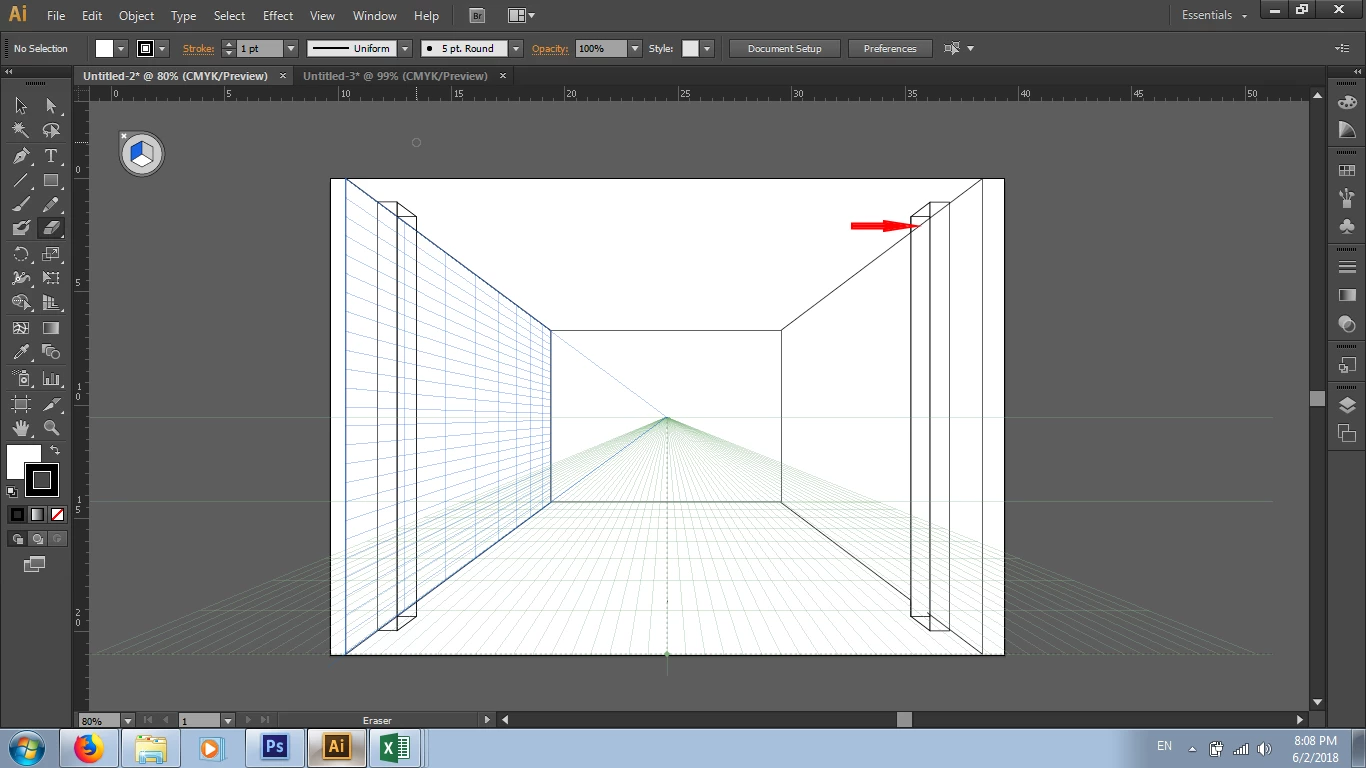
The red arrow shows one of the inner lines i would like to erase, so i decided to use eraser tool as a start, but when i applied it on, the result was as follows:
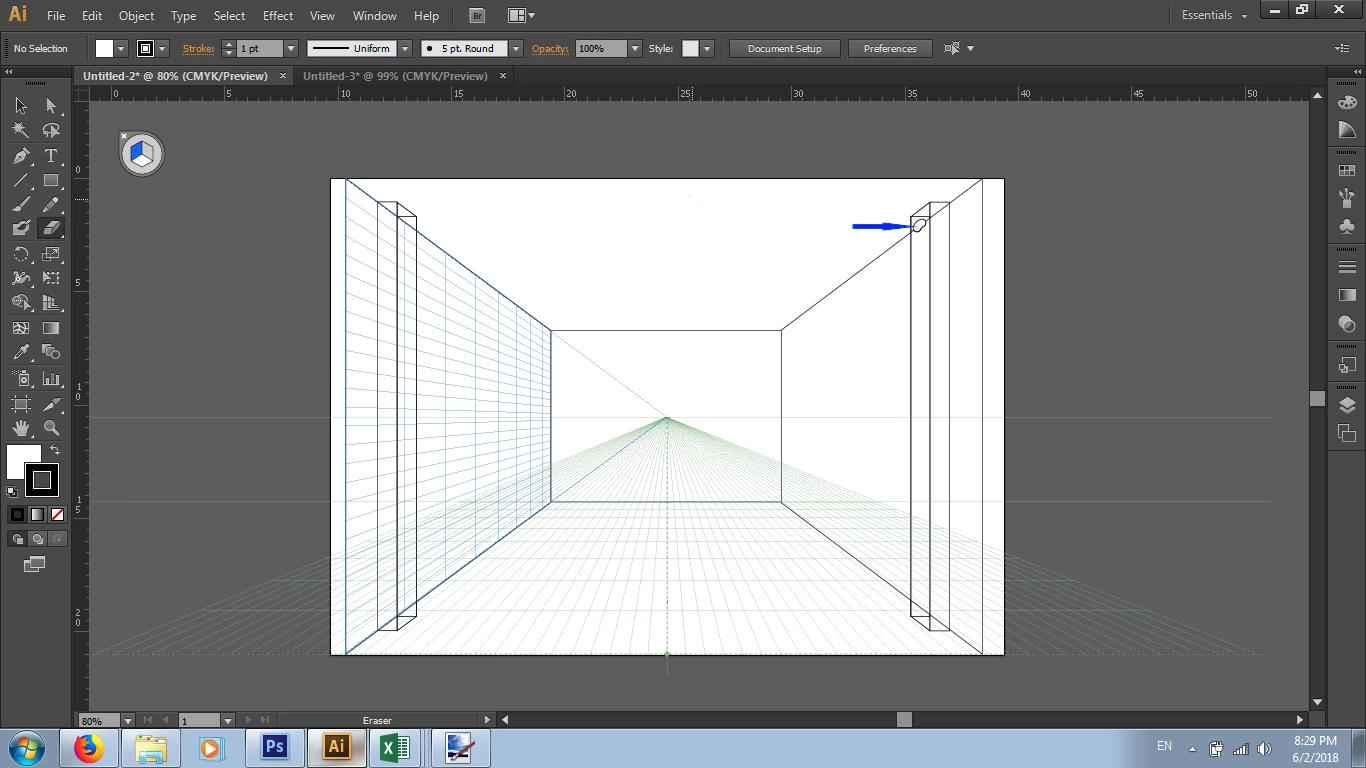
As shown above the blue arrow indicated the result after applying the eraser on. Any solution/s or method/s that i had missed? Or would it be better to use the scissor tool to cut away the inner lines? If so, would you mind if you can share with me how am i gonna use the eraser or scissor tool successfully?
Sincerely
Kyle Au Yong


 AdChoices