Participant
Apr 17, 2018 3:01 PM UTC
Question

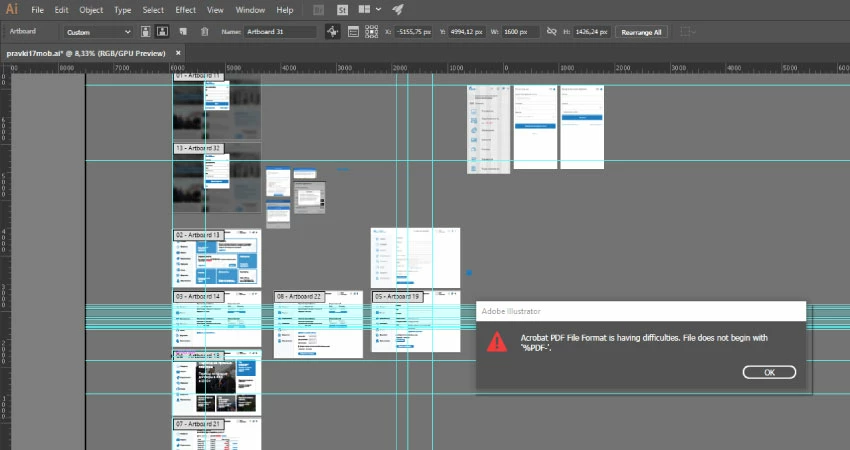
error Acrobat PDF files is having difficulties. File does not begin with %PDF

I have an AI file that won't save. (Windows 10, Adobe Illustrator 2018 CC)

Every time I try to save as an AI file I get an error message saying "Acrobat PDF files is having difficulties. File does not begin with %PDF."

It does not include the piece about file being named wrong or other options I've read about, just that it's having difficulties.

I've looked through other forums and have tried all of their advice, none of which has worked.

I refreshed preferences. I've changed fonts, tried to save as EPS (crashes), changed the file name. I unchecked the box that creates a PDF when saving as .ai. I saved the file in parts with a new name, some of them are opened, and some are not.

I wrote in support and they answered me "There are multiple factor both internal and external to application  that can lead to document corruption . The file can get corrupt due to multiple reasons associated with the file itself like the links used in the file , the styles , fonts or any other."

​​​​​​​

Any other ideas?

10 replies

Participating Frequently
Feb 19, 2024 12:03 PM UTC

Hi, in  case anyone would face the same challenge, it happened to me too, tried many options to solve it and then I found out that my hard disk was full 😄 Try to check your free space before losing your work.


Good luck.

Translate
Participant
Jan 6, 2025 10:02 AM UTC

Yep same here! Thanks for this @BDA111 

Translate
aTomician
Inspiring
Apr 18, 2018 6:42 AM UTC

Is your computer tied to a domain ie, a company domain?

Translate
Regards, aTomician
Participant
Apr 18, 2018 11:16 AM UTC

I don't understand your question, sorry

Translate
aTomician
Inspiring
Apr 18, 2018 2:24 PM UTC

The only things I can think of that could cause this kind of issue are the following:

- file location permissions issue (ie, you don't have sufficient permissions for this location)

- file location access issue (can't access the file location)

- plugin or custom script is conflicting with illustrator

- Illy installation has corrupted itself

Basically, if your computer was on a domain, this could cause either of the first two issues, that's why I asked the question.

Can you try another thing?

1. Go to File > Save a Copy (a browser window should open).

2. In the address bar at the top, type in "%username%" (without the quotes) as below.  This will take you to your home directory.

3. Give the file a name and click "Save" (don't change the folder you're saving to).

4. UNTICK the option that says "Create PDF Compatible File"

5. Click "OK"

if you follow above process, it should eliminate the possibility of most of the causes I mentioned.  Please let me know if this saves the file or if you still get an error?  If you still get an issue, could you also try the above steps again, but on step 4, change the "Version" to "Illustrator CS6" and try and save that.

Look forward to hearing back!

Translate
Regards, aTomician
Mike_Gondek10189183
Community Expert
Community Expert
Apr 17, 2018 4:03 PM UTC

Save as and uncheck pdf compatible, so that is off.

If that does not work, create a fresh new document(in the same color mode - RGB form your screenshot), and paste the art into that and save.

Translate
Participant
Apr 18, 2018 6:07 AM UTC

As you can see in the text above I already did it (I unchecked the box that creates a PDF when saving as .ai.) it doesn't work.

create a fresh new document and paste the art into that and save - also doesn't work for me

Translate
Legend
Apr 17, 2018 3:15 PM UTC

Is the file on a local hard disk?

Translate
Participant
Apr 18, 2018 6:08 AM UTC

Yes, the file is on a local hard disk

Translate