

Participating Frequently
March 2, 2026
Question

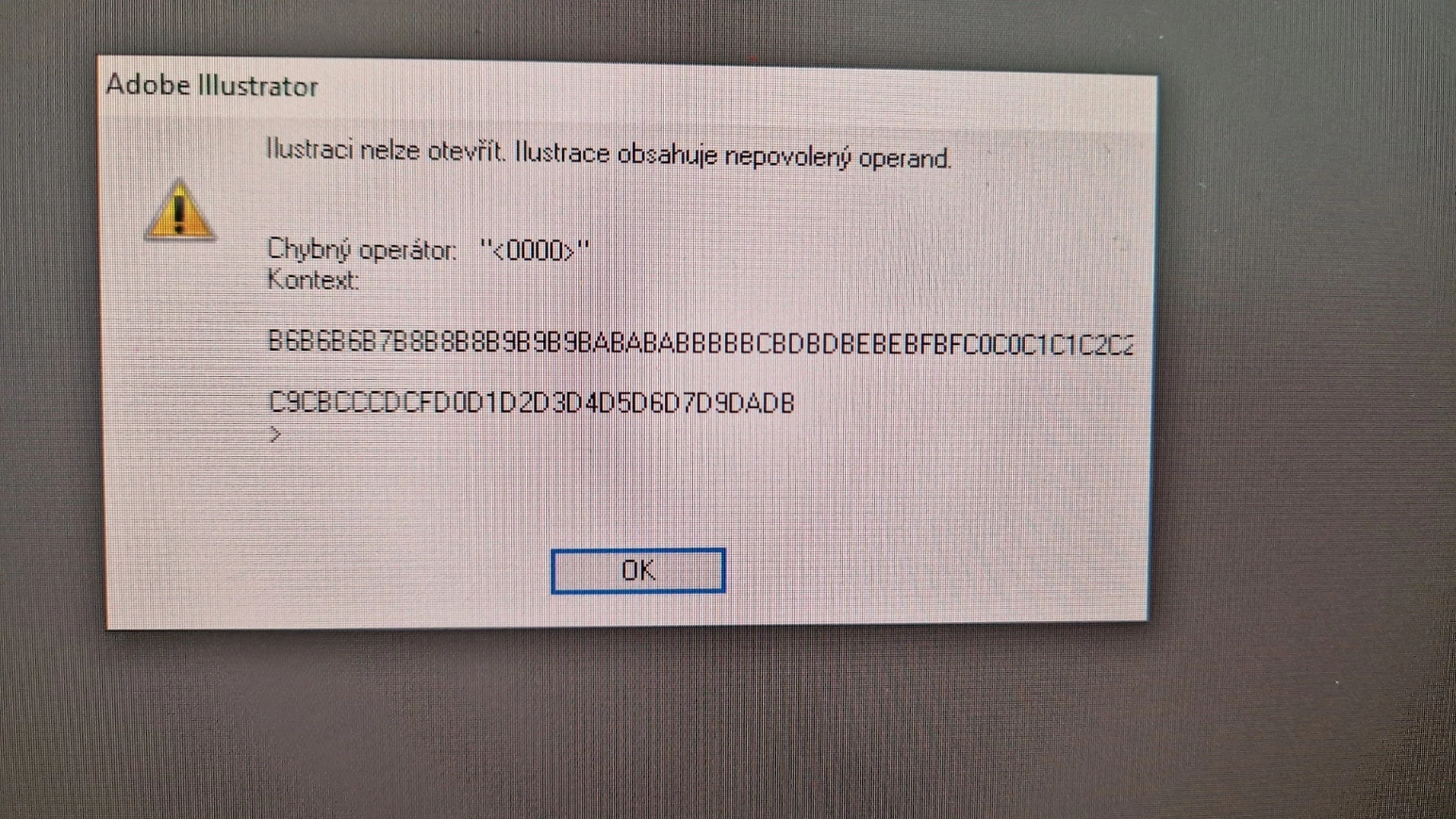
Error: "Cant open the illustration. The illustration contains an illegal operand.

  • March 2, 2026
  • 5 replies
  • 309 views

Hi. After update to v. 30.2.1 I am not able to open ai. file saved as CS5 version on PC were we use older version of Illustrator CS5.

 

    5 replies

    mimisports
    Participant
    March 2, 2026

    1. The "Place" Workaround

    Instead of opening the file directly, try importing its contents into a fresh document. This often bypasses the header code causing the "illegal operand" error.

    1. Create a New Document in Illustrator.

    2. Go to File > Place.

    3. Select the corrupted .ai file.

    4. Ensure "Link" is unchecked.

    5. Click anywhere to place the art. If it works, you can then embed the file or ungroup it to edit.

    =======================================================


    2. The "Drag and Drop" Method

    Sometimes the standard "Open" command triggers the error, but dragging the file does not.

    1. Open Illustrator to the Home screen.

    2. Drag your file from your Windows File Explorer directly into the Illustrator workspace.


    Sometimes while making Mockups for Custom American Football Uniforms i had this kind of issues so i used this method to solve them. 

    i hope it will work for you also. 


    Regards, 

    MimiSports USA

    Jamshed Afzal - MimiSports USA
    Igor5D50Author
    Participating Frequently
    March 2, 2026

    It is definitely with latest version. I went back to version 30.1, and it works without any problems.

    Anubhav M
    Community Manager
    Community Manager
    March 2, 2026

    Hello ​@Igor5D50 


    I hope Monika’s suggestions helped resolve the problem. If not, kindly check if Illustrator behaves this way with all files? If not, please share a link to the affected file here or via DM so we can check it with the team.


    Looking forward to hearing from you.
    Anubhav

    Igor5D50Author
    Participating Frequently
    March 2, 2026

    I would say, it is problem of version 30.2.1. It appears immediately after update. There was no problem before. We do not have any other version of Illustrator. We just use this version and old version CS5 for cutting purposes.

    Monika Gause
    Community Expert
    Community Expert
    March 2, 2026

    THis is not an issue of the version, but could be related to trouble with saving the file or with trouble transferring it to the other computer. 

    Do you have another version of Illustrator on yet another computer? Can you try and open it on that one?