Answered
Error in illustrator regex text replace script
如何在Illustrator中执行通配符/ GREP / 正则表达式查找替换?- 平面设计堆栈交换
测试后,以下元字符未正确执行:^ $ /n (?<=) (?<!)(?=)(?!)
谁可以帮助我修改它
如何在Illustrator中执行通配符/ GREP / 正则表达式查找替换?- 平面设计堆栈交换
测试后,以下元字符未正确执行:^ $ /n (?<=) (?<!)(?=)(?!)
谁可以帮助我修改它
Thank you. Have a nice weekend!
Your script is very good, but I want to implement this function based on this script. Is it feasible?
How to do a wildcard / GREP / regex find-replace in Illustrator? - Graphic Design Stack Exchange
I tend to over-complicate things so you may want a simpler solution, but if I were to rewrite the function you've shown me I would do it like this:
var options = {
  // Bypass all find/replace prompts, just remove the newlines:
  removeNewlines: false,
  //
  find: {
    value: "[\\r\\n\\cC]", // Text to appear as default
    title: "Find:", // Title of window
    desc: "Enter RegExp/GREP/Text", // Description of window
    flags: "gm",
  },
  replace: {
    value: "",
    title: "Replace:",
    desc: "Enter Text",
  },
  confirm: {
    value: false,
    title: "Enable line-splitting?",
    desc: "Choose no to enable global flags and newline targeting",
  },
  lineSplitting: {
    onSplit: /[\r\n\cC]/gm, // RegExp to use for manual newline split
    onJoin: "\r\n", // Value to join newlines back with
  },
  showChanges: true, // Whether to display alert on completion noting change count
};

Array.prototype.filter = function(callback) {
  var filtered = [];
  for (var i = 0; i < this.length; i++)
    if (callback(this[i], i, this)) filtered.push(this[i]);
  return filtered;
};

function get(type, parent) {
  if (arguments.length == 1 || !parent) parent = app.activeDocument;
  var result = [];
  if (!parent[type]) return result;
  for (var i = 0; i < parent[type].length; i++) result.push(parent[type][i]);
  return result;
}

function findReplace() {
  try {
    var doc = app.activeDocument,
      scope = doc.selection.length
        ? get("selection").filter(function(i) {
            return i.typename == "TextFrame";
          })
        : doc.textFrames,
      count = 0;
    if (options.removeNewlines) {
      for (var i = 0; i < scope.length; i++) {
        var content = scope[i].contents;
        var lines = content.split(/[\r\n\cC]/gm),
          newStr = [];
        for (var e = 0; e < lines.length; e++)
          newStr.push(lines[e].replace(find, replace));
        scope[i].contents = newStr.join(" ").replace(/\s{2,}/gm, "");
      }
      return null;
    }
    var find = prompt(
      options.find.desc,
      options.find.value,
      options.find.title
    );
    if (find !== null) {
      var findRX = new RegExp(find, options.find.flags),
        shouldSplit = confirm(
          options.confirm.desc,
          !options.confirm.value,
          options.confirm.title
        );
      var replace = prompt(
        options.replace.desc,
        options.replace.value,
        options.replace.title
      );
      if (replace !== null) {
        for (var i = 0; i < scope.length; i++) {
          var content = scope[i].contents;
          if (shouldSplit) {
            var lines = content.split(options.lineSplitting.onSplit),
              newStr = [];
            for (var e = 0; e < lines.length; e++) {
              if (findRX.test(lines[e])) count++;
              newStr.push(lines[e].replace(findRX, replace));
            }
            scope[i].contents = newStr.join(options.lineSplitting.onJoin);
          } else {
            if (findRX.test(scope[i].contents)) count++;
            scope[i].contents = scope[i].contents.replace(findRX, replace);
          }
        }
        if (options.showChanges) {
          var alertStr = !count
            ? "No changes made"
            : count > 1
            ? count + " changes made"
            : "1 change made";
          alert(alertStr);
        }
      }
    }
  } catch (err) {
    alert("Error: " + err);
  }
}
findReplace();
With options.removeNewLines set, there is no UI. It just takes this:
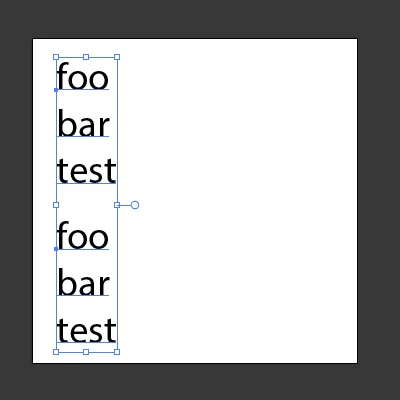
And turns it into this:
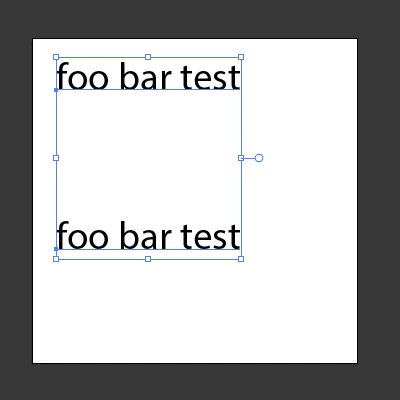
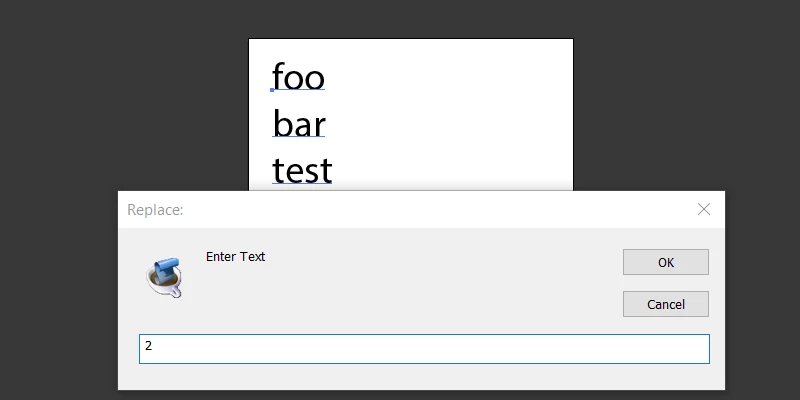
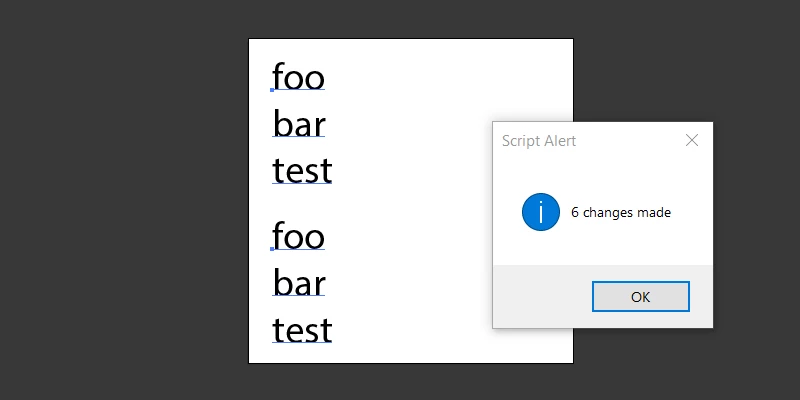
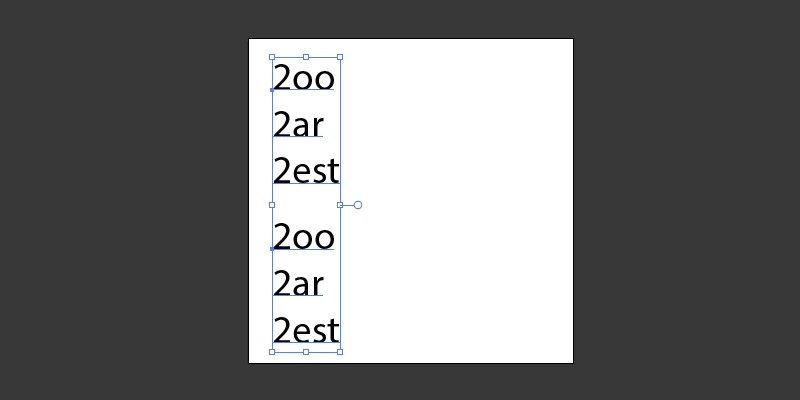
Otherwise all the option values at the top of the script determine the behavior and UI:
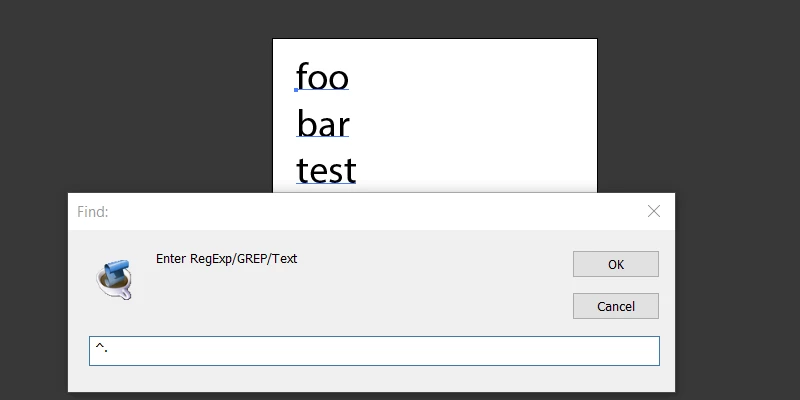
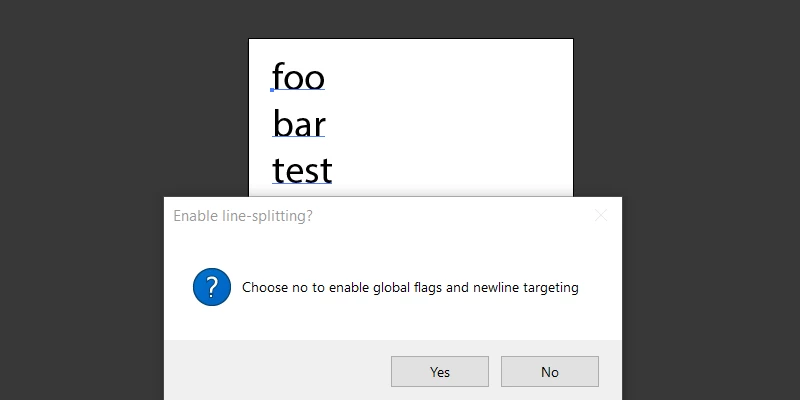
The above defaults to No, which targets the "paragraph" and all lines for a single RegExp replace. When choosing Yes, it will split each line into a sentence and run an individual replace on each sentence, then reconstruct and assign the value back to the original TextFrame. All this behavior is configurable through the options object at the top of the script.
Already have an account? Login
Enter your E-mail address. We'll send you an e-mail with instructions to reset your password.
 AdChoices