


Participant
April 16, 2020
Question

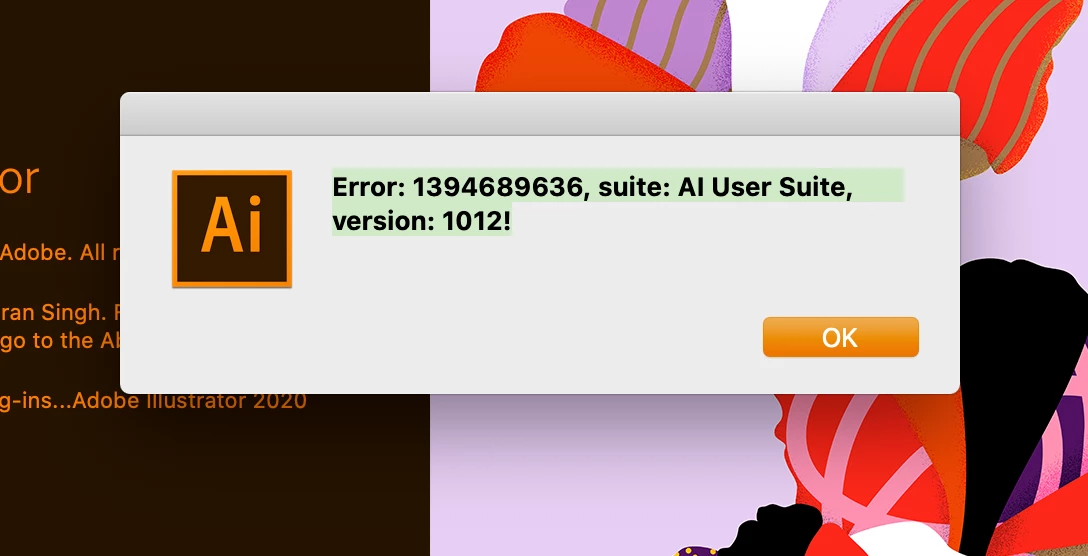
Error message pops up when loading Adobe illustrator

  • April 16, 2020
  • 1 reply
  • 247 views

I tried searching this error code I would get with launching Adobe illustrator. (error: 139689636, suite: AI User Suite, Vision:1012!)  I tried searching but can't find this era code anywhere once I click OK Things seem to work just fine, more annoying than anything.  Does anyone know what this era code is or how I can resolve it?  
This topic has been closed for replies.

1 reply

Ashutosh_Mishra
Inspiring
April 16, 2020

Hi there,


Sorry to hear about your experience. Would you mind sharing exact version of Illustrator and OS?

Also, please try resetting the Adobe Illustrator preferences once. Follow the instructions below to do that:

  • Close all Adobe applications. 
  • Go to locations 
  • ~/Library/Caches 
  • ~/Library/Application Support/Adobe 
  • ~/Library/Preferences 
  • Rename Adobe Illustrator, com.adobe.illustrator and Adobe Illustrator 24 Settings folders to Adobe Illustrator.old, com.adobe.illustrator.old and Adobe Illustrator 24 Settings.old 
  • Launch Illustrator from the Creative Cloud. 


**Please note that resetting preferences will remove all the custom settings and Illustrator will launch with default settings. This way all your old settings will be saved in .old folders and Illustrator will recreate new folders with default settings. 


Let us know if it helps you out. Looking forward to your response.


Regards,

Ashutosh